Actions
Bug #1515
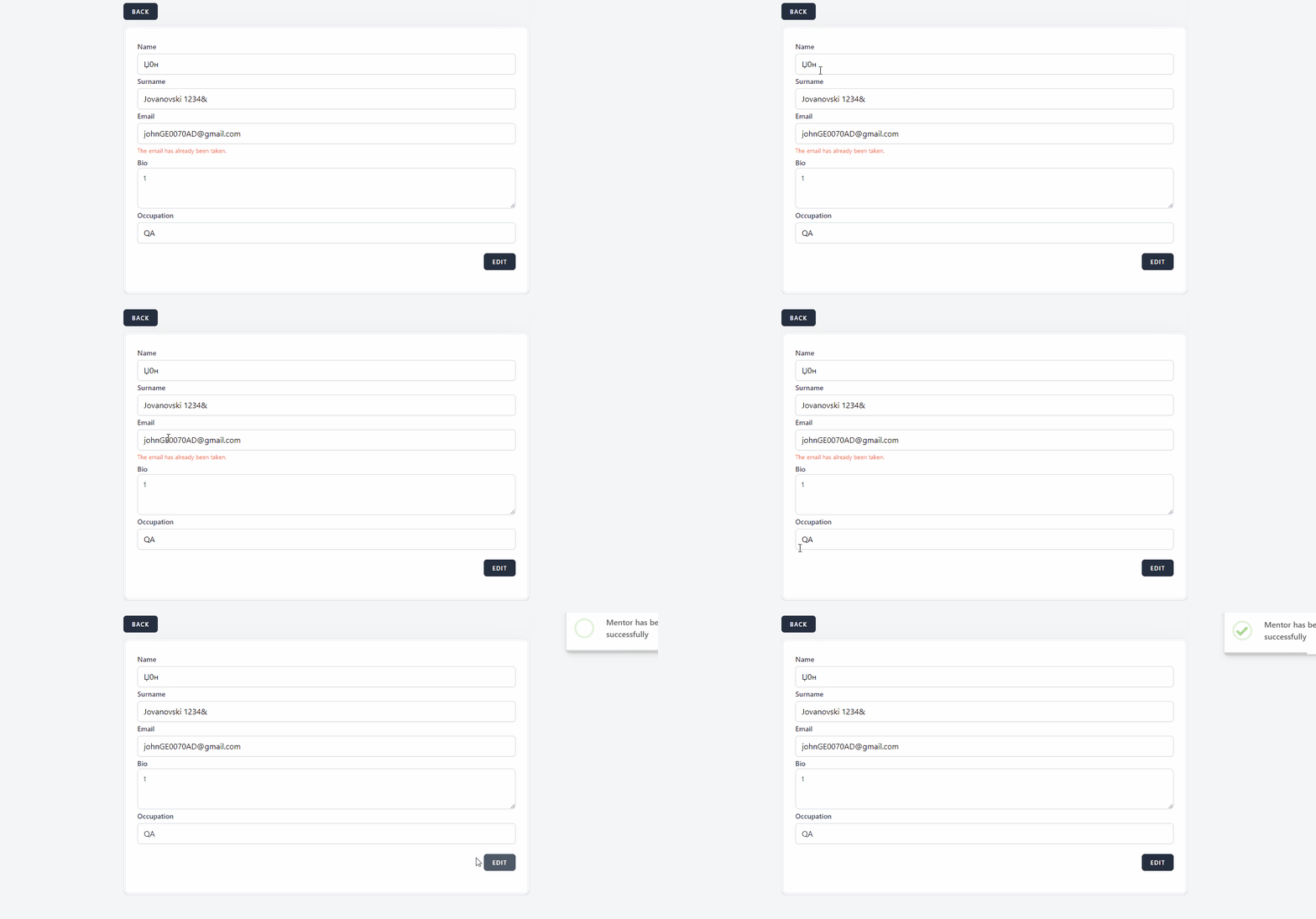
openMentor can be edited by only entering valid E-Mail
Start date:
12/18/2023
Due date:
% Done:
0%
Estimated time:
Description
Precondition
- Navigate to URL https://qainterrapt.brainster.xyz/login
- The user must be pre-registered.
- There must be at least one created mentor."
- Click on the ""Mentors"" via navigation menu.
- Click on the ""Edit button.
- Confirm that the ''Name'' field is prepopulated with previously entered name.
- Fill in the ""Name"" field with invalid data.(Џ0н)
- Confirm that the ""Surname"" field is prepopulated with previously entered surname.
- Fill in the ""Surname"" field with invalid data.(Jovanovski 1234&)
- Confirm that the ""Email"" field is prepopulated with previously entered email.
- Fill in the ""Email"" field with valid data (prefix appears to the left of the @ symbol, and domain on the right)
- Confirm that the ""Bio"" field is prepopulated with previously entered bio data.
- Fill in the ""Bio"" field with invalid data (1)
- Confirm that the ""Occupation"" field is prepopulated with previously entered occupation data.
- Fill in the ""Occupation"" field with invalid data. (QA)
- Click on the ""Edit"" button in the bottom right under the ""Ocupatiuon"" field.
Environment:
PC / Windows 10 Pro / Google Chrome Version 91.0.4280.88 (Official Build) (64-bit)
Mobile Phone / iPhone 14 / iOS 17.2.1
Expected results
The "Mentor" should not be edited, and a message should be shown ''name field is requierd'' in red letters; ''suname field is requierd'' in red letters; ''bio field is requierd'' in red letters; ''occupation field is requierd'' in red letters.
Actual results:
No error messages appear and the "Mentor" is edited
Files
Updated by Jovan Gjoshev over 2 years ago
- Subject changed from Mentor can be edited by entering only entering valid E-Mail to Mentor can be edited by only entering valid E-Mail
Updated by Jovan Gjoshev over 2 years ago
Actions