Actions
Bug #1697
openWhen user exports Users, Webinars, Attendees, Mentors and Tags in Excel file, 'Actions' column is included.
Start date:
12/21/2023
Due date:
% Done:
0%
Estimated time:
Description
- Description:
When user exports Users / Webinars / Attendees / Mentors / Tags in Excel file, in downloaded file is included 'Actions' column.
- Environment:
Laptop / Windows 11 Home V. 23H2 / Microsoft Edge Version 119.0.2151.93 (Official build) (64-bit) Desktop View
iPhone 12 Pro / Mobile View
- Pre-conditions:
User must be navigated to: https://qainterrapt.brainster.xyz/login and logged in.
- Steps to reproduce:
- Click on the 'Users' / 'Webinars' / 'Attendees' / 'Mentors' / 'Tags' button in the navigation menu.
- Select users / webinars / attendees / mentors / tags from the list of users / webinars / attendees / mentors / tags. (just for 'Selected' option)
- Click on the extract button available above the list of users / webinars / attendees / mentors / tags.
- Under the available export options, click on the 'Selected' button located in the first row next to 'Excel' / Under the available export options, click on the 'All' button located in the first row next to 'Excel'.
- Expected Result:
File should be successfully exported in Excel file and should contain all information available for Users (ID, Name, Email, Created At), Webinars (ID, Title, Start date, End date, Link, Is finished, Questions), Attendees (ID, Name, Surname, Email, Webinar, Created At), Mentors (ID, Name, Surname, Email, Occupation, Created At) and Tags (ID, Title, Created At).
- Actual Result:
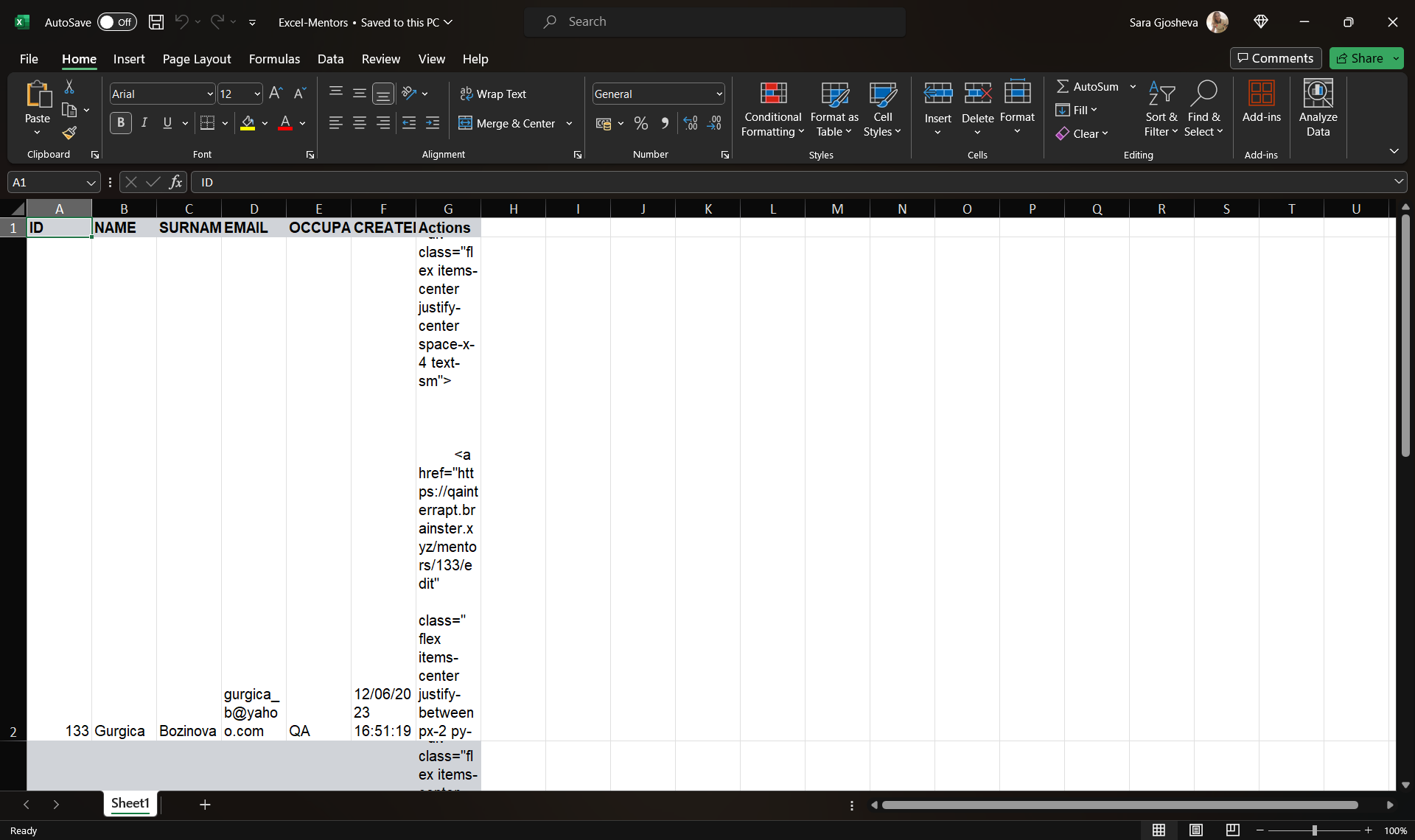
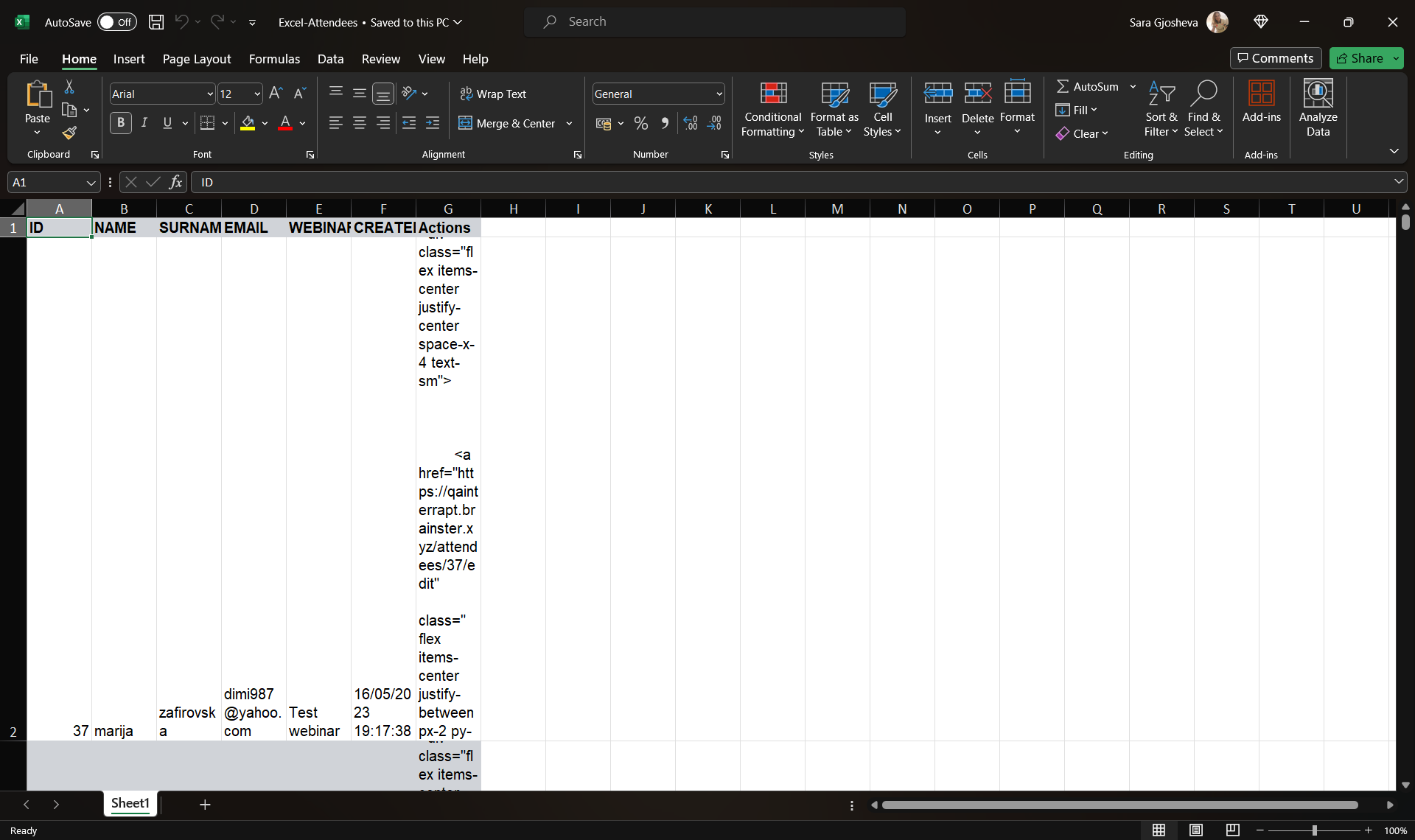
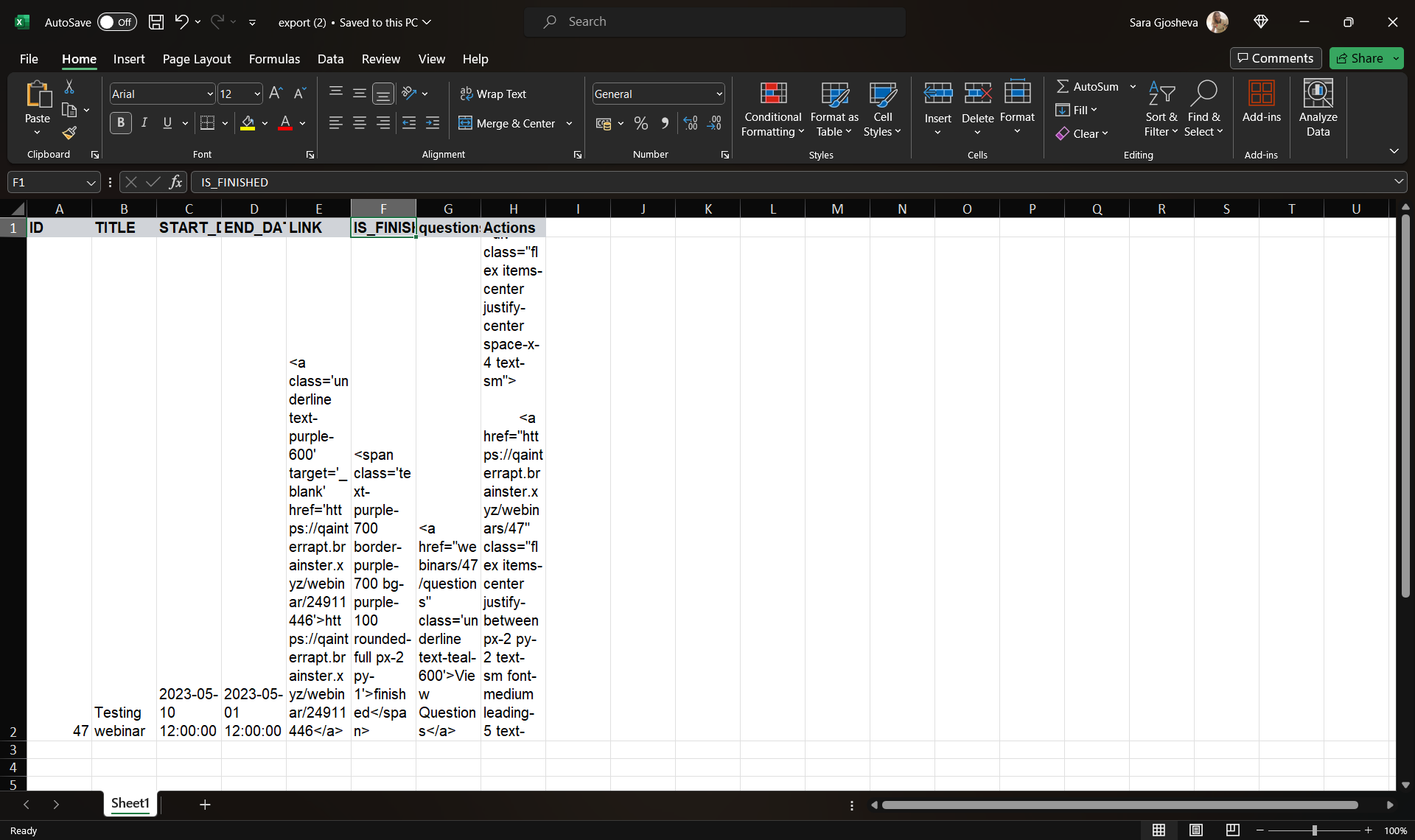
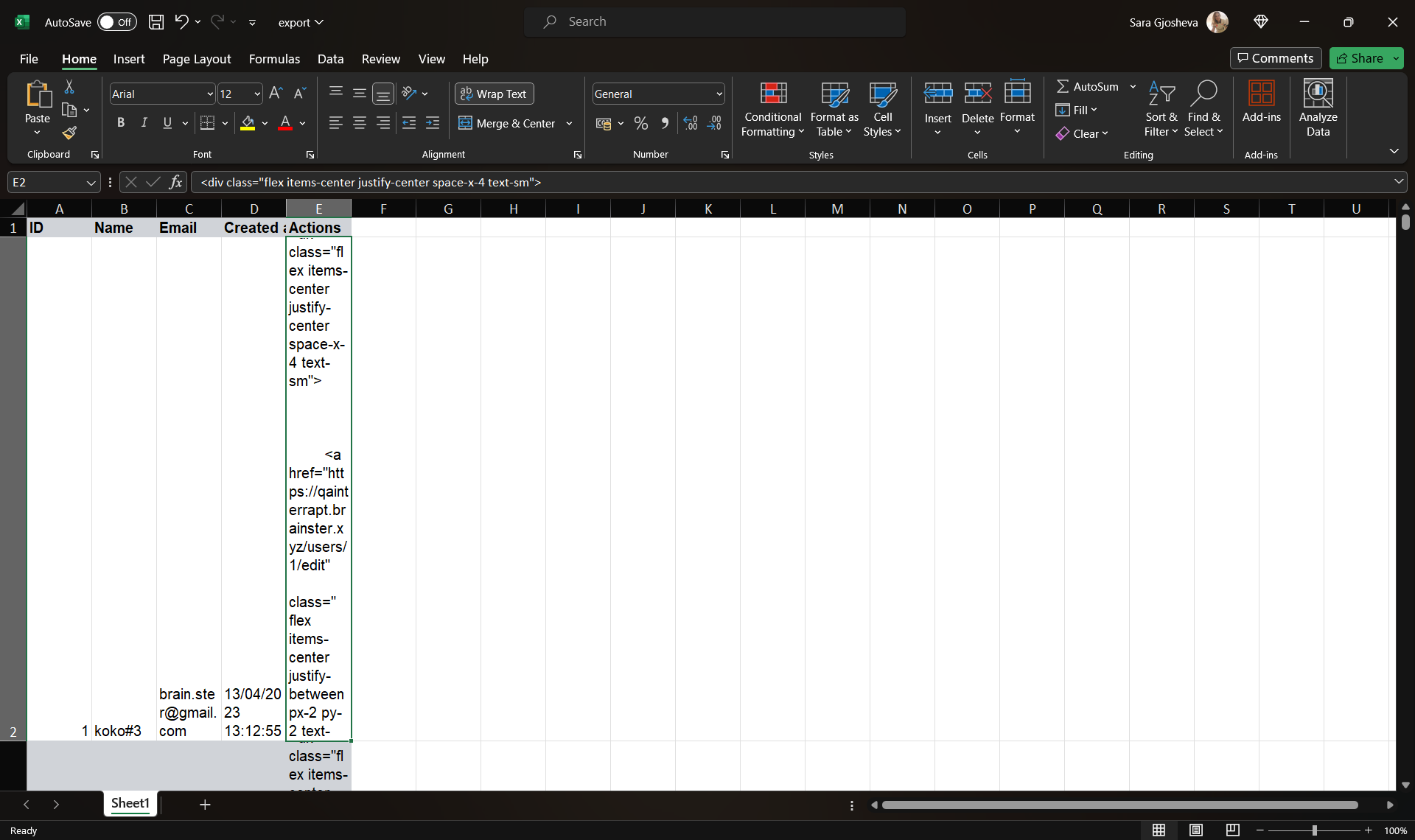
File is exported in Excel file and contains for Users (ID, Name, Email, Created At, Actions), Webinars (ID, Title, Start date, End date, Link, Is finished, Questions, Actions), Attendees (ID, Name, Surname, Email, Webinar, Created At, Actions), Mentors (ID, Name, Surname, Email, Occupation, Created At, Actions) and Tags (ID, Title, Created At, Actions).
Files
| Excel-Mentors.png (139 KB) Excel-Mentors.png | |||
| Excel-Attendees.png (139 KB) Excel-Attendees.png | |||
| excel-tags.png (136 KB) excel-tags.png | |||
| excel-webinars.png (157 KB) excel-webinars.png | |||
| excel-users.png (138 KB) excel-users.png |

No data to display
Actions