Bug #1706
open[Tags] The 'select all' check box did not select all the tags
0%
Description
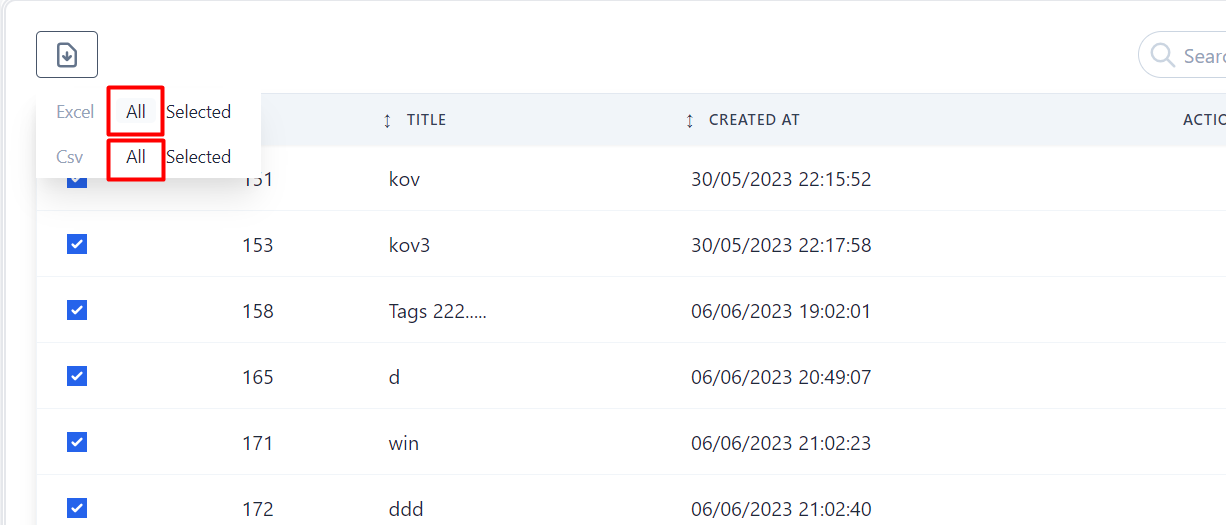
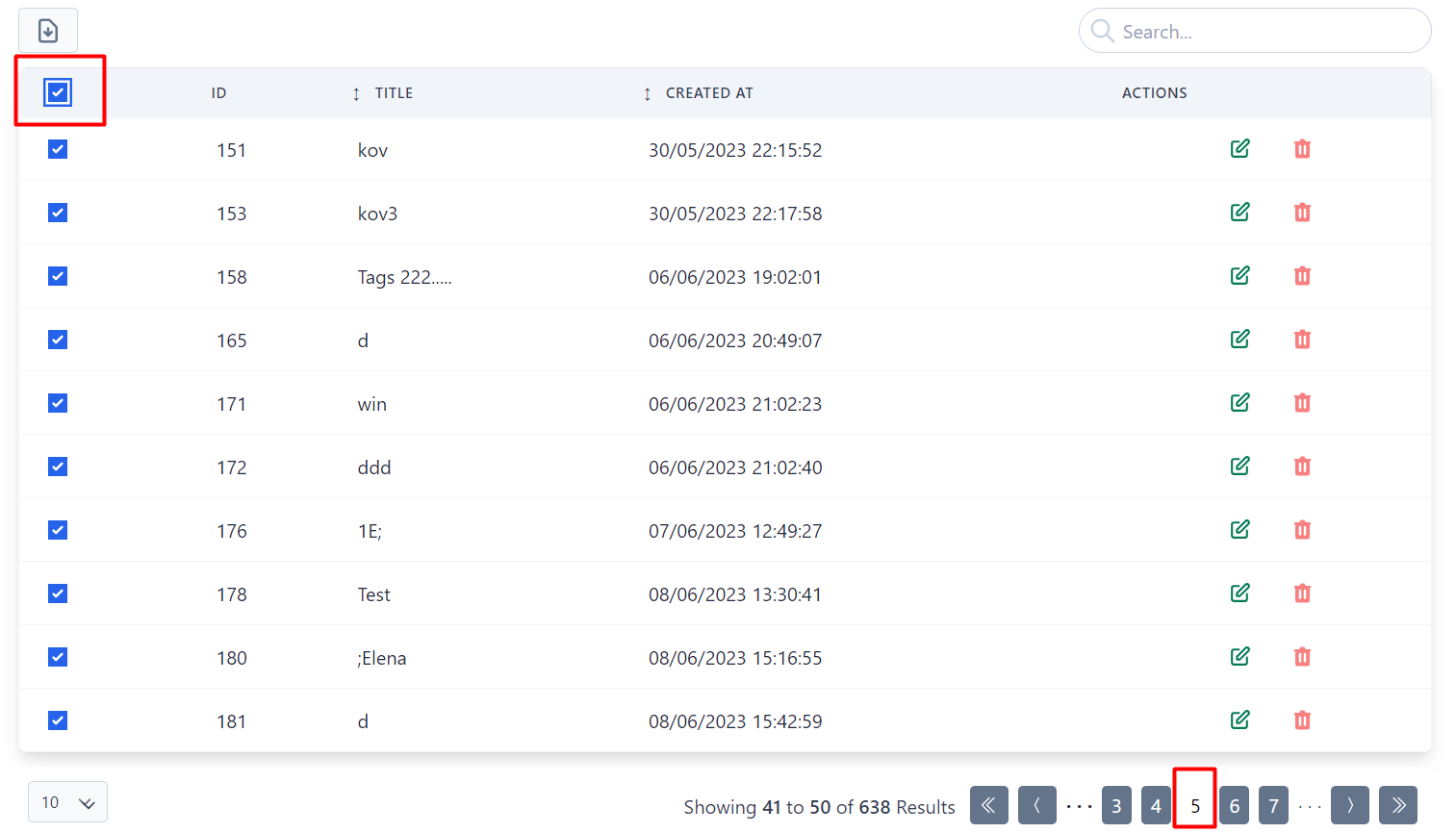
When user export CSV or EXCEL file with 'all' button from extract menu (attached Screenshot_5), the exported CSV file have all the tags, but if we choose select all button (attached Screenshot_2), in that case in the CSV file there is only the tags from a current page, in the attached case from page 5.
Environment:
PC / Windows 10 Pro, Google Chrome Version 120.0.6099.129 (Official Build) (64-bit)
Mobile / Samsung Galaxy S21FE
Precondition:
User must be navigated to: https://qainterrapt.brainster.xyz/login and logged in.
Steps to reproduce:
1. Click on the 'Tags' via navigation menu
2. Select all tags with 'select all' option in the top row
3. Click on the extract button.
4. Click on the selected button from CSV or EXCEL row.
5. Check if all tags are in the exported file.
Expected result:
The exported CSV/EXCEL file should be contains all tags.
Actual result:
The exported CSV/EXCEL file contains only the tags from the current page where are we navigated on the form (10 tags).
Files
| Screenshot_5.png (36.5 KB) Screenshot_5.png | |||
| Screenshot_2.png (68.6 KB) Screenshot_2.png |
No data to display