Bug #1708
open[Webinars]The user is able to upload image with invalid size format.
0%
Description
Description
By creting the webinars user can upload image bigger then 5MB.
Precondition:
User must be previously logged in with appropriate permissions for creating a webinar.
- Click on the "Webinars" via navigation menu at the left side.
- Observe the form.
- File "Image" is ordered under "Link"
- Click on the "Choose File" on the "Image" field.
- Image is upload file.
- Select the valid image file.
- Select the image with invalid size data, but valid format and dimension. ([IMG_20220220_130135.jpg, 6MB , min.200x200 max. 1000 x 1000 pixels]);
- Click on the "Open" button to the down right corner.
- The Image will not be upload on the pages.
Expected result:
The selected image should not match the expected size (max. 5MB), but should match the expected format (JPEG, PNG, GIF) and dimensions ( min. 200x200 pixels and max. 1000x1000 pixels) and the system should not accept the image size.
The message " Image size incorrect ".
Actual result:
The selected image should not match the expected size (max. 5MB), but should match the expected format (JPEG, PNG, GIF) and dimensions ( min. 200x200 pixels and max. 1000x1000 pixels) but the system accept the image size. Webinar is created successful.
Files
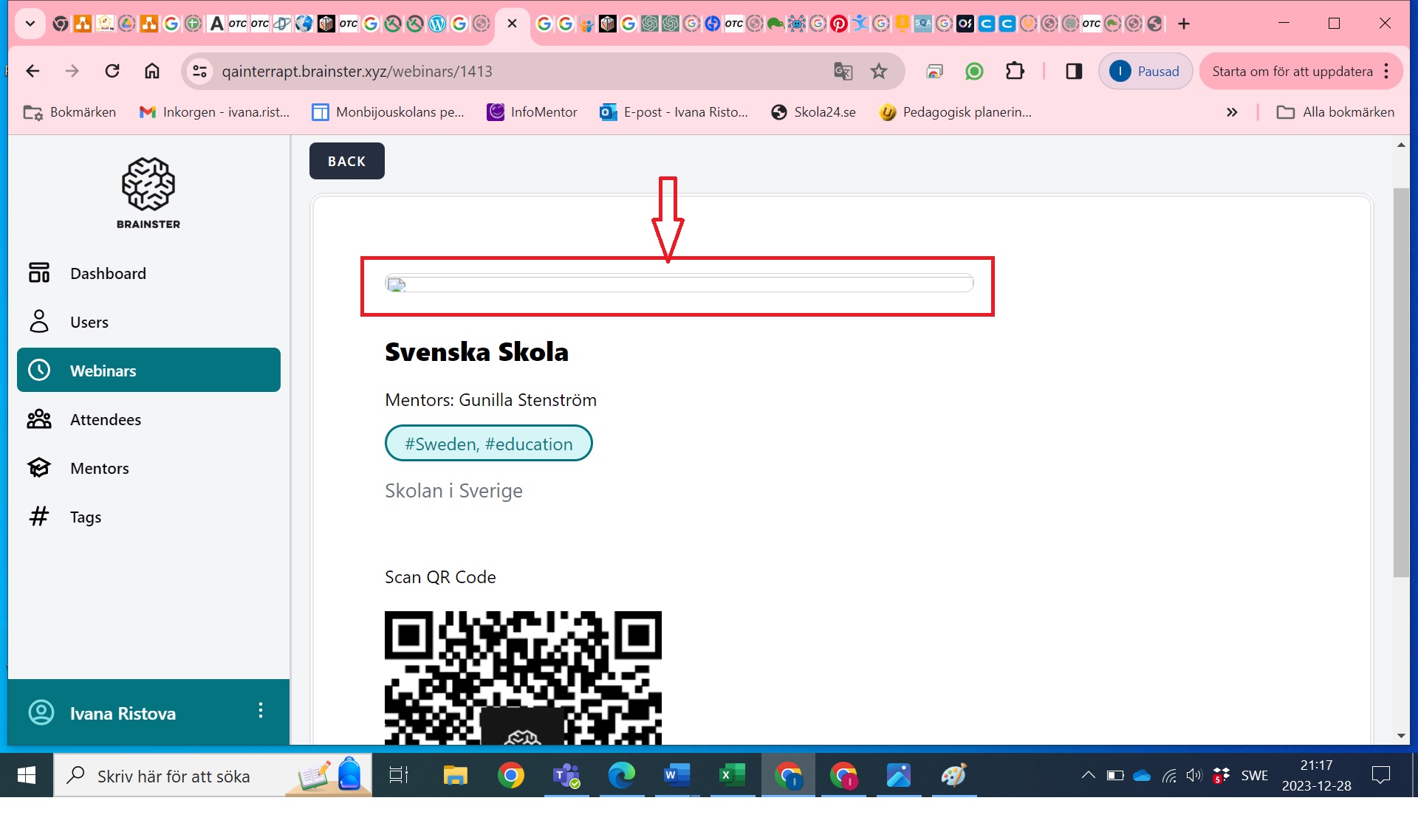
| 6MB not open.jpg (292 KB) 6MB not open.jpg | Webinar is created but image is not displaying. | ||
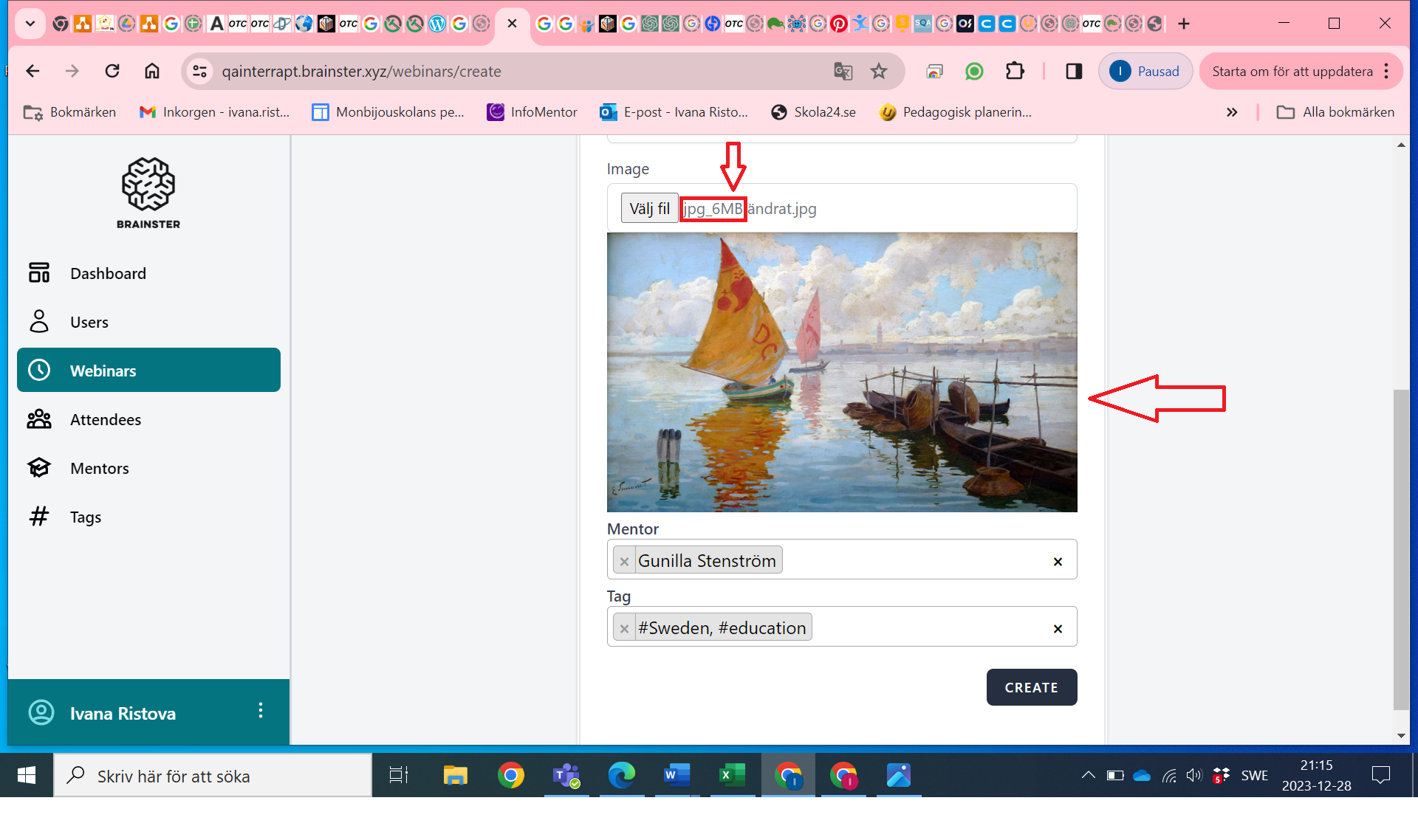
| 6MB image.png (813 KB) 6MB image.png | The image is upload. | ||
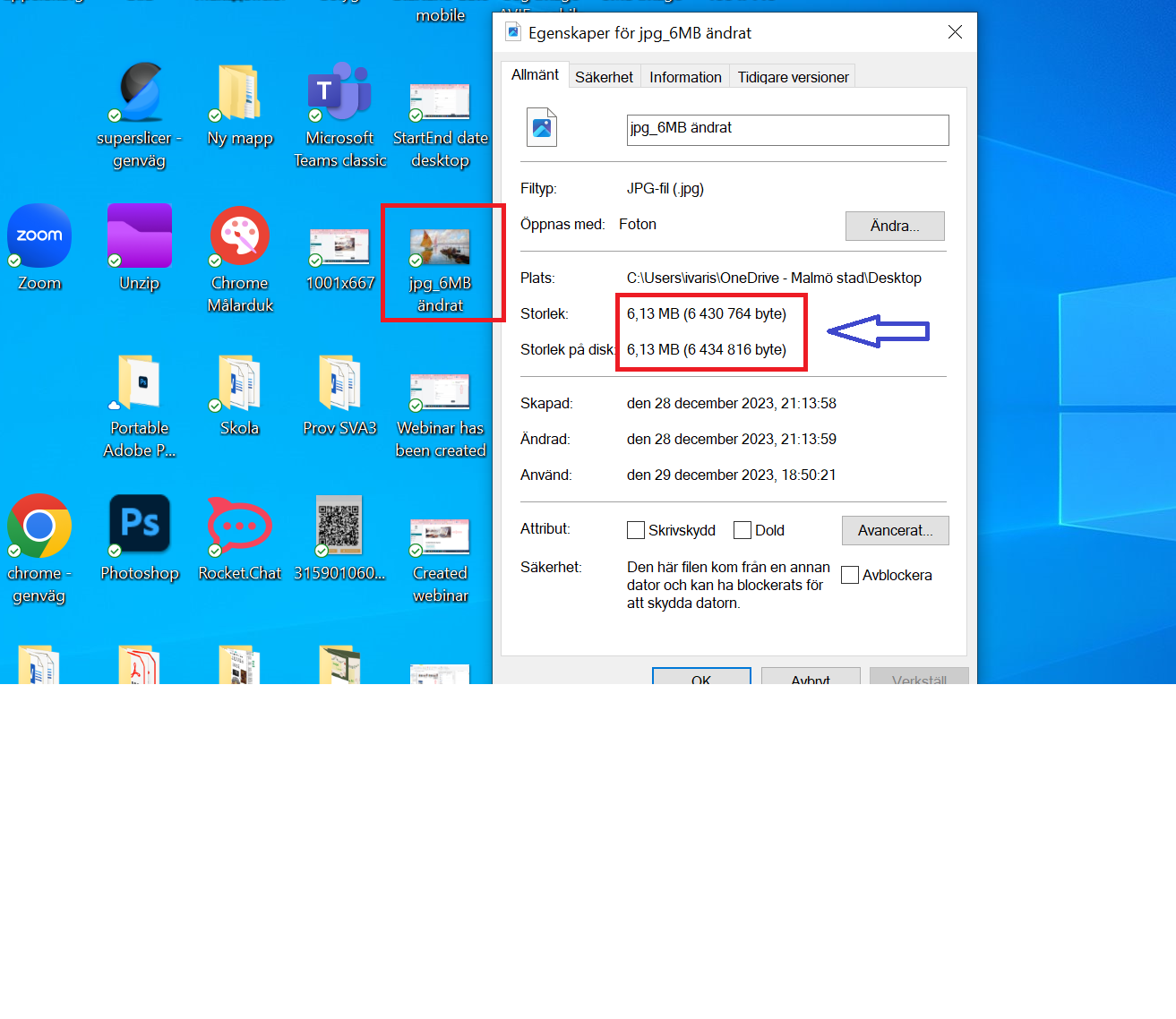
| Slika 6MB.png (296 KB) Slika 6MB.png | Image size. |
Updated by Ivana Ristova over 2 years ago
Ivana Ristova wrote:
By creting the webinars user can upload image bigger then 5MB.
Precondition:
Steps to reproduce:
User must be previously logged in with appropriate permissions for creating a webinar.
- Click on the "Webinars" via navigation menu at the left side.
- Observe the form.
- File "Image" is ordered under "Link"
- Click on the "Choose File" on the "Image" field.
- Image is upload file.
- Select the valid image file.
- Select the image with invalid size data, but valid format and dimension. ([IMG_20220220_130135.jpg, 6MB , min.200x200 max. 1000 x 1000 pixels]);
- Click on the "Open" button to the down right corner.
- The Image will not be upload on the pages.
Expected result:
The selected image should not match the expected size (max. 5MB), but should match the expected format (JPEG, PNG, GIF) and dimensions ( min. 200x200 pixels and max. 1000x1000 pixels) and the system should not accept the image size.
The message " Image size incorrect ".Actual result:
The selected image should not match the expected size (max. 5MB), but should match the expected format (JPEG, PNG, GIF) and dimensions ( min. 200x200 pixels and max. 1000x1000 pixels) but the system accept the image size. Webinar is created successful.
Updated by Ivana Ristova over 2 years ago
Ivana Ristova wrote:
Description
By creating the webinars user can upload image bigger than 5MB.
Precondition:
Steps to reproduce:
User must be previously logged in with appropriate permissions for creating a webinar.
- Click on the "Webinars" via navigation menu at the left side.
- Observe the form.
- File "Image" is ordered under "Link"
- Click on the "Choose File" on the "Image" field.
- Image is upload file.
- Select the valid image file.
- Select the image with invalid size data, but valid format and dimension. ([IMG_20220220_130135.jpg, 6MB , min.200x200 max. 1000 x 1000 pixels]);
- Click on the "Open" button to the down right corner.
- The Image will not be upload on the pages.
Expected result:
The selected image should not match the expected size (max. 5MB), but should match the expected format (JPEG, PNG, GIF) and dimensions ( min. 200x200 pixels and max. 1000x1000 pixels) and the system should not accept the image size.
The message " Image size incorrect ".Actual result:
The selected image should not match the expected size (max. 5MB), but should match the expected format (JPEG, PNG, GIF) and dimensions ( min. 200x200 pixels and max. 1000x1000 pixels) but the system accept the image size. Webinar is created successful.