Actions
Bug #2046
openUser is able to search Users when Name box has more then maximum characters
Start date:
01/26/2024
Due date:
% Done:
0%
Estimated time:
Description
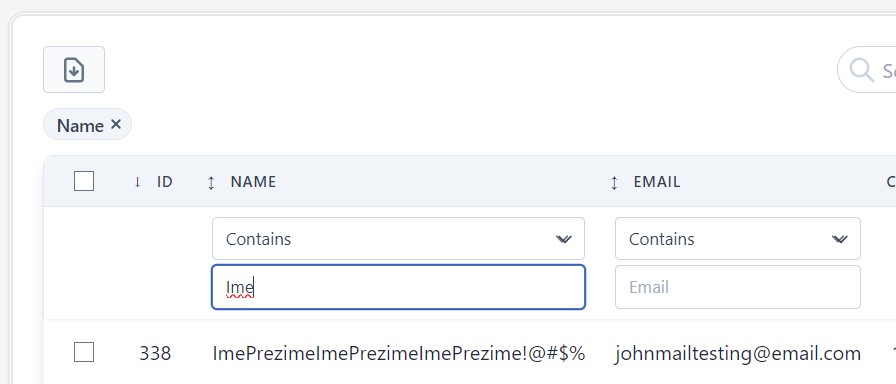
User is able to search Users when Name box has more then 25 characters, no error message is shown
Steps to reproduce:
1. Navigate to Users URL
2. Select under Name from drop down menu "Contains"
2. Enter in Name box text for search "Ime"
3. Observe for Users that have Name longer then 25 characters
Expected result:
User should not be able to see Users with Name longer then 25 characters.
Actual result:
User is able to search in Name box users that have more then 25 characters.
Platform:
OS Windows 10
Goggle Chrome Version 120.0.6099.216 (Official Build) (64-bit)
Fire Fox Quantum 62.0.3 (64-bit)
Opera One(version: 101.0.4843.43)
Files
No data to display
Actions