Actions
Bug #2114
openUser can be created with numbers in name field
Start date:
01/26/2024
Due date:
% Done:
0%
Estimated time:
Description
Users can be created using just numbers or numbers and text in the name field.
Preconditions
You need to be logged in to https://qainterrapt.brainster.xyz with valid e-mail and password
Steps to reproduce
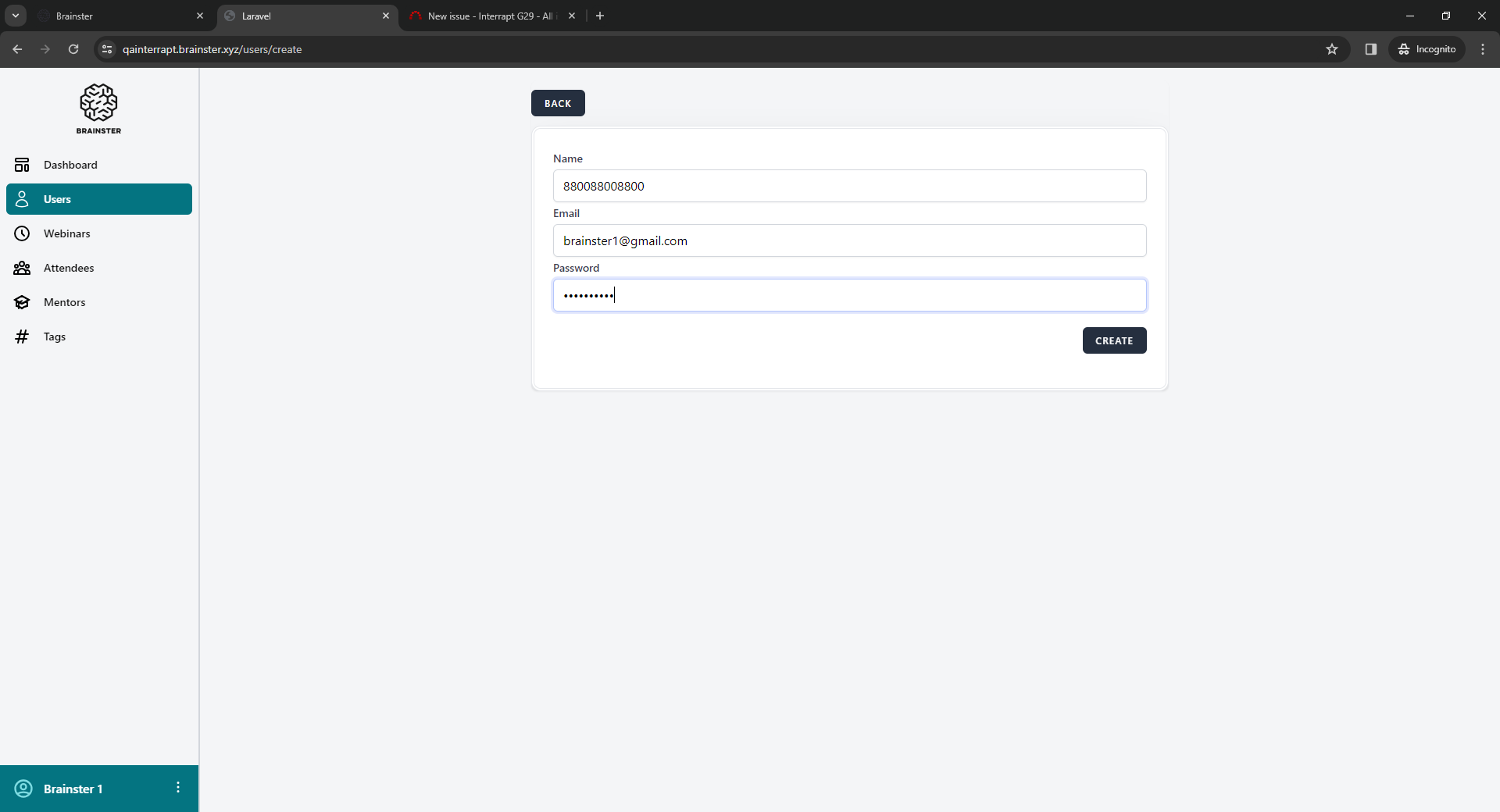
1. Open Users
2. Click "Create"
3. Enter the Name in the text field
4. Enter the e-mail in the text field
5. Enter password
4. Click "Create"
Test data
3.880088008800
[email protected]
5.Brainster1
Expected result
A message should be shown that criteria is not met in red letters.
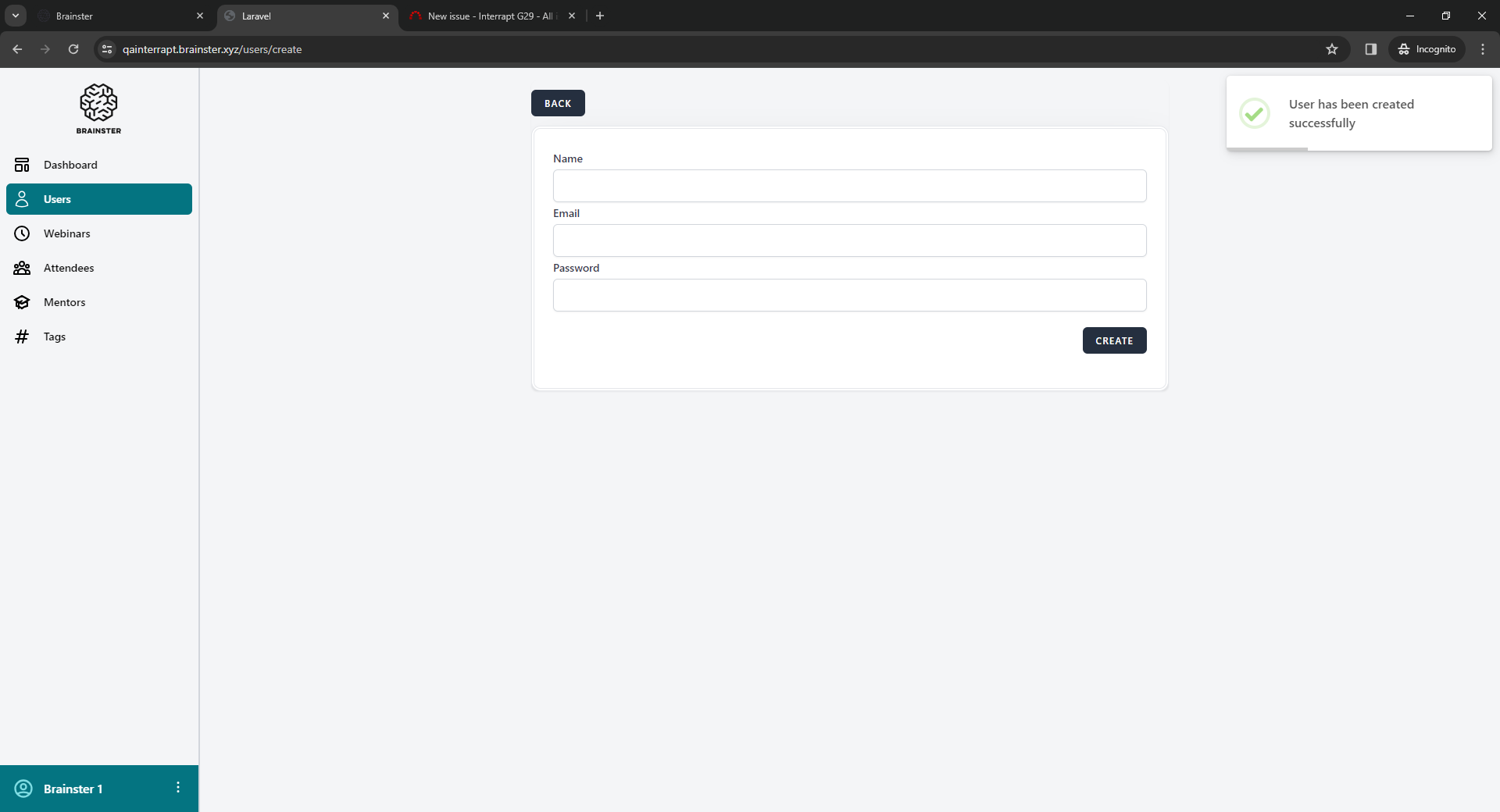
Actual result
User is successfully created.
Platform
Windows 10, Google Chrome Version 120.0.6099.225
Files
No data to display
Actions