Bug #2127
openYou can create webinar with description less than 10 characters
0%
Description
User can create webinar with less than 10 letters in description
Preconditions
You need to be logged in to https://qainterrapt.brainster.xyz with valid e-mail and password
Steps to reproduce
1. Open Webinars
2. Click "Create"
3. Enter the Title in the text field
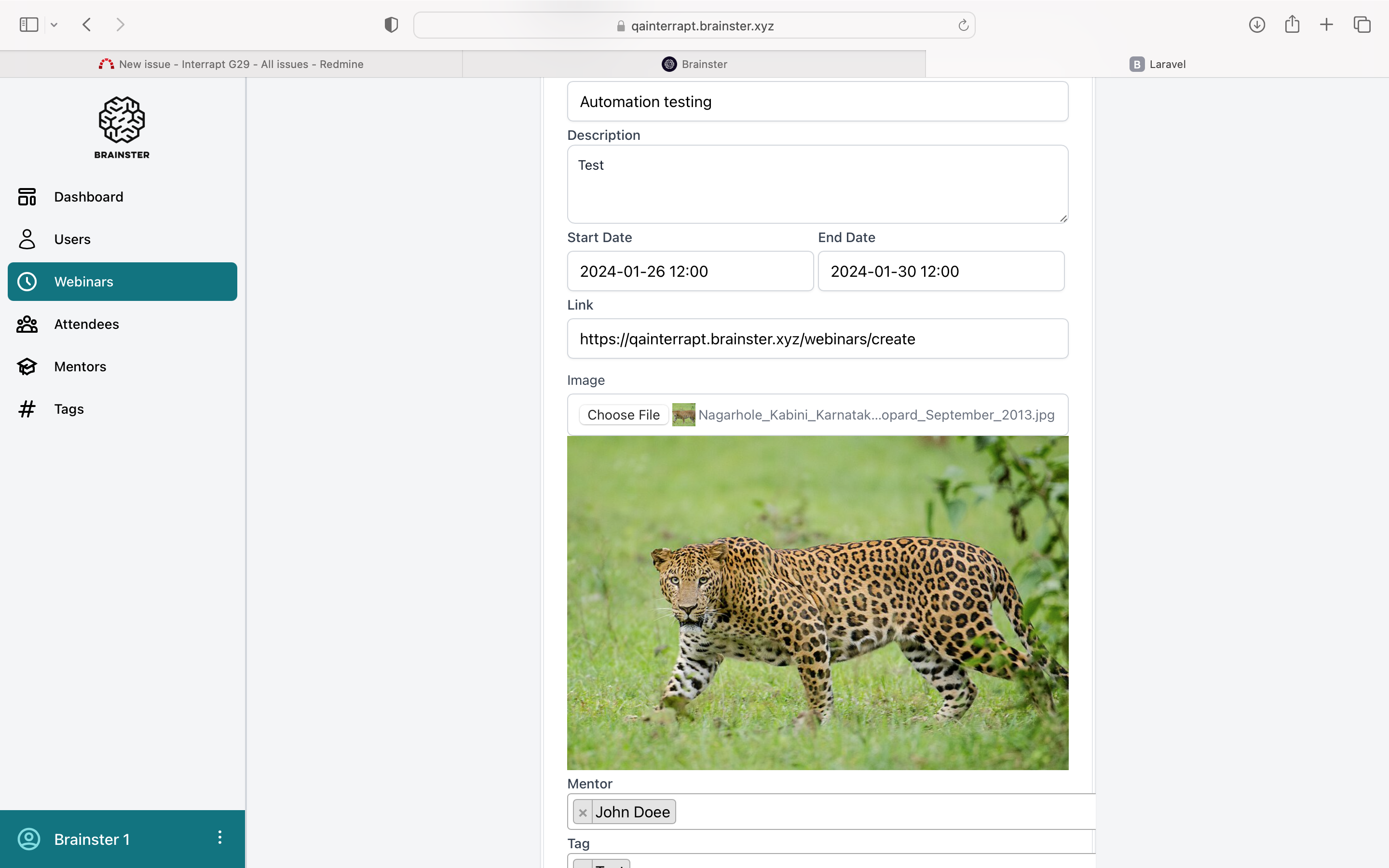
4. Enter the description in the text field
5. Set start date from calendar picker
6. Set end date from calendar picker
7. Set the link to your webinar
8. Upload the picture for the webinar
9. Select the mentor from drop-down menu
10. Choose tags for your webinar
11. Click "Create"
Test data
3. Automation testing
4. Test
5. 2024-01-26 12:00PM
6. 2024-01-30 12:00PM
7. https://qainterrapt.brainster.xyz/webinars/create
8. https://www.shutterstock.com/image-photo/portrait-leopard-standing-looking-away-600nw-2198994709.jpg
9. John Doe
10. Test

Expected result
A message should be shown that criteria is not met in red letters.
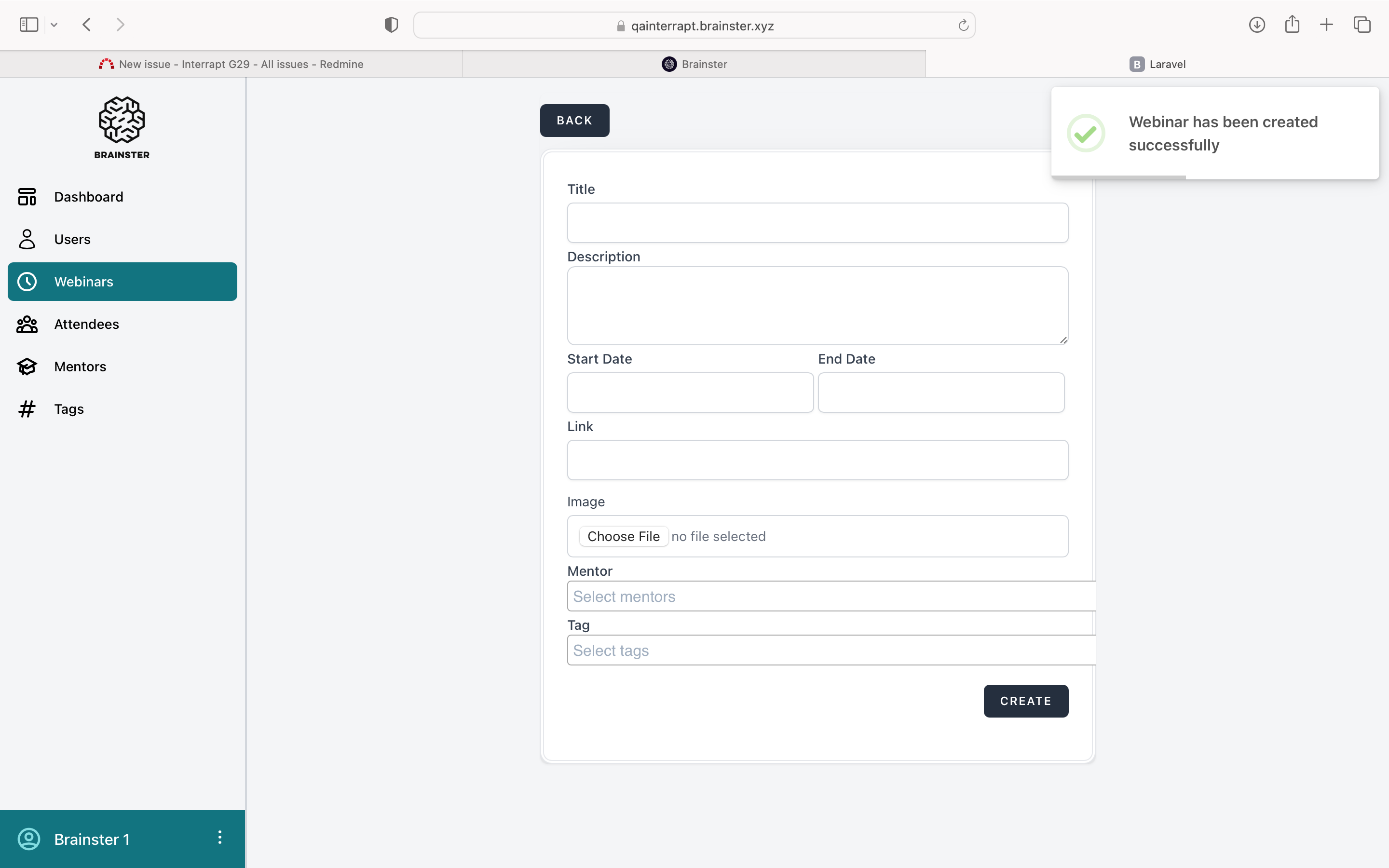
Actual result
Webinar is successfully created.
Platform
Windows 10, Google Chrome Version 120.0.6099.225
Files
No data to display