Actions
Bug #2171
openForgot your password functionality does not work
Start date:
01/26/2024
Due date:
% Done:
0%
Estimated time:
Description
Forgot your password functionality fails to work and a server error message is shown
Preconditions:
The user should already be registered on Interrapt
Steps to reproduce:
1. Navigate to the log in page on Interrapt, https://qainterrapt.brainster.xyz/login
2. Click on 'Forgot your password'
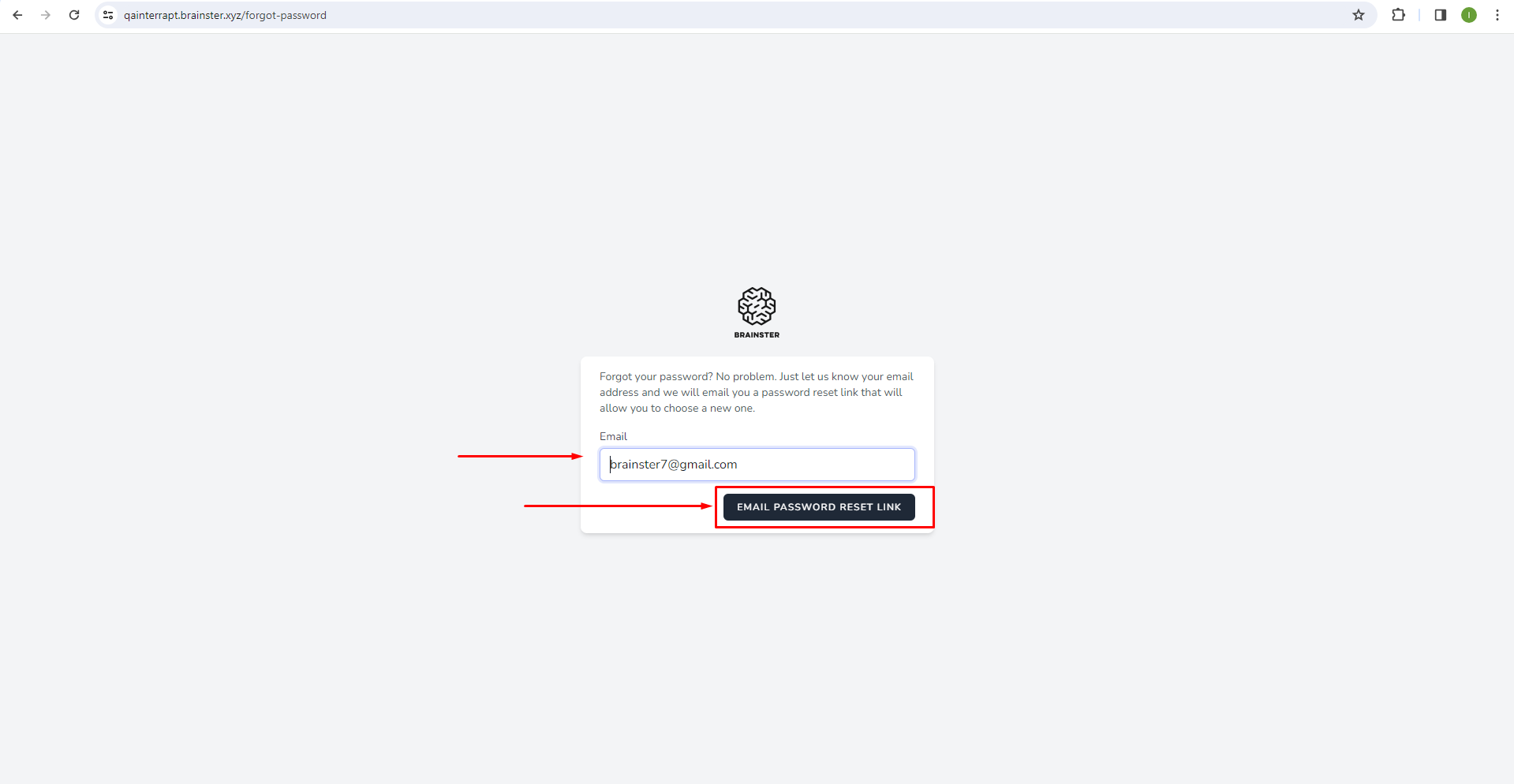
3. Fill in the email input field with a valid and a registered user's email
4. Click on 'EMAIL PASSWORD RESET LINK'
Expected Result:
The user should receive an email with the link to change their password
Actual Result:
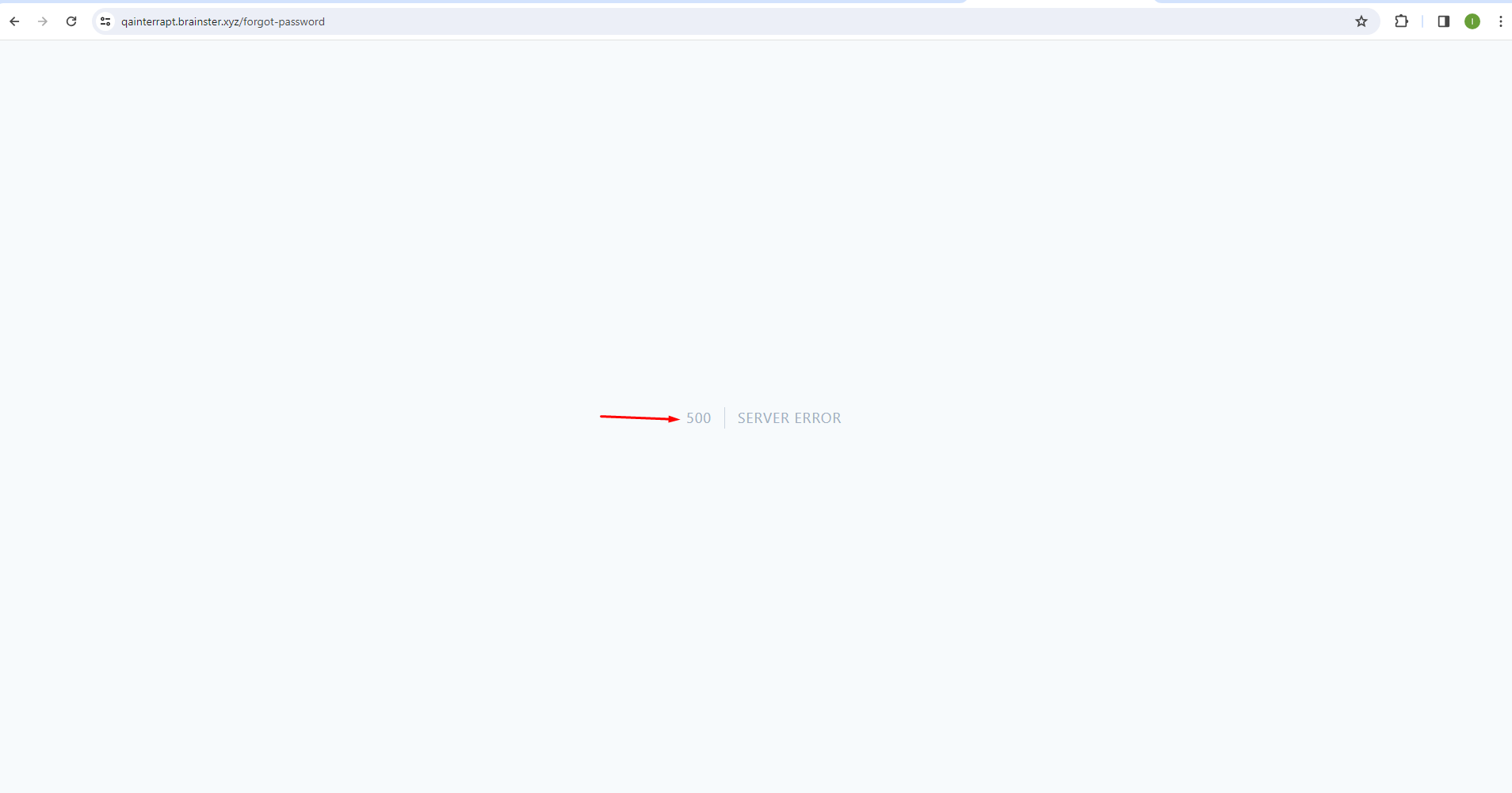
A '500 | SERVER ERROR' message appears
Platform:
Windows 10
Google Chrome 121.0.6167.86 (Official Build) (64-bit)
Opera 106.0.4998.52
Microsoft Edge 120.0.2210.144 (Official build) (64-bit)
Mozilla Firefox 122.0
Files
| forgot pass2.png (16.6 KB) forgot pass2.png | |||
| forgot pass1.png (38.1 KB) forgot pass1.png |
No data to display
Actions