Improvement #2226
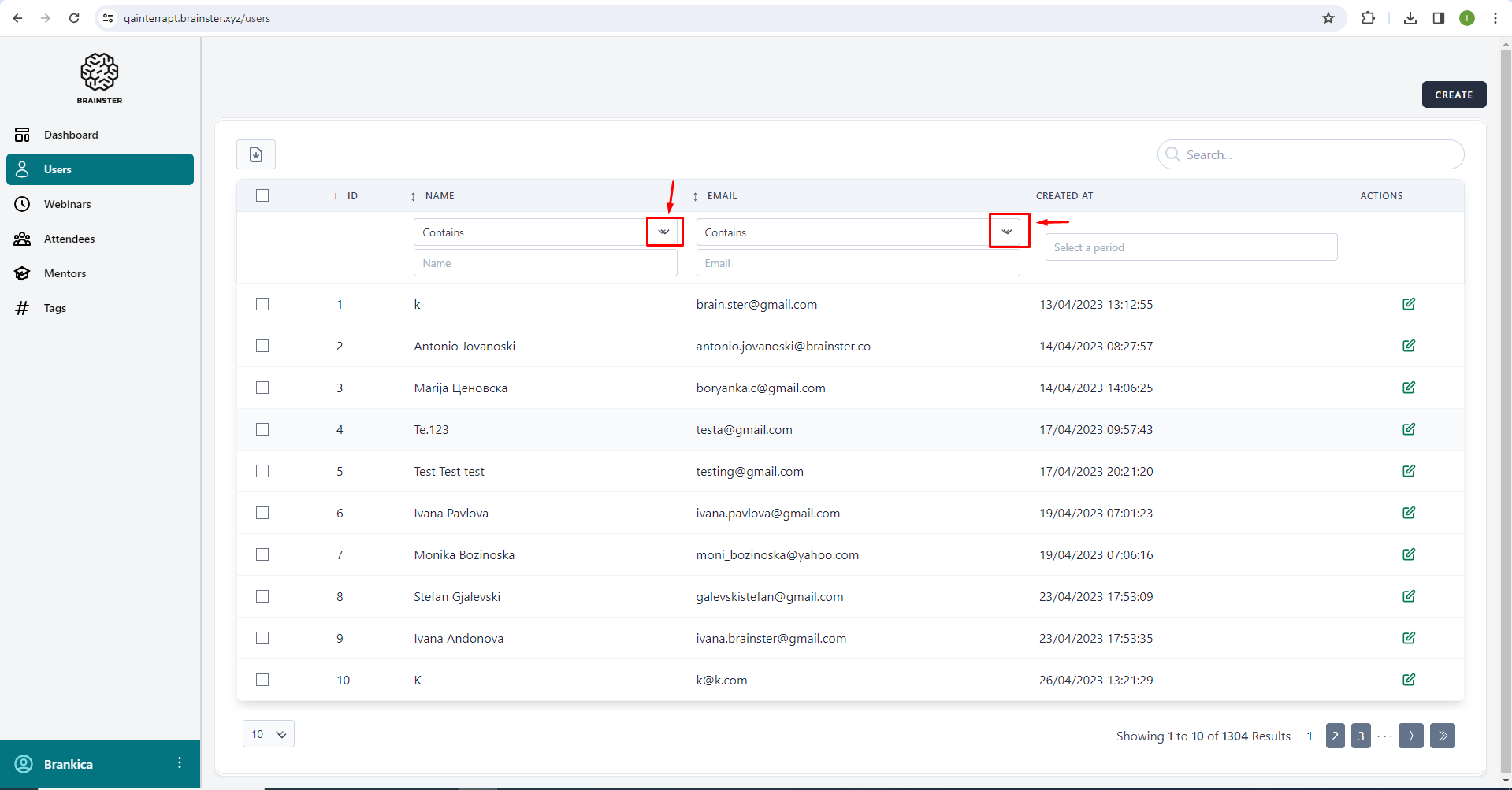
openDropdown buttons contain misaligned double arrows on Users page
0%
Description
The dropdown buttons, which are under the Name and Email columns, contain double down-pointing arrows which have noticeable misalignment
Steps to Reproduce:
1. Log in to Interrapt page, https://qainterrapt.brainster.xyz/login
2. Click on Users from the sidebar menu
3. Observe the drop-down buttons which are located under the name and email columns
Expected Result:
The drop-down buttons should display a default selected option and a down-pointing arrow
Actual Result:
The drop-down buttons display a default selected option and double down-pointing arrows which are improperly aligned
Platform:
Windows 10
Google Chrome 121.0.6167.86 (Official Build) (64-bit)
Opera 106.0.4998.52
Microsoft Edge 120.0.2210.144 (Official build) (64-bit)
Mozilla Firefox 122.0
Files
No data to display