Bug #2400
open"Surname" field does not meet the acceptance criteria for type of characters
0%
Description
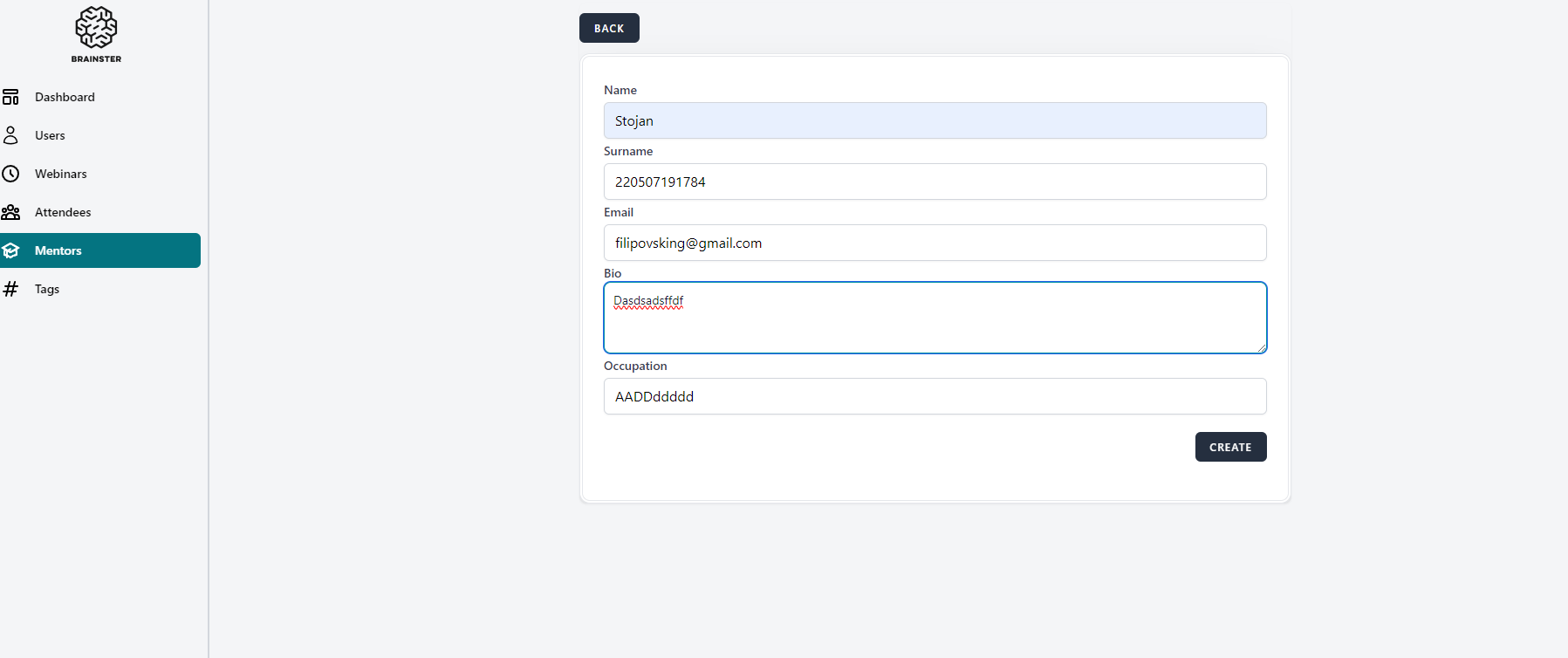
The "Surname" input field accepts numeric characters against the acceptance criteria (numbers are not allowed) and a warning message does not appear.
Steps to reproduce:
1. Log in on Interappt
2. Navigate to Mentors section
3. Click "CREATE" button
4. Fill the "Name" input field correctly
5. Enter in "Surname" input field numeric characters
6. Fill the "Email" input field correctly
7. Fill the "Bio" input field correctly
8. Fill the "Occupation" input field correctly
9. Click "CREATE" button
10. Observe the result
Expected result:
User should not be able to create new Mentor and a warning message with red letters under the "Surname" field should appear
Actual result:
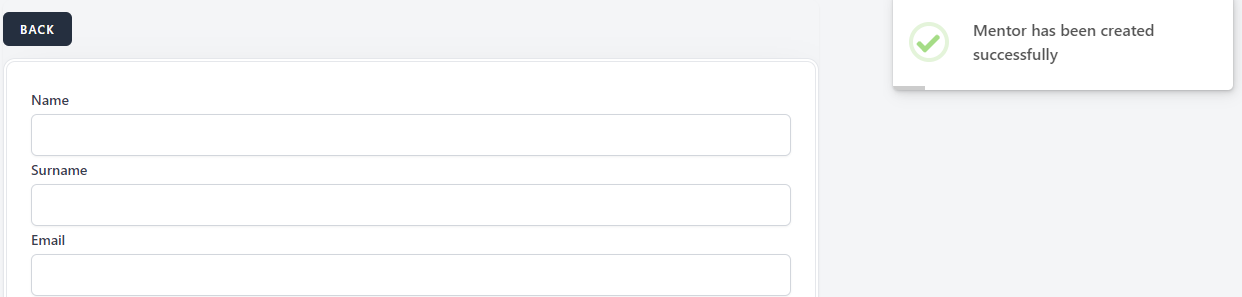
"Surname" field accepts numeric characters, new Mentor is created (followed with success message) and a warning message does not appear
Files
| Mentors bug 9.png (40.5 KB) Mentors bug 9.png | |||
| Mentors bug 7.1.png (14.6 KB) Mentors bug 7.1.png |
No data to display