Bug #2476
open[Webinars page] Accepted file format of "Image" field has been specified as JPEG, PNG, and GIF, and the maximum file size allowed is 5 MB.
0%
Description
Description
Accepted file format of "Image" field has been specified as JPEG, PNG, and GIF, and the maximum file size allowed is 5 MB.
Environment
1. Google Chrome Version 87.0.4280.88 (Official Build) (64-bit)
2. Microsoft Edge Version 87.0.664.66 (Official Build) (64-bit)
3. https://qainterrapt.brainster.xyz/
4. Windows 10
Steps to Reproduce
1. Navigate to https://qainterrapt.brainster.xyz/
2. Navigate to the login page
3. Navigate to the Webinars page from admin dashboard
4. Click on the "Create" Button
5. Click on the "Image" field.
6. Upload Image with file size bigger than 5MB.
Expected results
Image bigger than 5MB should not be accepted by the system
Actual Results
Image bigger than 5MB is accepted by the system, without any errors.
Files
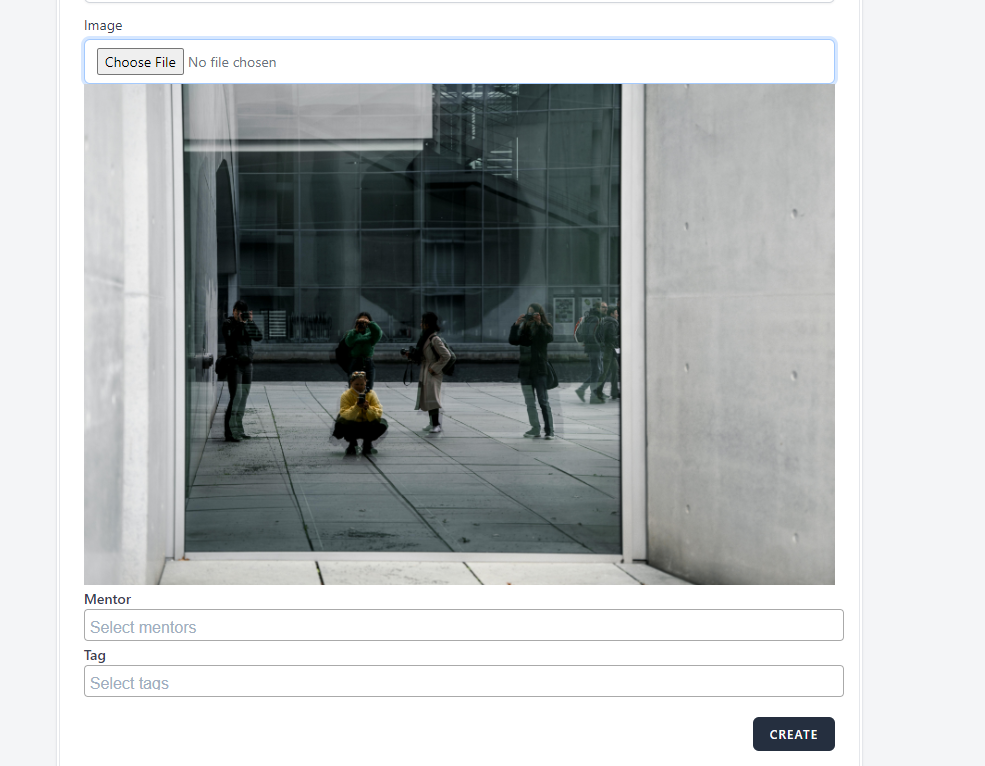
Updated by Olgica Chupcheva almost 2 years ago
- Subject changed from [Webinars page] Image field maximum file size to [Webinars page] Accepted file format of "Image" field has been specified as JPEG, PNG, and GIF, and the maximum file size allowed is 5 MB.