Bug #2531
open[Webinars] The Name field should not accepts less than 5 more than 50 characters,special chars other then '-', ' '(space) and '.' and numbers
0%
Description
Description
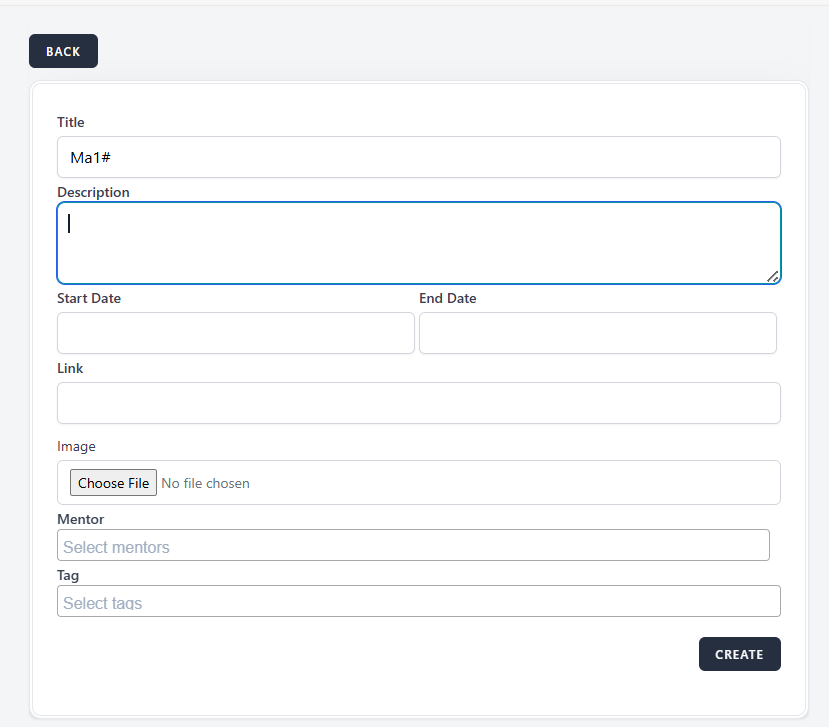
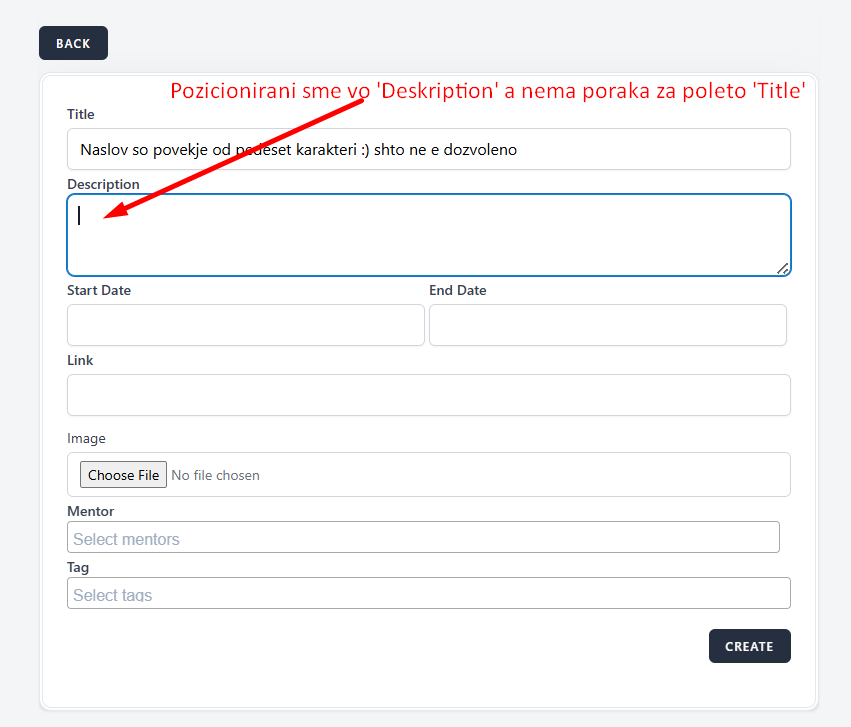
When in the field 'Title' we enter less than 5 characters or more then 50, a number and a special character that is not allowed according to the specification, and when we move the cursor to the next field 'Description' we should receive a message in red letters
Environment
Microsoft Edge
Version 125.0.2535.92 (Official build) (64-bit)
Windows 10 Pro 22H2
OS Build 19045.4412
Steps to reproduce
1. Navigate to the interappt webpage
2. Login with valid credentials
3.Navigate to the Webinars page from dashboard
3. Click on the Create button in the upper right corner
4. Click on the Title field
5. Enter the Title in the field
6. Click on the Description field
Expected results
When we position the cursor in the description field, a message should be shown that the filed is required with red letters
Actual results
We do not receive a message in red letters
Files
No data to display