Bug #2597
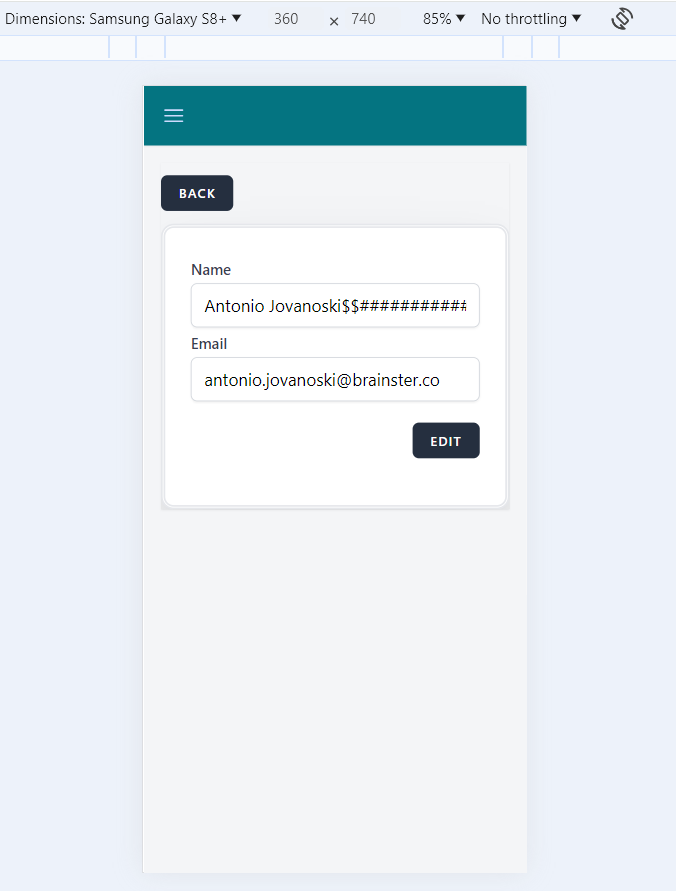
open[Users] User with more than 50 characters for 'Name' filed can not be edited.
0%
Description
Description:
When we want to search for a given user, typing more than 50 characters in length in 'Search' field does not list the requested user.
Environment:
Google Chrome Version 125.0.6422.142 (Official Build) (64-bit)
Windows 10 Pro
Platform:
Samsung Galaxy S8+
Android 9.0
Steps to reproduce:
1.Navigate to Interrupt web page.
2.Log in with valid credentials.
3.Click on the menu icon.
4.Click on the users page.
5.Click on the edit icon.
6.Fill the 'Name' field with more than 50 characters.
Expected result:
When editing a user, a user should not be edited by filling the 'Name' field with more than 50 characters.
Actual result:
When editing a user, a user is edited by filling the 'Name' field with more than 50 characters.
Files
No data to display