Bug #2674
openWebinar description can be created with invalid input
100%
Description
When User decides to write the Webinar Description outside the given criterias, the Webinar is created successfully, indicating that it was created with invalid input.
Environment
Google Chrome Version 127.0.6533.119 (Official Build) (64-bit)
Steps to Reproduce
1. Open the Brainster Interrapt
2. Click on "Webinars"
3. Click on "Create" button
4. Fill Out The "Description" input field with invalid input
5. Fill out the rest of input fields with valid input
6. click on "Create" button
7. Observe the outcome
Expected Result
Webinar description should accept Alphabetic characters (both, Latin and Cyrillic), all letter cases (lower and upper), special characters and spaces. It should be minimum 10 and maximum 500 characters in length.
Actual Result
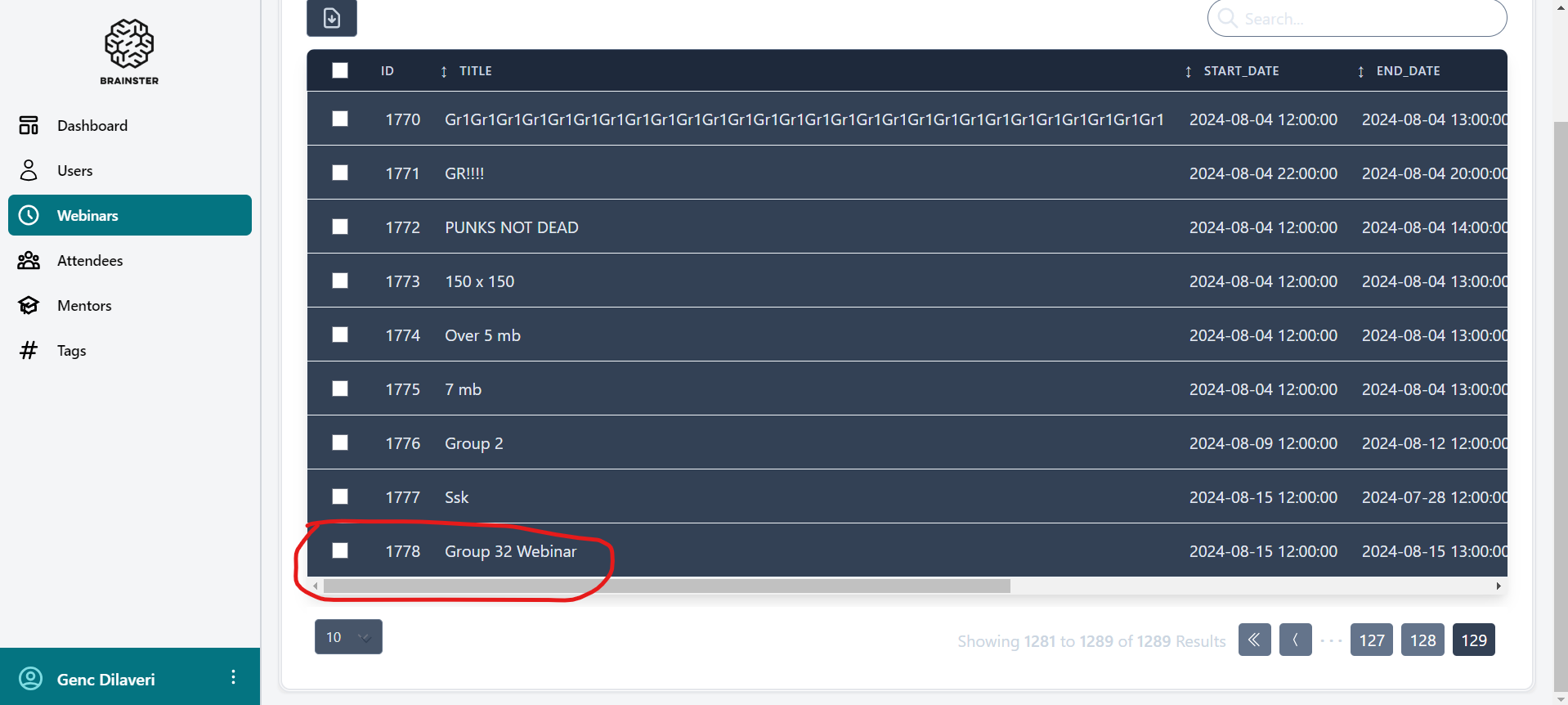
When you create the Webinar description with invalid input length (less than 10 or more than 500 characters), , webinar is created and success message is sown on the screen “Webinar has been created successfully”.
Files
| Screenshot 2024-08-15 195942.png (122 KB) Screenshot 2024-08-15 195942.png | screenshot of the created webinar with invalid input description |
No data to display