Bug #2693
openWebinar dates accept the selection of an end date before the start date
100%
Description
When User creates a Webinar, it is possible to select an end date before the start date, which is an impossible scenario.
Environment
Google Chrome Version 127.0.6533.119 (Official Build) (64-bit)
Steps to Reproduce
1. Open the Brainster Interrapt
2. Click on "Webinars"
3. Click on "Create" button
4. Fill Out All input fields with valid input
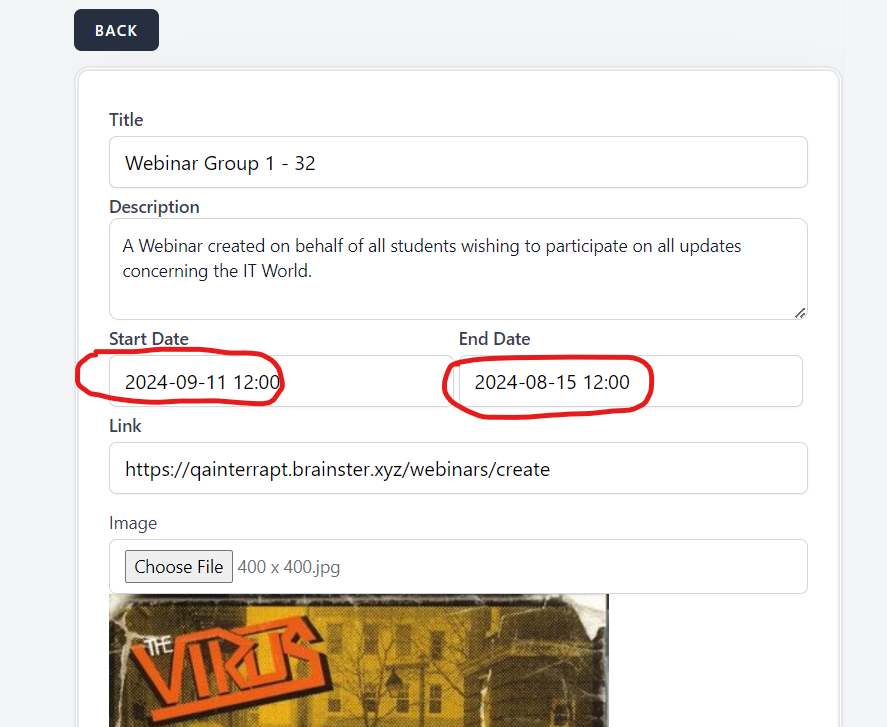
5. Select the Start Date in "9/11/2024"
6. Select the End Date in "15/08/2024"
6. click on "Create" button
7. Observe the outcome
Expected Result
After the User clicks on "Create" button with invalid inputs (in this case an invalid start and end date which is an impossible timeline), it should not allow the user to create a webinar, and a message with red letters should appear indicating that the given input is invalid.
Actual Result
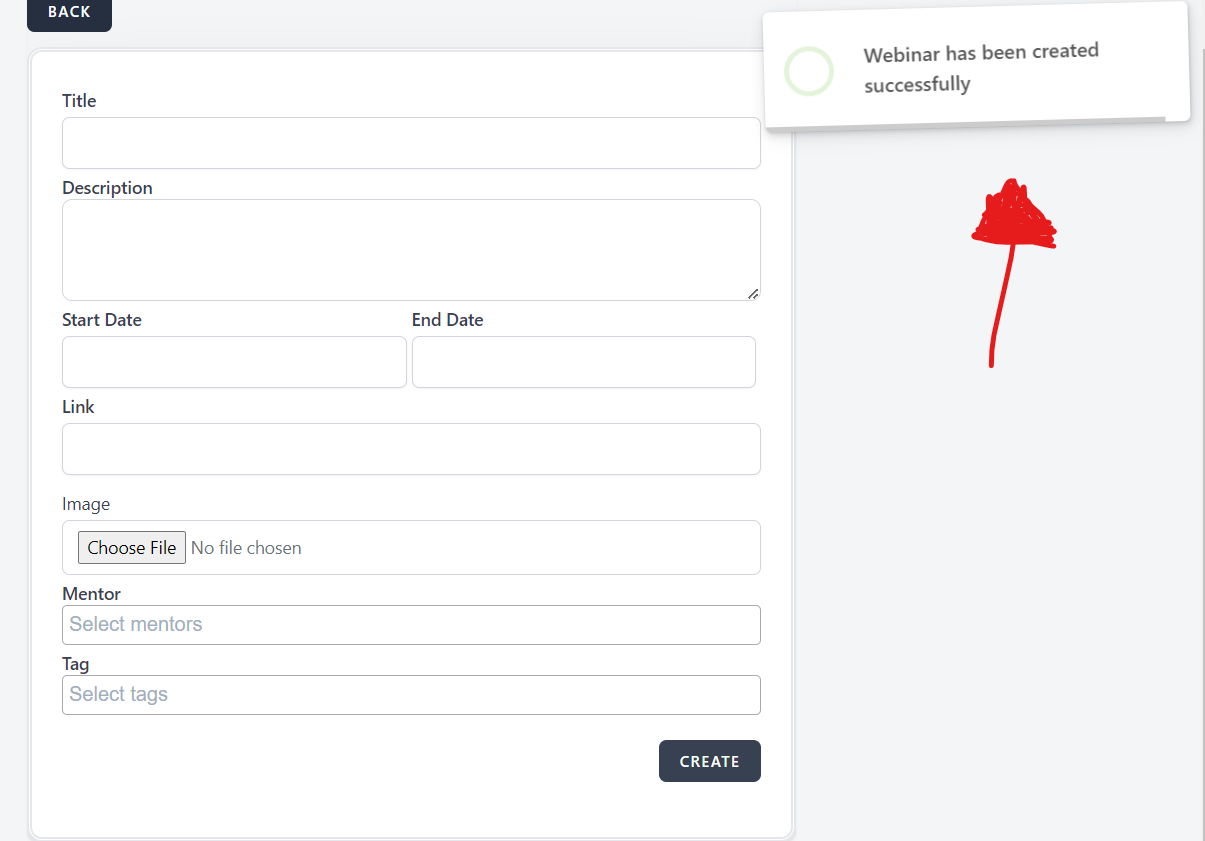
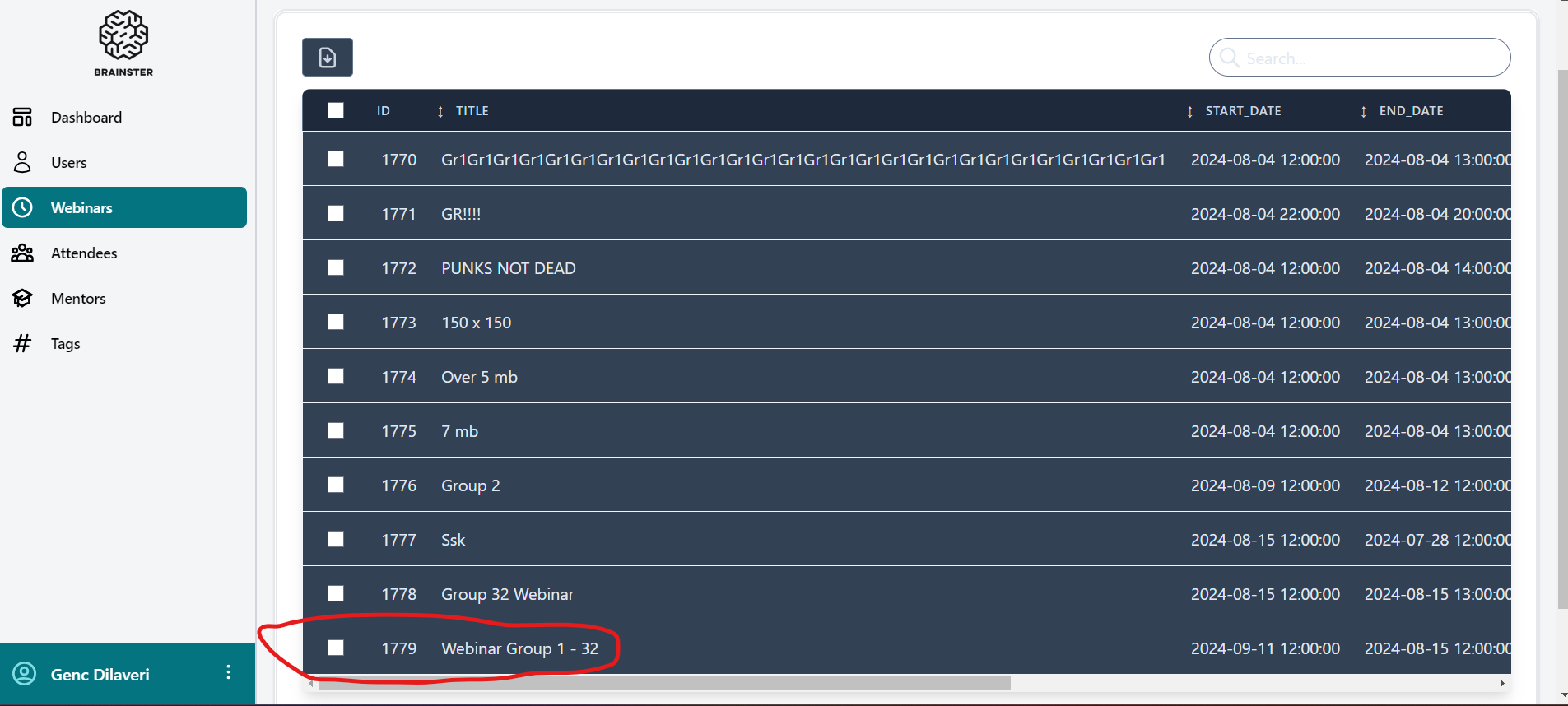
The User is able to create a webinar even when the start Date does not correspond with End date, furthermore, it allows the user to actually select a start date a month after the end date is selected.
Files
| Screenshot 2024-08-15 201720.png (53.7 KB) Screenshot 2024-08-15 201720.png | Pop-up window that shows that the webinar is successfully created | ||
| Screenshot 2024-08-15 201824.png (126 KB) Screenshot 2024-08-15 201824.png | The created webinar with invalid start and end date shown in the webinars list | ||
| Screenshot 2024-08-15 201622.png (203 KB) Screenshot 2024-08-15 201622.png | The invalid inputs shown before the webinar is created |
No data to display