Improvement #2703
openThe format of webinar Clock in start and end dates is invalid
100%
Description
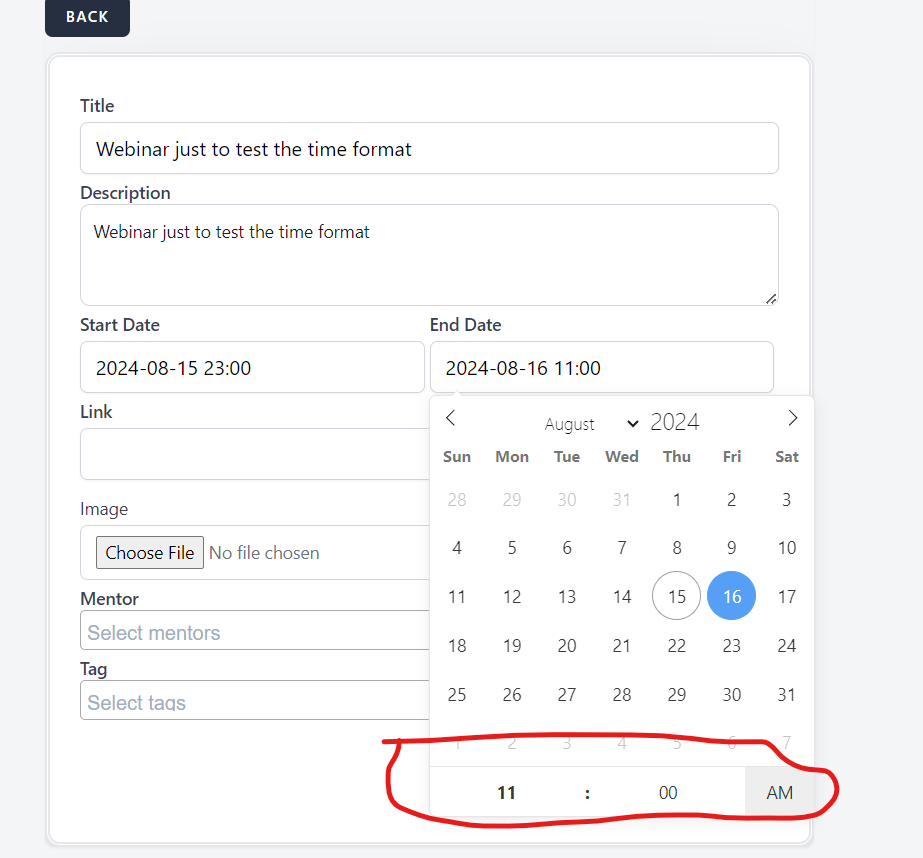
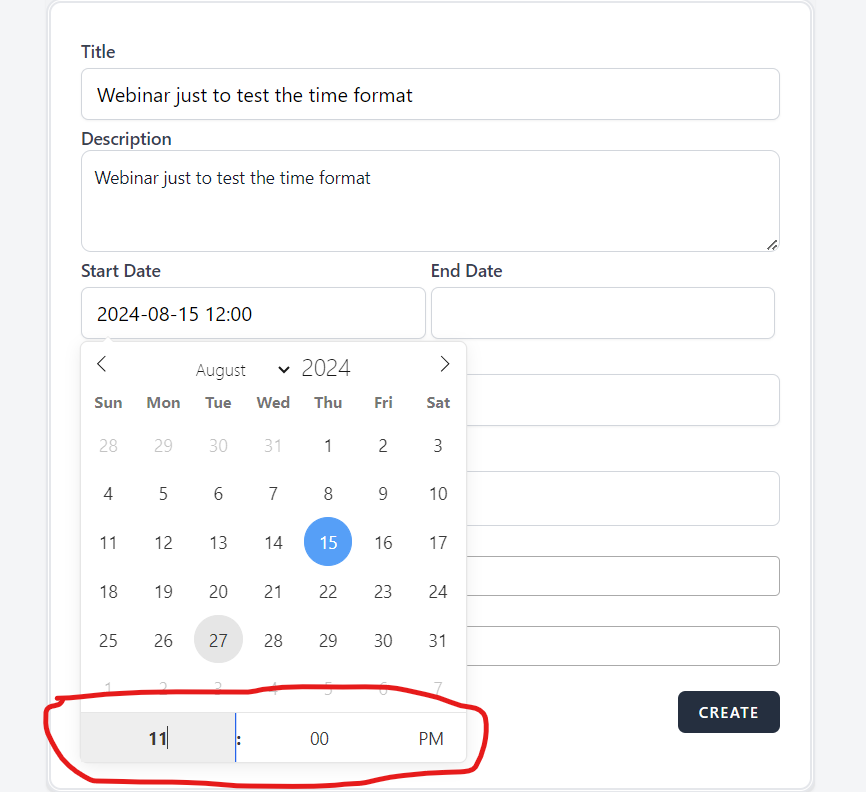
When user tries to select a certain time of the day, the format is shown as hh:mm AM/PM, but after the webinar is created, the format of the clock changes.
Environment
Google Chrome Version 127.0.6533.119 (Official Build) (64-bit)
Steps to Reproduce
1. Open the Brainster Interrapt
2. Click on "Webinars"
3. Click on "Create" button
4. Fill Out All input fields with valid input
5. Open the date picker on Start and End Date
6. Select a specific hour for the start of the webinar (PM)
7. Select a specific hour for the end of the webinar (AM)
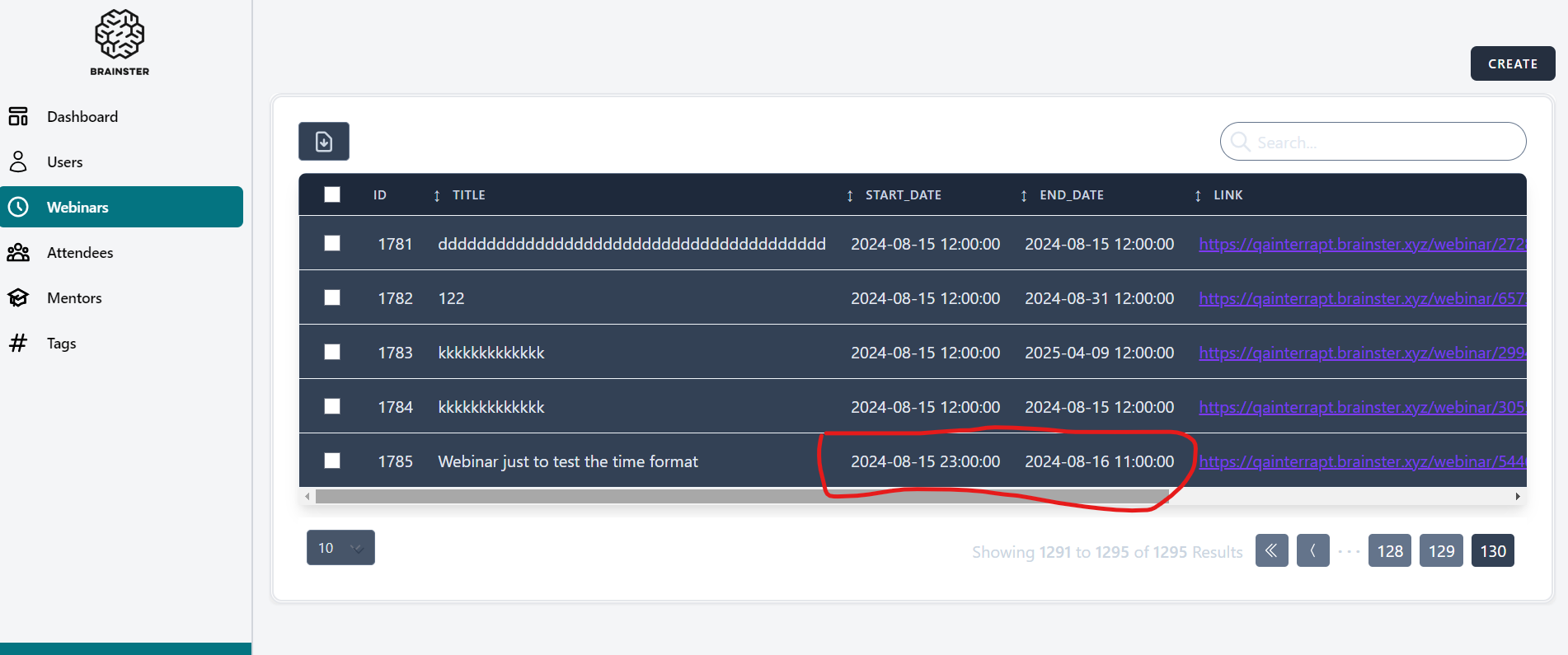
6. click on "Create" button
7. Observe the outcome
Expected Result
The time format is usually a unanimous format throughout the website, which indicates that brainster interrapt also should have the same time format accross all its platforms, links and sublinks.
Actual Result
The Time format changes in that it shows a 24-hour format (hh:mm:ss) without AM/PM
Files
No data to display