Actions
Bug #2727
open{Webinars}Description filed accepts input with Non-Latin and Non-Cyrilic characters
Start date:
12/12/2024
Due date:
% Done:
0%
Estimated time:
Severity:
Moderate
Description
Environment
https://qainterrapt.brainster.xyz/login
Broswer: Google Chrome
Description
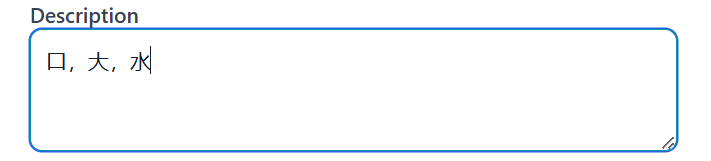
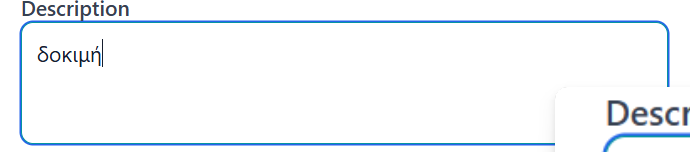
Description field accepts description with Chinese and Greek alphabetical characters which are not allowed
Preconditions
/
Steps to reproduce
1.Log in to the system
2.Navigate to "Webinars" page
3.Click on Create button right up the corner
4.Click on Description filed
5.Enter a description
a.with Chinese characters (e.g "口,大,水")
b.with Greek characters (e.g "δοκιμή")
6.Observe the description in Description field
Expected Result
An error message should prevent displaying description with Chinese and Greek alphabetical characters
Actual Result
The description field accept description with Chinese and Greek alphabetical characters
Files
| Screenshot 2024-12-12 201820.png (5.39 KB) Screenshot 2024-12-12 201820.png | Chinese characters | ||
| Screenshot 2024-12-12 201836.png (11.3 KB) Screenshot 2024-12-12 201836.png | Greek characters |
No data to display
Actions