Actions
Bug #2794
open[Webinars] User can upload image exceeding the supported dimensions (200x200 - 1000x1000)
Start date:
12/16/2024
Due date:
% Done:
0%
Estimated time:
Severity:
Moderate
Description
Description:
When user uploads image in the Webinar create form, the system supports invalid dimensions, i.e. dimensions above the limit (200x200 & 1000x1000).
Environment:
https://qainterrapt.brainster.xyz/login
Browser: Chrome - Version 131.0.6778.140 (Official Build) (64-bit)
OS: Windows 11 Pro
Screen size: 1920x1080
Zoom level: 100%
- Navigate to the Webinars Create form page URL.
- Position over the the Image section.
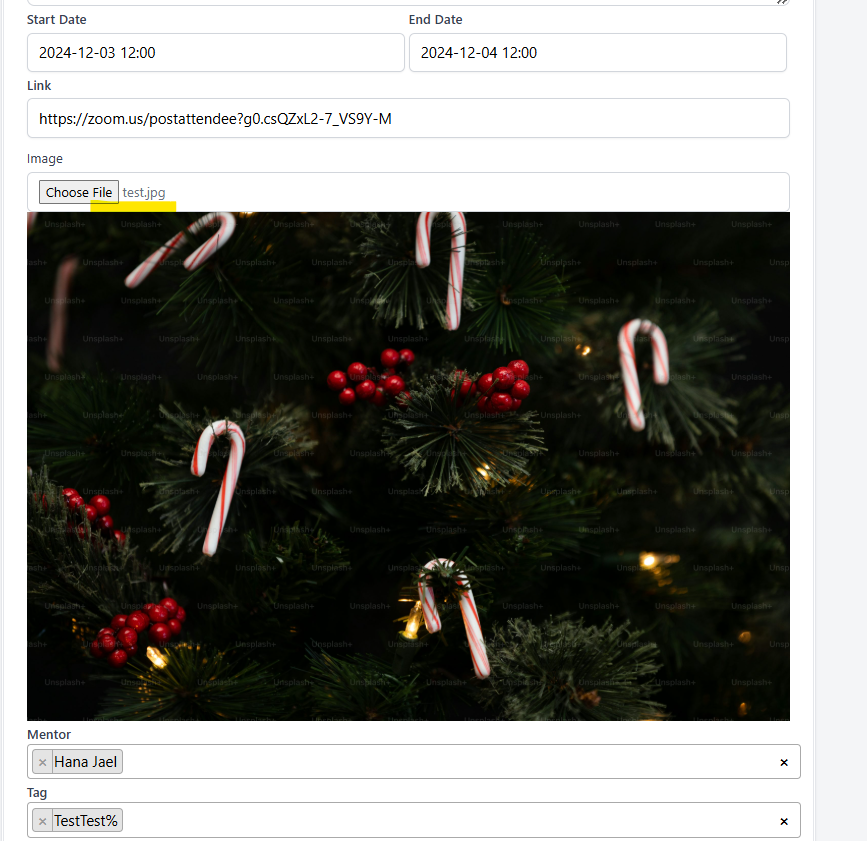
- Upload image by clicking on Choose file button or by drag and drop.
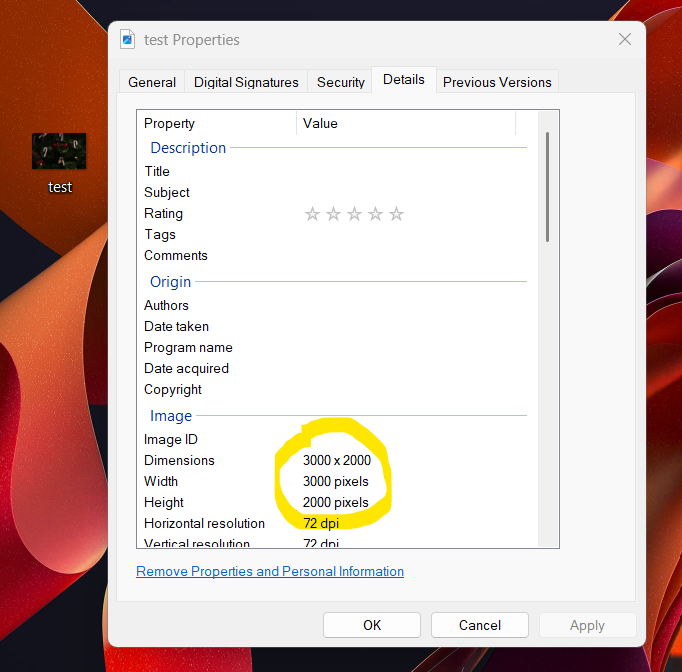
- Upload image in unsupported dimensions (3000x2000).
- Observe.
Expected results:
The user should not be able to successfully upload image if image exceeds the dimensions limits (200x200 & 1000x1000).
Actual results:
User is able to upload image in unsupported dimensions (i.e. 3000x2000).
Files
No data to display
Actions