Bug #2808
open[Webinars] User can input invalid data in Description field of the Create form.
0%
Description
Description
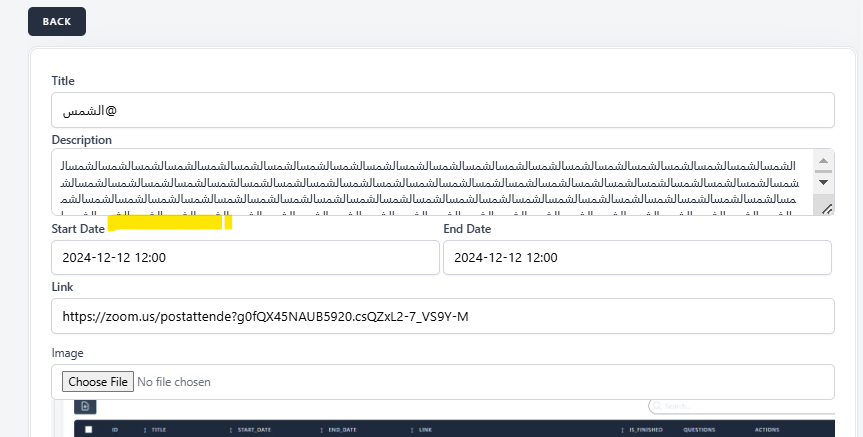
User is able to input Description field with unsupported data type (letters other than Latin or Cyrillic or outside character length 10-500.
Environment
https://qainterrapt.brainster.xyz/login
Browser: Chrome - Version 131.0.6778.140 (Official Build) (64-bit)
OS: Windows 11 Pro
Screen size: 1920x1080
Zoom level: 100%
Steps to reproduce
1. Navigate to the Webinar Create form page URL.
2. Position over the the Description Field.
3. Click on the field.
4. Make an invalid entry with letters that are not Latin or Cyrillic; or exceed the character legnth 10-500.
Expected Result
User should NOT be able to make an entry in the field with invalid data (letters that are not Latin or Cyrillic; or character lenght below 10 and above 500.
Actual Result
User is able to make an entry in the field with invalid data (letters that are not Latin or Cyrillic; or character lenght below 10 and above 500.)
Files
No data to display