Improvement #2876
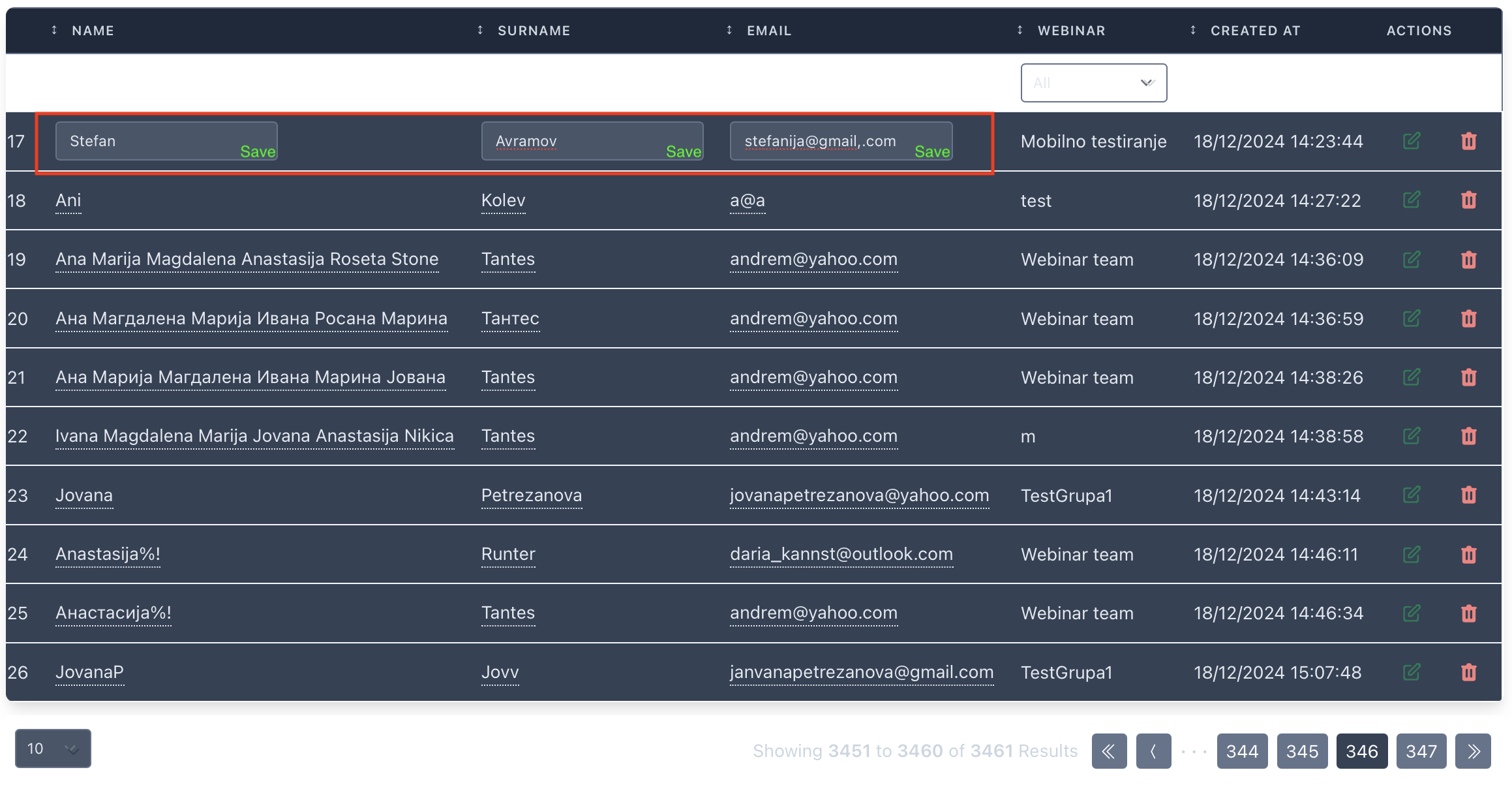
open[Attendees] When the user double clicks on the data under "NAME", "SURNAME", "EMAIL" fields, the data becomes editable, and the changes can be quickly confirmed.
0%
Description
When the user double clicks on the data in "NAME", "SURNAME", "EMAIL" fields on the front page of the attendees section, the data becomes editable. When in edit mode the user is able to edit the infos, it would be user friendly to have a quick save button, to also confirm these changes.
Environment:
"test https://qainterrapt.brainster.xyz/attendees"
MacBook Air M1, MacOS Sequoia 15.1.1 (24B91) , Browser Safari Version 18.1.1 (20619.2.8.11.12)
iPhone 15 Pro, iOS 18.1.1 , Browser Safari Version 18.1.1
- Log in to the system
- Navigate to the Attendees page
- Hover over some data under the "NAME", "SURNAME" or "EMAIL" fields and double click.
- Edit the data in name, surname or email field.
Expected Result:
When the user changes the personal informations in the already editable fields, there should be a quick save button, to confirm and save the changes.
Actual Result:
User can write in the fields that become editable, but the changes can not be saved. If the user wants to edit and save the data, he has to click on the "EDIT" button and change the infos in the form.
Files
No data to display