Bug #2993
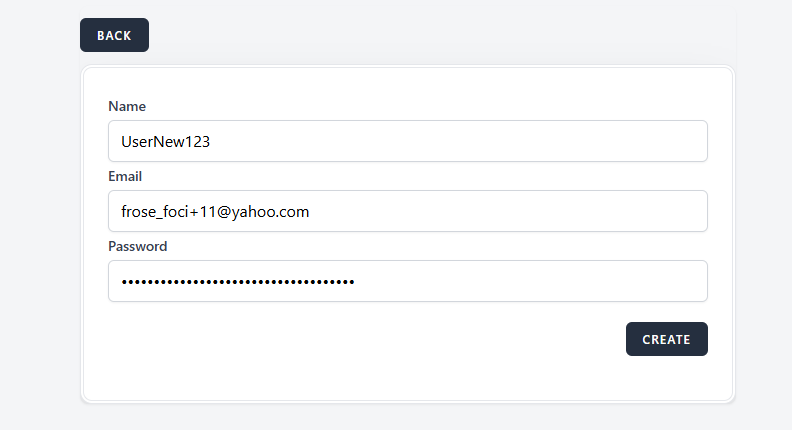
open[Users create form] The "Password" field allows more than 30 characters
0%
Description
Environment
https://qainterrapt.brainster.xyz/login
OS Name: Microsoft Windows 10 Pro
Browser: Google Chrome
Version 131.0.6778.139 (Official Build) (64-bit)
Browser Microsoft Edge
Version 131.0.2903.99 (Official build) (64-bit)
Huawei P smart 2021
Version: 10.1.1.270(C432E4R4P1)
Browser: Google Chrome
Description
The "Password" field allows input with more than 30 characters, which is against the requirement for maximum length.
1. Log in to the Interapt
2. Navigate to the Users page
3. Click on the ""Create"" button
4.In the ""Password"" field, enter a password with more than 30 characters (e.g., ""123456789123456789123456789123456789"")
5.Click the Create button.
6.Observe the created User in the list
Expected Result
The "Password" field should not accept more than 30 characters.
Actual Result
The "Password" field accepts more than 30 characters.
Files
.png)