Bug #2999
open[User] When the user selects the "All" option in pagination to display the list of users, there is no option to switch back to other pagination options
0%
Description
Environment
https://qainterrapt.brainster.xyz/login
OS Name: Microsoft Windows 10 Pro
Browser: Google Chrome
Version 131.0.6778.139 (Official Build) (64-bit)
Browser Microsoft Edge
Version 131.0.2903.99 (Official build) (64-bit)
Huawei P smart 2021
Version: 10.1.1.270(C432E4R4P1)
Browser: Google Chrome
Description
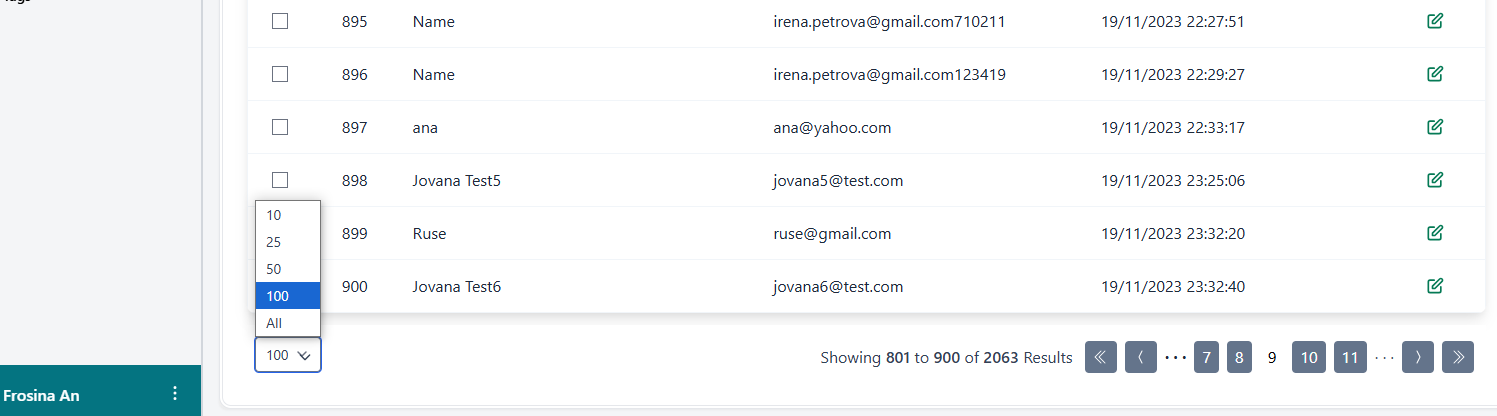
In the pagination functionality of the user list, users can select options to display 10, 25, 50, 100, or "All" records. However, once the "All" option is selected, there is no option to switch back to other pagination choices (e.g., 10, 25, etc.). The user must reload the page to regain control of the pagination.
Steps to reproduce
1. Log in to the Interapt
2. Navigate to the Users page
3.Locate the pagination dropdown, which contains options: 10, 25, 50, 100, and ""All"".
4.Select the ""All"" option to display all users on the list.
5.Try to switch back to any other option (e.g., 10, 25, etc.).
Expected Result
The pagination dropdown should remain accessible even after selecting the ""All"" option, allowing the user to switch back to other pagination options.
Actual Result
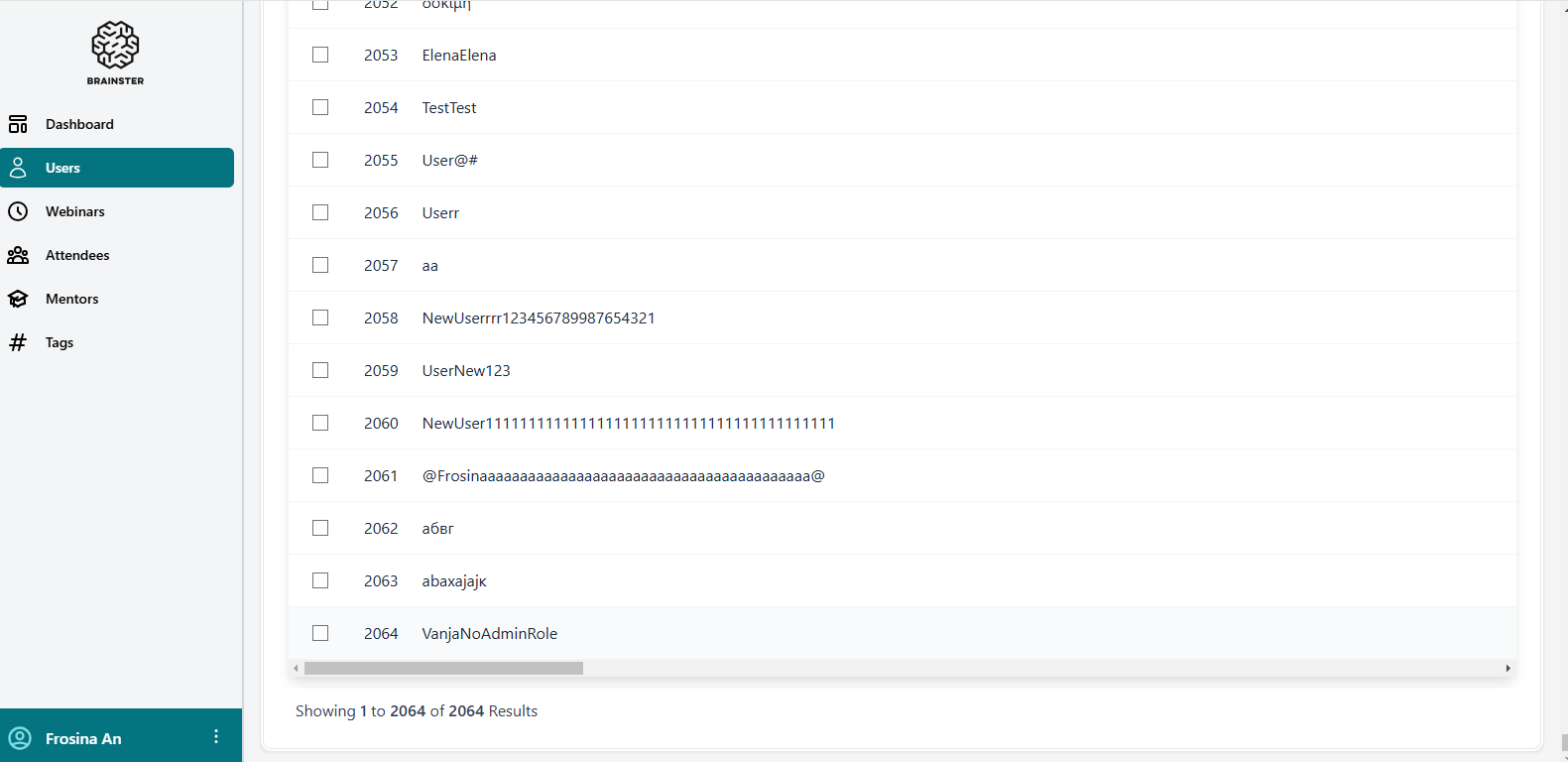
After selecting the "All" option, the pagination dropdown becomes invisible, and there is no option to switch back to 10, 25, 50, or 100. The user must reload the page to reset pagination.
Files
| Pagination 1.png (34.2 KB) Pagination 1.png | |||
| Pagination 2.png (47.4 KB) Pagination 2.png | |||
| Pagination.png (4.58 KB) Pagination.png |

No data to display