Actions
Improvement #3094
open[Webinars] When viewing all webinars, the dropdown to change the number of items displayed should be available.
Start date:
06/12/2025
Due date:
% Done:
0%
Estimated time:
Description
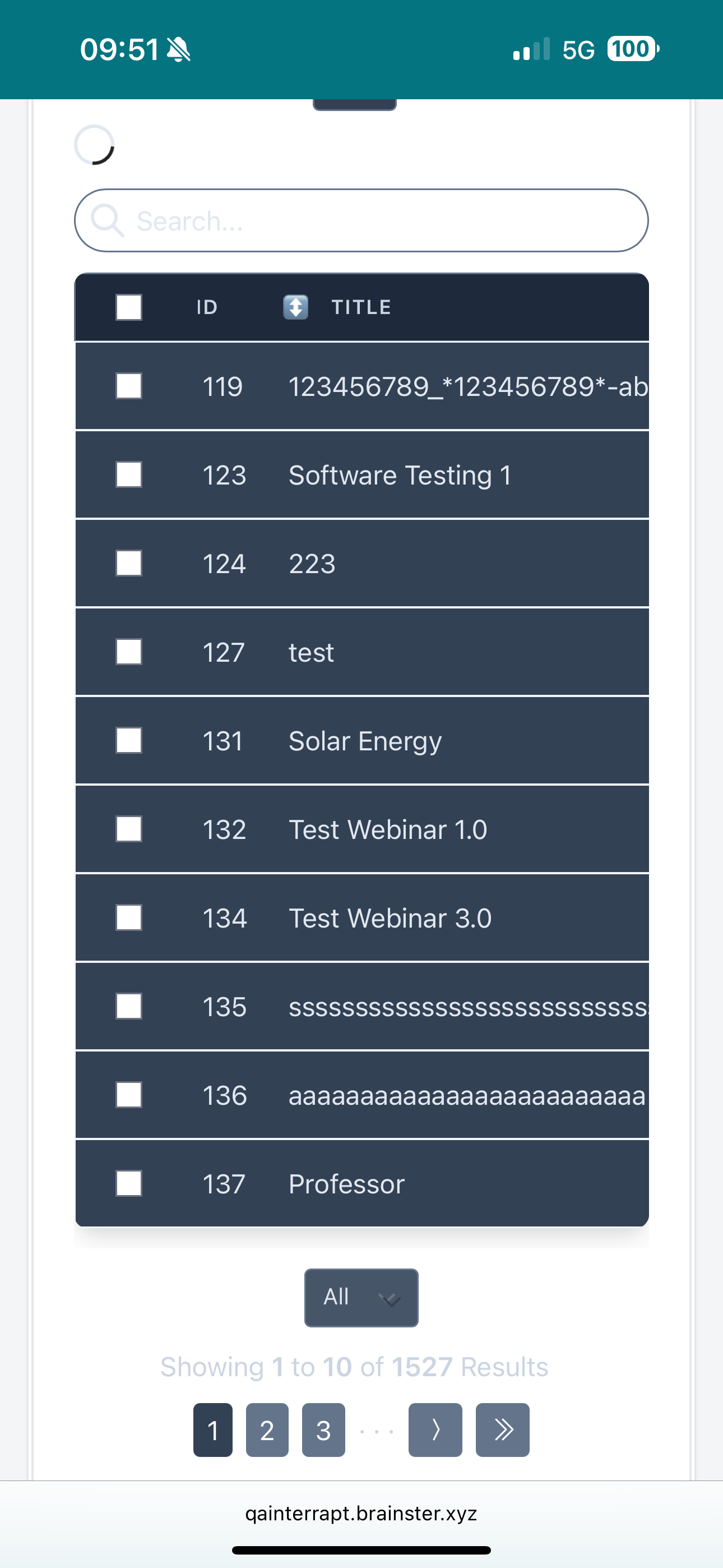
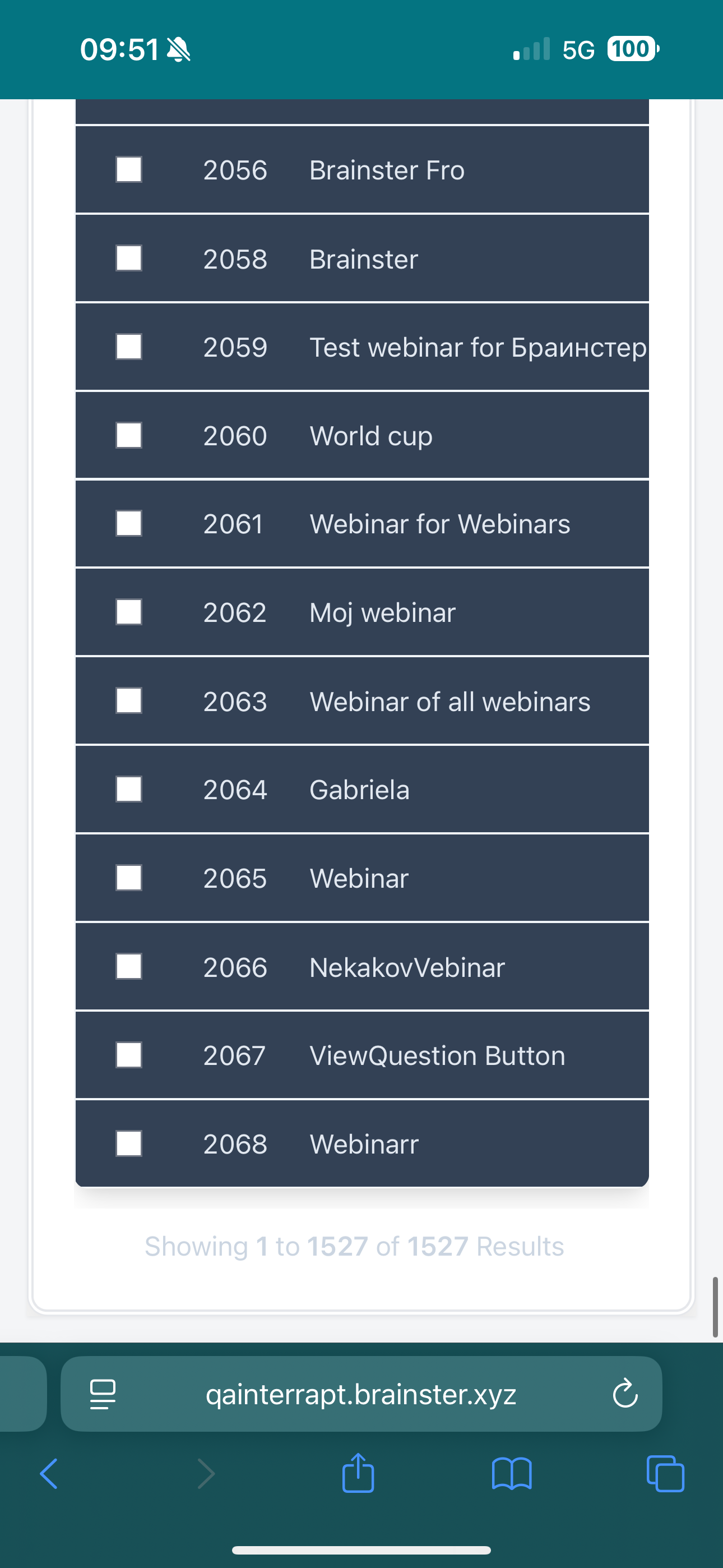
[Webinars] When viewing all webinars in the Webinars section, the dropdown to change the number of items displayed (e.g., 10, 25, 50, 100) disappears. To modify this selection again, the user must refresh the page, which is not user-friendly.
Environment
iPhone 15 Pro Max / iOS 18.5 / Safari Version 18.4
https://qainterrapt.brainster.xyz/webinars
- Log in to the system
- Navigate to the Webinars page
- Scroll down and select 'All' from the dropdown for displayed items.
- Scroll down again.
- Observe the pagination options.
Expected result
The dropdown should be kept visible even when "All" is selected, so users can easily change the number of webinars displayed without refreshing the page.
Actual result
The dropdown to change the number of items displayed is not kept visible when 'All' is selected, and the user must refresh the page to modify the selection again.
Files
No data to display
Actions