Actions
Bug #382
openThe user is unable to export selected in Csv in 'Attendees' section.
Start date:
06/08/2023
Due date:
% Done:
0%
Estimated time:
Description
Environment: https://qainterrapt.brainster.xyz/attendees#, Browser: Google Chrome 114.0.5735.110, Device: Samsung Galaxy S20 Ultra
Preconditions: The user must be logged in.
Steps to reproduce:
1.Click on 'Attendees' section.
2.Select one entry or more entries.
3.Click on the export button.
4.Click on 'Selected' Csv.
Expected Result: Selected entries should be exported.
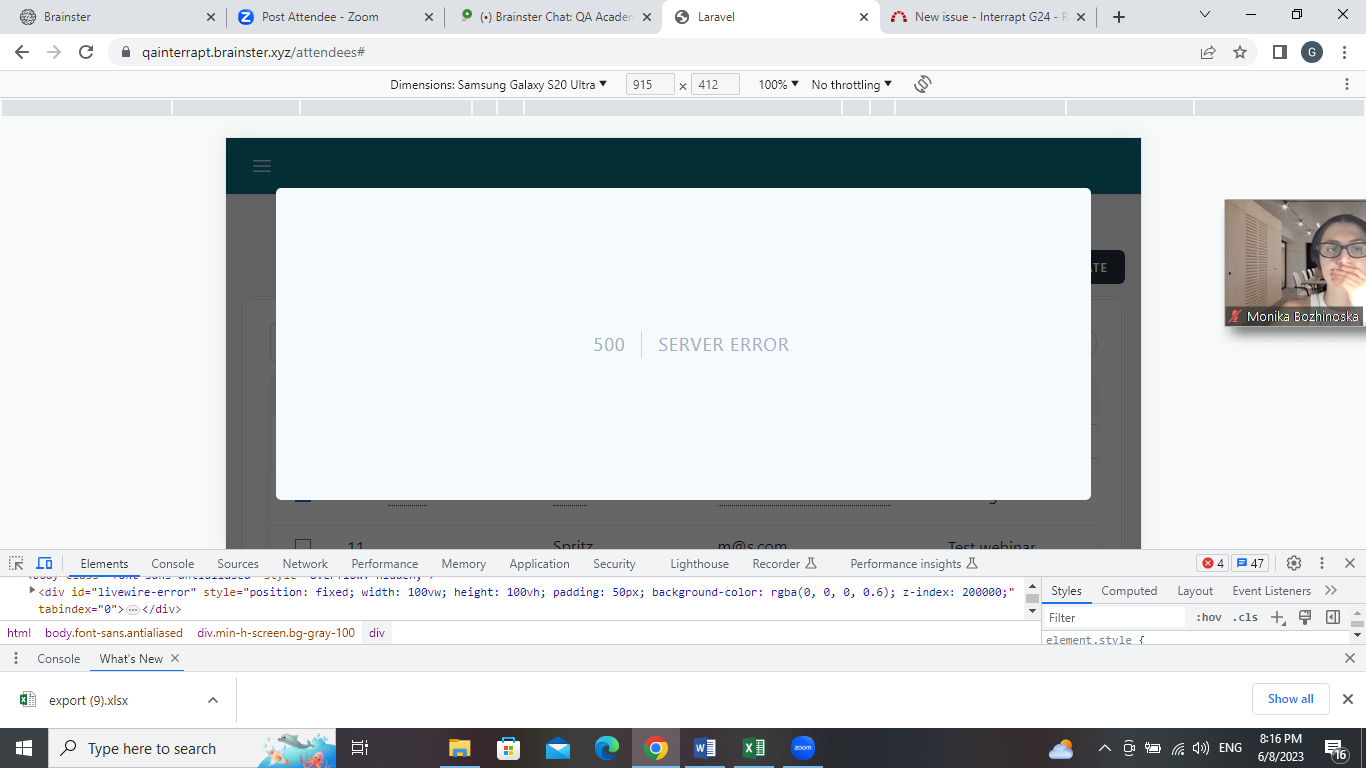
Actual Result: 'SERVER ERROR' message is displayed.
Files
Actions