Improvement #536
open[Webinars] The user should be able to search for a webinar by ID number of a registered webinar
0%
Description
Description:
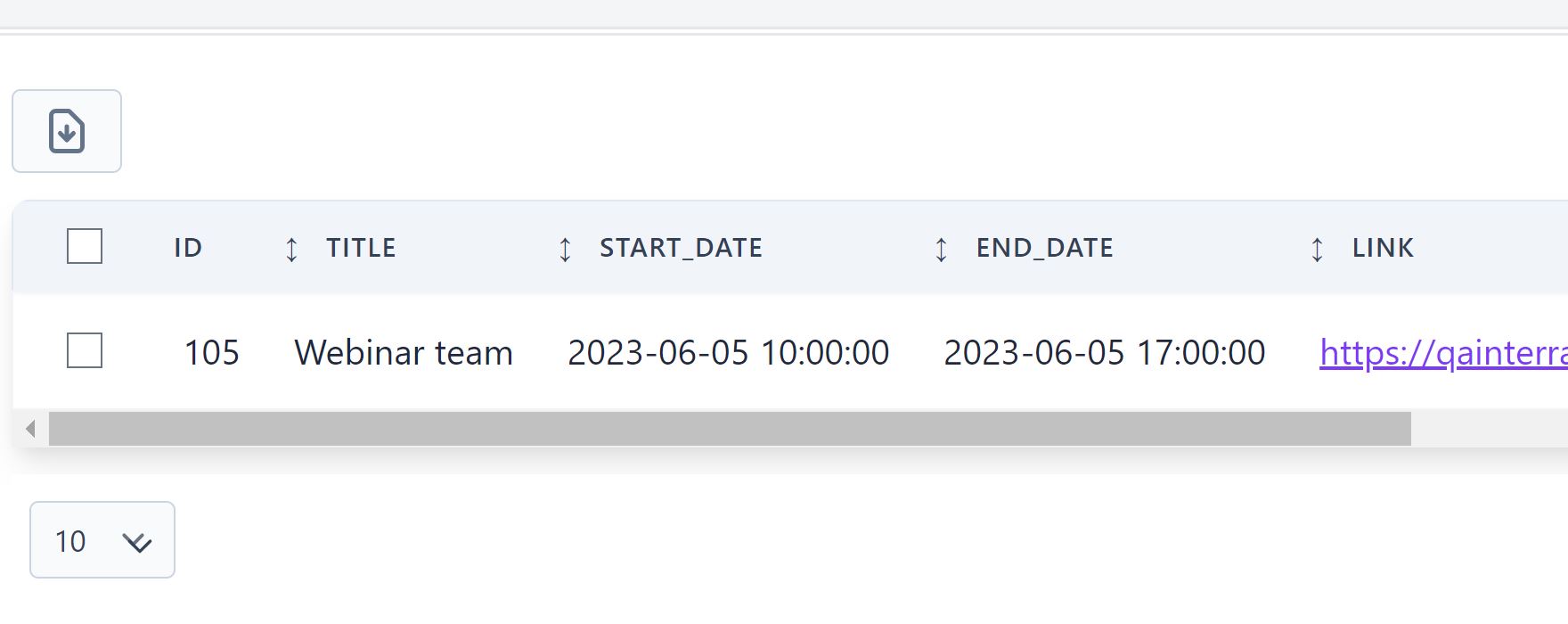
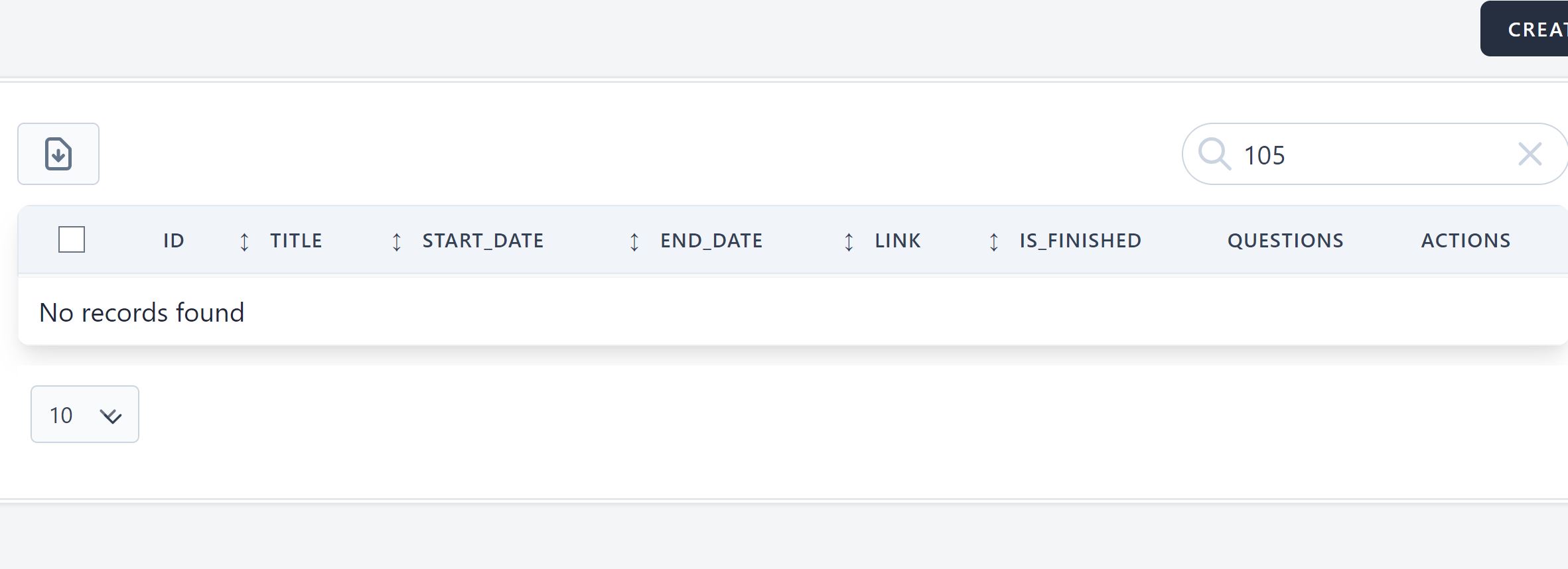
The user should be able to search for a webinar by ID number of a registered webinar in the 'Search' field
Environment:
https://qainterrapt.brainster.xyz/login
Steps to reproduce:
1.The user must be logged in
2.Click on 'Webinars' field from the menu
3.Click on the 'Search' field
4.Enter ID number of a registered webinar in the 'Search' field
Expected results:
The user is should be able to search for a registered webinar by entering ID number of a registered webinar
Actual result:
The user is able to search by other filters (tiltle, link), but is not able to search by ID number of a registered webinar
Files
Updated by Verica Bakovska about 3 years ago
- File picture 1.JPG picture 1.JPG added
- File 2.JPG 2.JPG added
- Assignee set to Verica Bakovska
Environment:
https://qainterrapt.brainster.xyz/login
https://qainterrapt.brainster.xyz/webinars
Steps to reproduce:
1.The user must be logged in
2.Click on 'Webinars' field from the menu
3.Click on the 'Search' field
4.Enter the ID number of a registered webinar in the 'Search' field
Expected results:
The user should be able to find a registered webinar by entering the ID number of the webinar
Actual result:
The user is not able to search for a registered webinar by entering the ID number of registered webinar
Updated by Verica Bakovska about 3 years ago
- Subject changed from Verify that the user is able to search for a webinar by entering an ID number of a registered webinar in the 'Search' field to [Webinars]Verify that the user is able to search for a webinar by entering an ID number of a registered webinar in the 'Search' field
Updated by Verica Bakovska about 3 years ago
Environment:
https://qainterrapt.brainster.xyz/login
Steps to reproduce:
1.The user must be logged in
2.Click on 'Webinars' field from the menu
3.Click on the 'Search' field
4.Enter the ID number of a registered webinar in the 'Search' field
Expected results:
The user is preferable to be able to search for a registered webinar by entering the ID number of the webinar
Actual result:
The user should be le to search for a registered webinar by entering the ID number of registered webinar
Updated by Verica Bakovska about 3 years ago
- Tracker changed from Bug to Improvement
- Subject changed from [Webinars]Verify that the user is able to search for a webinar by entering an ID number of a registered webinar in the 'Search' field to [Webinars] The user should be able to search for a webinar by entering an ID number of a registered webinar in the 'Search' field
Updated by Verica Bakovska almost 3 years ago
- Subject changed from [Webinars] The user should be able to search for a webinar by entering an ID number of a registered webinar in the 'Search' field to [Webinars] The user should be able to search for a webinar by ID number of a registered webinar
- Description updated (diff)