Actions
Bug #583
openAttendee is created with invalid name field
Start date:
06/12/2023
Due date:
% Done:
0%
Estimated time:
Description
Description
Precondition:
1. A webinar must be previously
created
2. User must be admin to create an attendee
Steps to reproduce:
1. Navigate to url https://qainterrapt.brainster.xyz
2. Log in with valid credentials
3. Click on Attendees
4. Click on the create button
5. Click on the name field
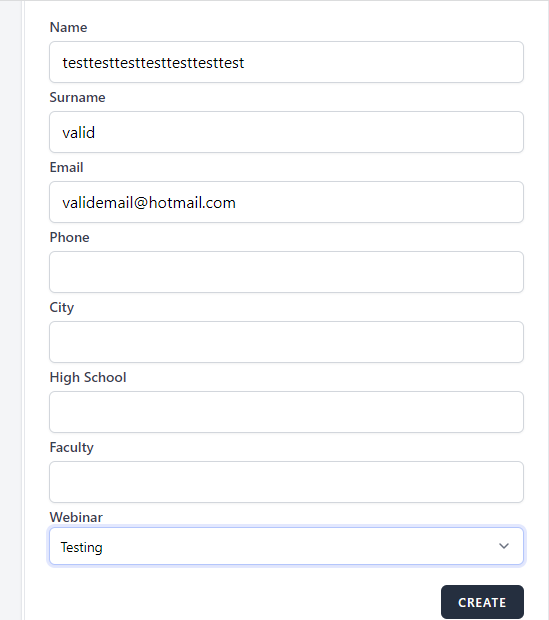
5. Enter name with length more than 25 (testtesttesttesttesttesttest)
6. Click on CREATE button
Expected result:
Attendee should not be
created and message should be
displayed:
"The field max length is 25."
Actual result:
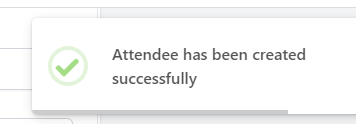
Attendee was created.
Enviorment device:
Desktop device
Browser: Google Chrome
Version 112.0.5615.122
Files
No data to display
Actions