Actions
Bug #584
openAttendee is created with invalid surname field
Start date:
06/12/2023
Due date:
% Done:
0%
Estimated time:
Description
Description
Precondition:
1. A webinar must be previously
created
2. User must be admin to create an attendee
Steps to reproduce:
1. Navigate to url https://qainterrapt.brainster.xyz
2. Log in with valid credentials
3. Click on Attendees
4. Click on the create button
5. Click on the surname field
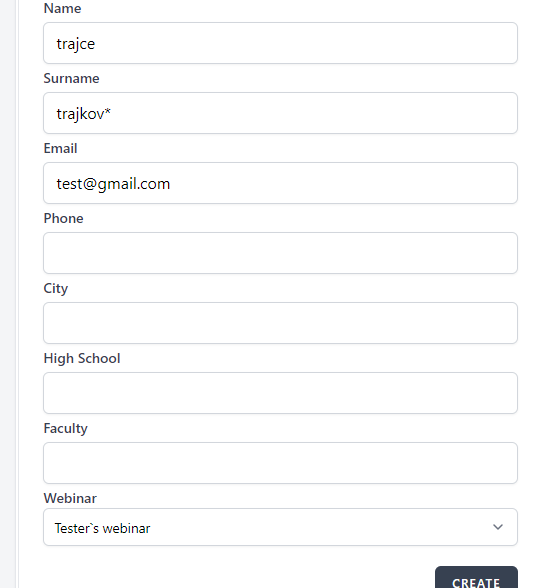
5. Enter surname with special character * (trajkov*)
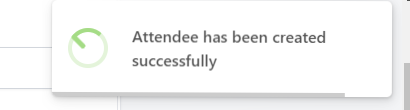
6. Click on CREATE button
Expected result:
Attendee should not be created and message should be
displayed:
Accepted characters are: "-" and "."
Actual result:
Attendee was created.
Enviorment device:
Desktop device
Browser: Google Chrome
Version 112.0.5615.122
Files
No data to display
Actions