Actions
Bug #1504
open[Users] User is able to enter 6 characters in the "Name" field when a user edits their profile
Start date:
12/18/2023
Due date:
% Done:
0%
Estimated time:
Description
Description:
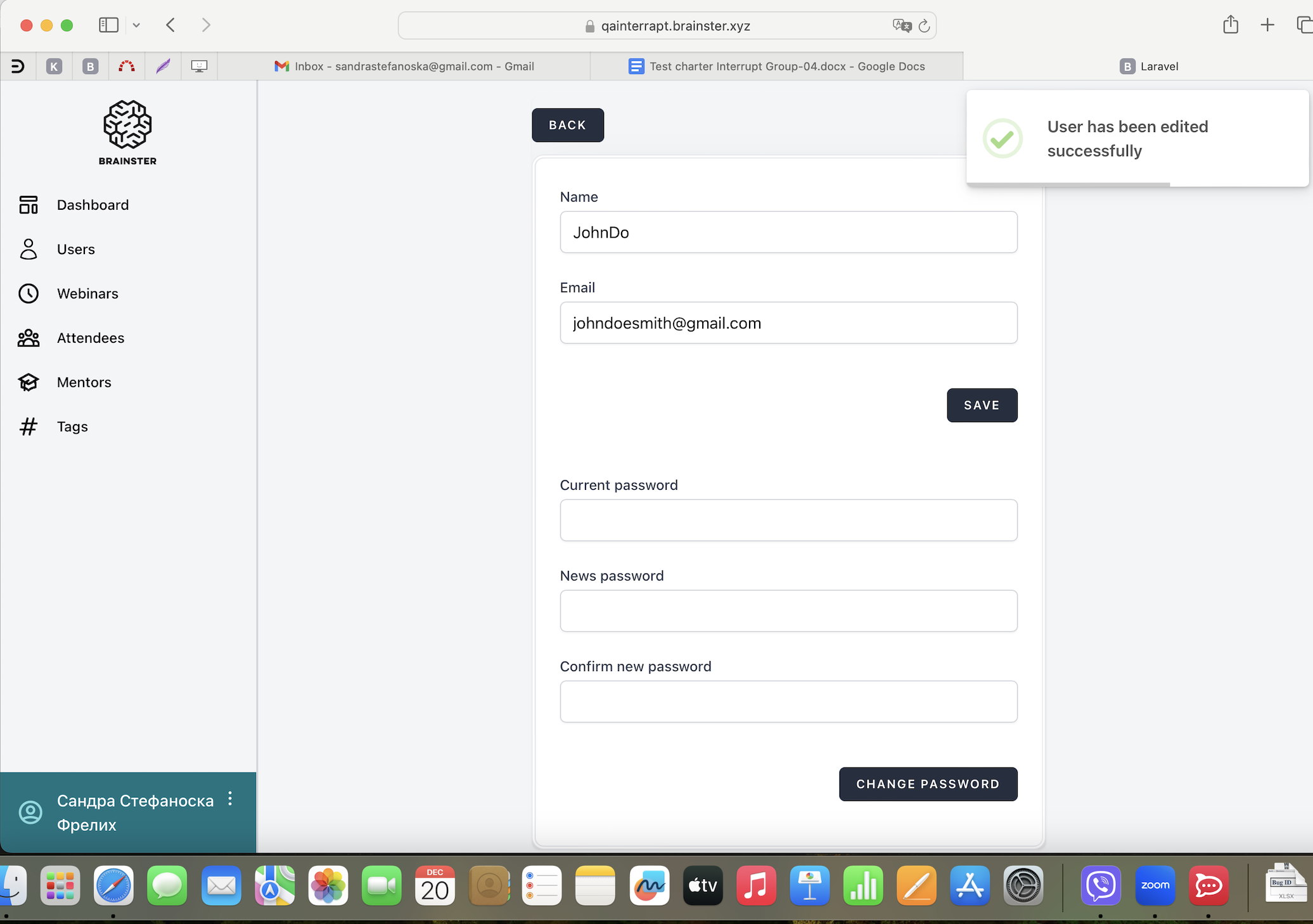
When user edits their profile by clicking on the user profile located in the lower left corner, the user is able to enter 6 characters in the "Name" field.
Environment:
Laptop, MacOS Sonoma Version 14.1.2, Safari Version 17.1.2, Desktop View / Apple iPhone 14 Pro, iOS Version 17.1.2, Safari Version 17, Mobile view
Preconditions:
User must be logged in.
- Click on user profile located in the lower left corner
- Edit the "Name" field with 6 characters (alphabetic characters (latin and cyrillic), all letter cases (lower and upper), special characters (only "-" and ".") and spaces)
- Edit the "Email" field with valid data (containing email prefix and an email domain)
- Fill the "Current password" field with valid data (existing password)
- Fill in the "New password" with new valid data (8-30 characters, combination of numbers, alphabetic characters (latin and cyrillic) and special characters)
- Fill in the "Confirm new password" with the same data as in "New Password" field
- Click on "SAVE/CHANGE PASSWORD" button
Expected result:
The "Name" field should not accept 6 characters, message should appear that the name field is required with red letters and changes should not be saved.
Actual result:
The "Name" field accepts 6 characters and changes are saved.
Files
Actions