Actions
Improvement #1528
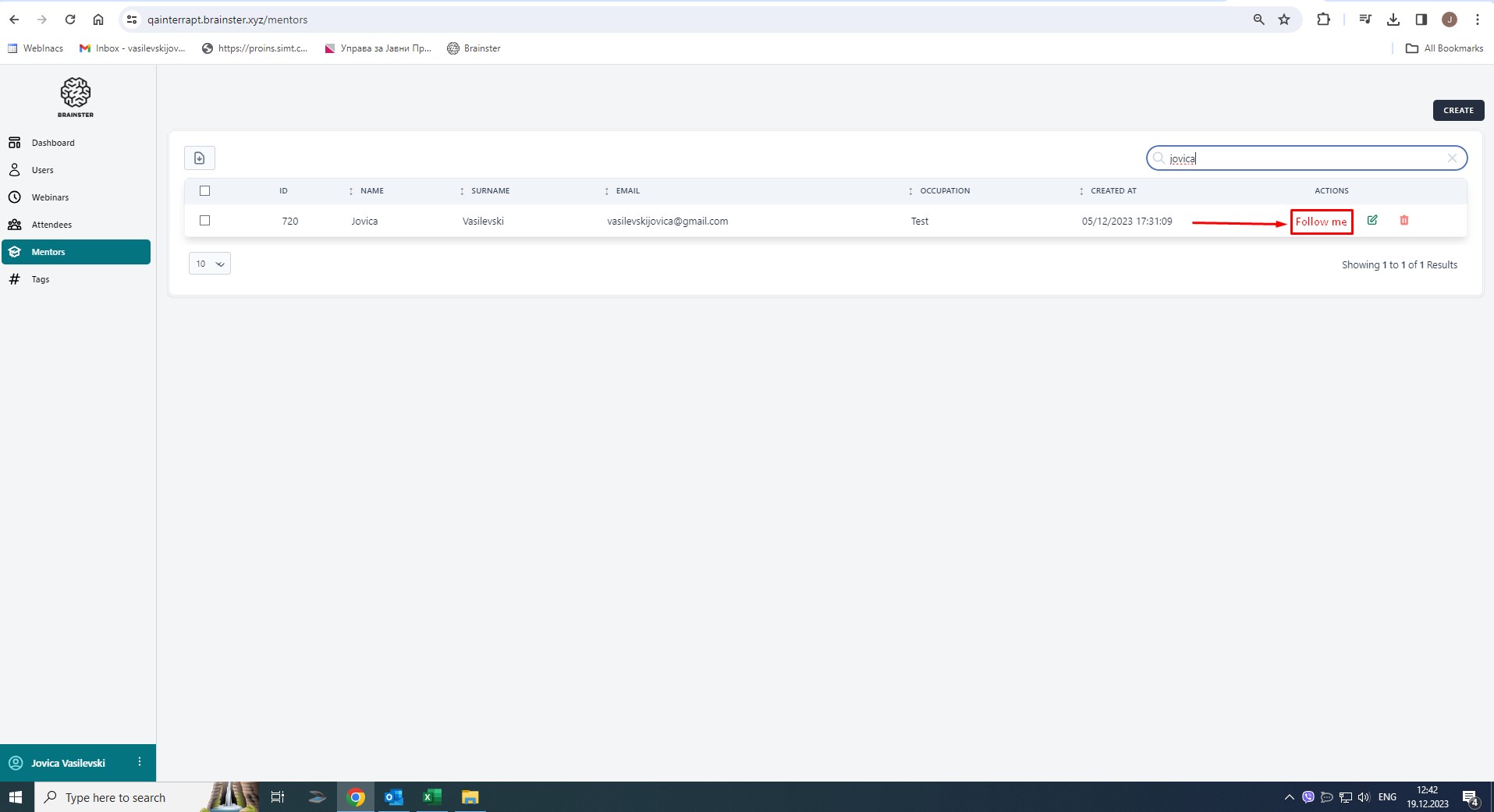
open[Mentors] Give user an option to "Follow mentor" under "Actions" section
Start date:
12/19/2023
Due date:
% Done:
0%
Estimated time:
Description
Preconditions
User must be logged in and at least one Mentor must be created
Environment
https://qainterrapt.brainster.xyz/login /Windows 10 Pro 22H2/Google Chrome Version 119.0.6045.200 (Official Build) (64-bit)
Steps to reproduce
1. Click on Mentors field;
2. Search/select a mentor
3. Click on "Follow mentor" button. ( Follow me button.jpeg screenshot)
Expected result
When a webinar hosted by the selected mentor is created, a mail or notification should be sent to the user that followed that mentor.
"Actual result"
There is no such functionality.
Files
Updated by Jovica Vasilevski over 2 years ago
- File Follow me button.jpg Follow me button.jpg added
- Subject changed from [Mentors] Add a "Follow mentor" button to [Mentors] Add a "Follow mentor" button under "Actions" section
- Description updated (diff)
Updated by Jovica Vasilevski over 2 years ago
- Subject changed from [Mentors] Add a "Follow mentor" button under "Actions" section to [Mentors] Give user an option to "Follow mentor" under "Actions" section
- Description updated (diff)
Actions