Bug #1529
open[Webinar] User is able to create webinar with entering less than 5 characters and more than 50 characters in 'Title' field
0%
Description
Environment
PC / Windows 11 Pro V. 23H2 / Google Chrome Version 91.0.4280.88 (Official Build) (64-bit)
PC / Windows 11 Pro V. 23H2 / Microsoft Edge Version 91.0.664.66 (Official build) (64-bit)
https://qainterrapt.brainster.xyz/login
Precondition
User must be log in
Steps to reproduce
1.Navigate to Webinars menu
2.Click on create button
3.Fill the Title field entering less than 5 characters, for example [exit]
4.Fill the other fields with valid data
5.Click on create button
6.Repeat steps 1 and 2
7.Fill the Title field entering more than 50 characters for example [Академија за Дигитален Маркетинг и Софтвер Тестинг започнува на 01.01.2024]
8.Fill the other fields with valid data
9.Click on create button
Expected results
User should not be able to create webinars with less that 5 characters and more than 50 characters entering in title field and message should be shown that the title field is required with red letters.
Actual result
User is able to create webinars with less that 5 characters and more than 50 characters entering in title field and warning message is not displayed
Files
| Bug 002 title.png (53.6 KB) Bug 002 title.png | |||
| bug 004.png (73.5 KB) bug 004.png | |||
| Bug (Exit).png (123 KB) Bug (Exit).png | |||
| bug (more than 50).png (97.3 KB) bug (more than 50).png |

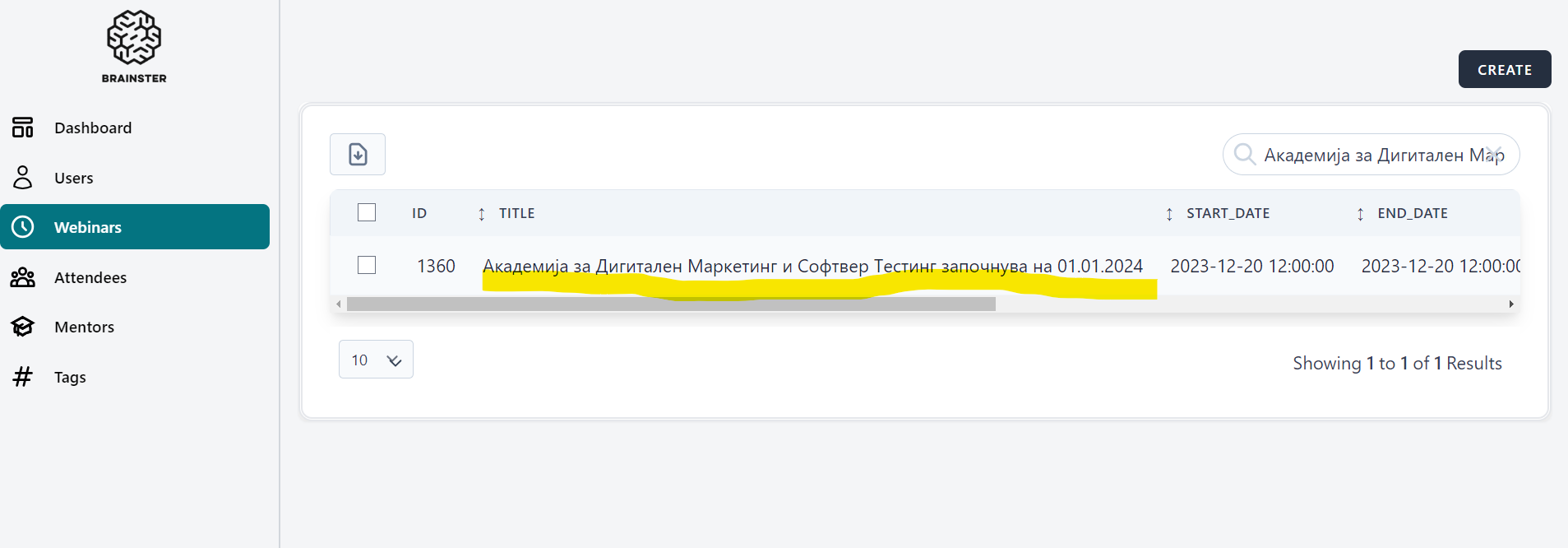
.png)
.png)