Bug #1599
open[Webinars] User able to blank the mandatory mentor and tag fields by editing
0%
Description
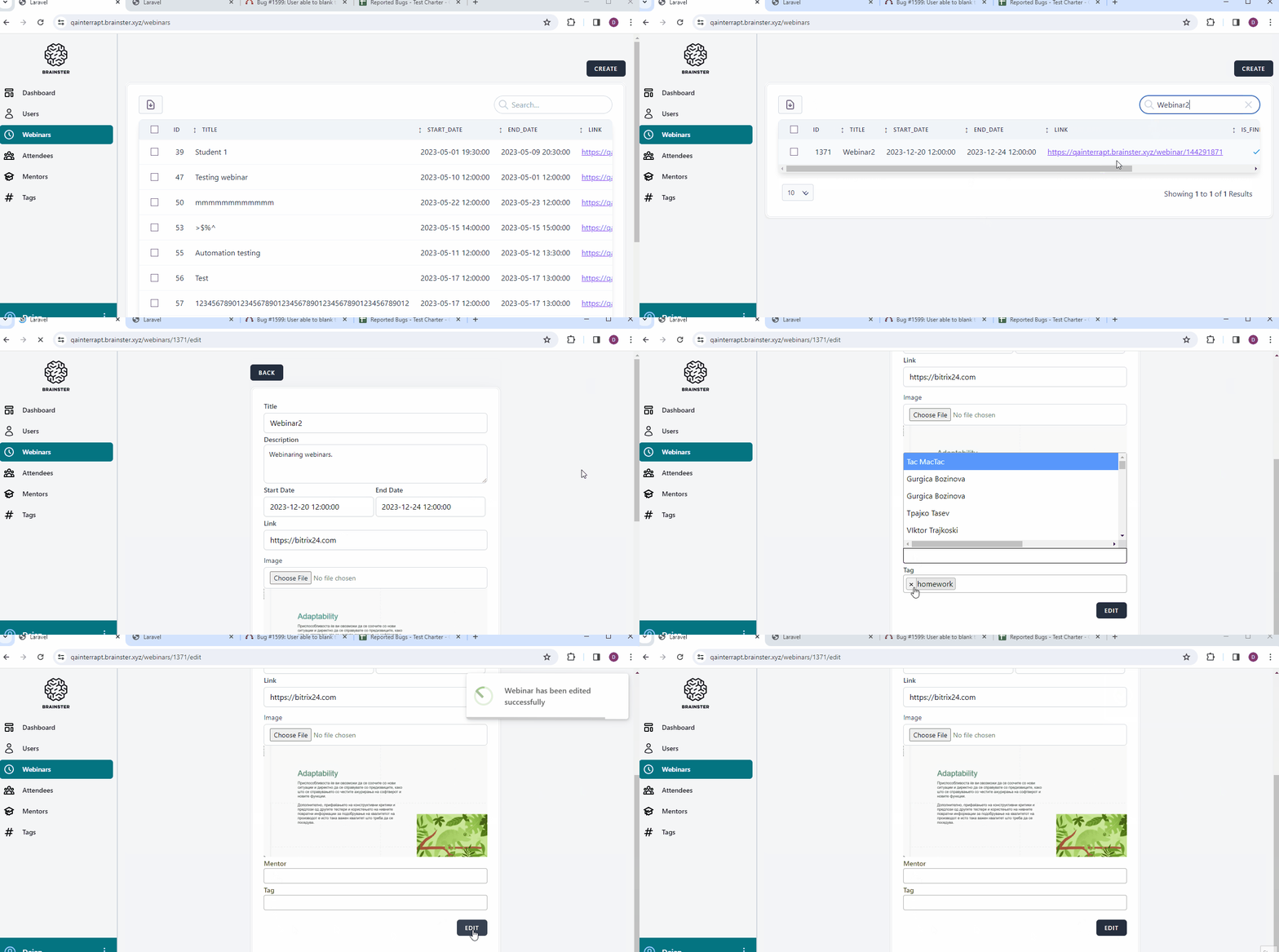
By entering the edit page of a webinar, the user is able to remove values from tag and mentor fields, that are mandatory at creation of a webinar and should remain in the webinar settings.
Preconditions:
1. User must be navigated to https://qainterrapt.brainster.xyz
2. User must be logged in and directed to Webinars menu.
Steps to reproduce:
1. Select a webinar
2. Click the respective edit check box
3. Blank the tag field
4. Blank the mentor field
5. Click on Edit button
6. Observe that the requested changes are accepted and "Webinar has been edited successfully" notification is displayed.
Expected result:
After making the mandatory tag and mentor fields blank, the system should not accept this change.
Actual result:
After making tag and mentor fields blank, the system accepts the change and the Webinar no longer has mentor and tag assigned.
Files