Actions
Bug #1619
open[Webinars] Page is not fully displayed on mobile device
Start date:
12/20/2023
Due date:
% Done:
0%
Estimated time:
Description
- Environment **
Google Chrome Version 120.0.6099.110 (Official Build) (64-bit) Inspect tool
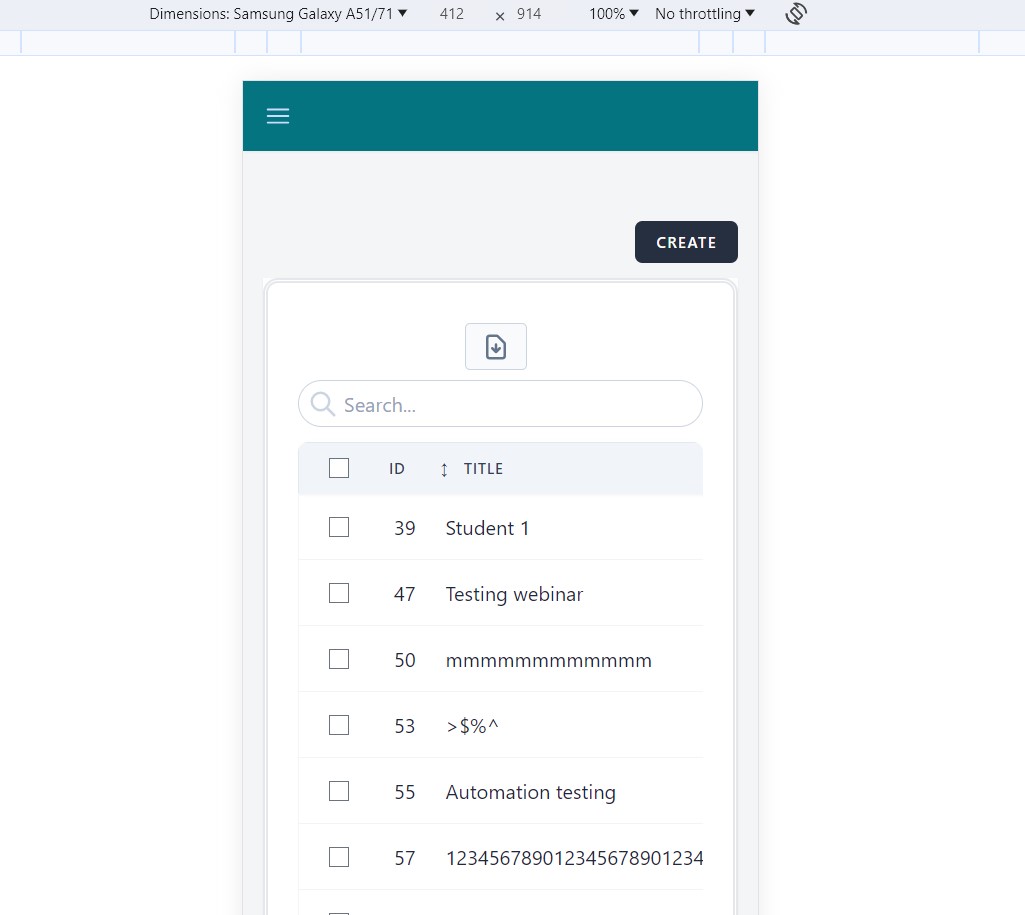
Dimensions: Samsung Galaxy A51/71; 412 x 914; Zoom: 100%;
No throttling; Portrait
- Description **
Webinars page is not entirely displayed on the screen
- Preconditions **
User is registered and logged in.
- Steps to reproduce **
1.Navigate to Webinars via dropright variation menu in the top left corner.
2.Scroll down to the bottom of the page.
- Expected results **
The webinars page should be entirely displayed and all element should be visible.
- Actual results **
The webinars page is not fully displayed and the elements on the bottom on the page are not visible.
Files
Actions