Actions
Bug #1667
openThe User is able to delete a mentor without having admin permissions
Start date:
12/20/2023
Due date:
% Done:
0%
Estimated time:
Description
Description:
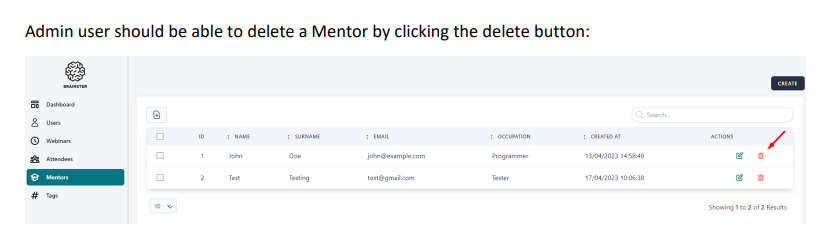
User that is not an admin can delete a mentor by clicking on the delete button.
Environment:
Mobile/Samsung Galaxy A70
PC/Windows 10 Home/Google Chrome Version 120.0.6099.111 (Official Build) (64-bit)
Precondition:
User must be logged in
There must be at least one created mentor
- Navigate to https://qainterrapt.brainster.xyz/mentors
- Select a mentor
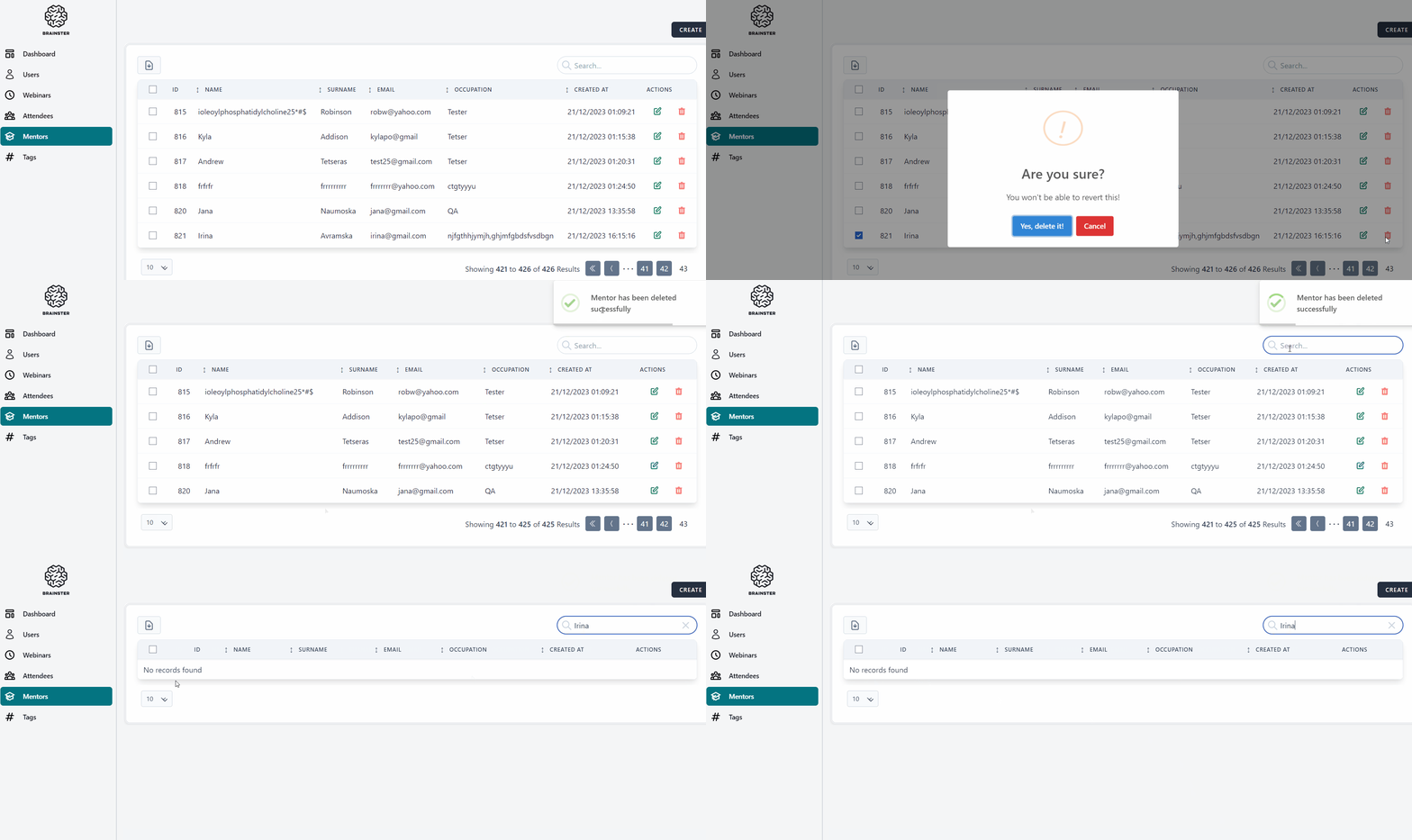
- Click on the red delete button on the right side
- Check if the mentor was deleted
Expected result:
The user should not be able to delete a mentor when not having admin permissions.
Actual result:
The user can delete a mentor.
Files
| Screenshot_3.png (28.8 KB) Screenshot_3.png | |||
| screenshot 3.gif (902 KB) screenshot 3.gif |
Actions