Bug #1678
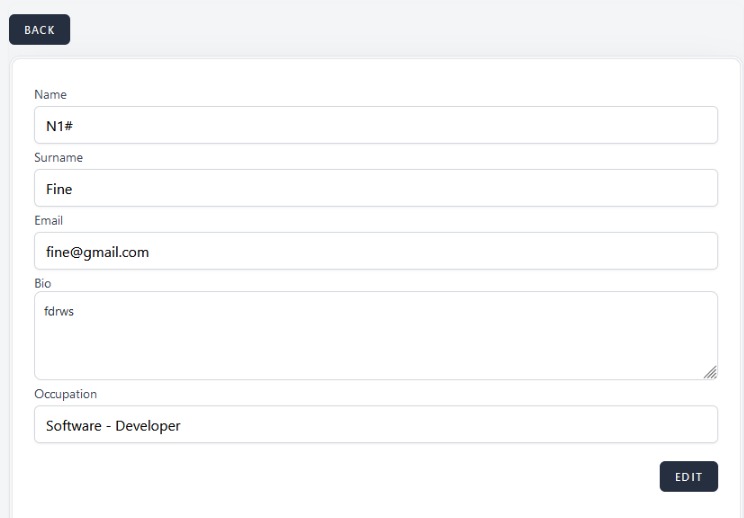
open[Mentors] The user is able to create a new mentor when the "Name" field is populated with unaccepted characters.
0%
Description
Description
Pre-conditions
The user must be logged in and on the "Create a mentor" dashboard.
Environment
https://qainterrapt.brainster.xyz/mentors/create /Mozilla Firefox Version 121.0 (64 bit)
Description
The user can create a new mentor using unaccepted characters other than "." and "-" in the name field.
Steps to reproduce
1. Click on the name field.
2. Type 2 alphabetic characters, one number, and add the sign "#" in the "Name" field.
3. Fill in the "Surname" field.
4. Fill in the "Email" field.
5. Fill in the "Bio" field.
6. Fill in the "Occupation" field.
7. click "Create" button.
Expected Result
The "Name" field should accept Alphabetic characters (both, Latin and Cyrillic, lower and upper cases), special characters (only “-”, and “ . ”) and spaces. It should be min 3 and max 25 characters in length.
A message should be shown that the "Name" field is required in red letters.
Actual Result
The user can create a new mentor when the "Name" field is populated with unaccepted characters and the error message that the "Name" field is required in red letters is not displayed.
Files