Actions
Improvement #1681
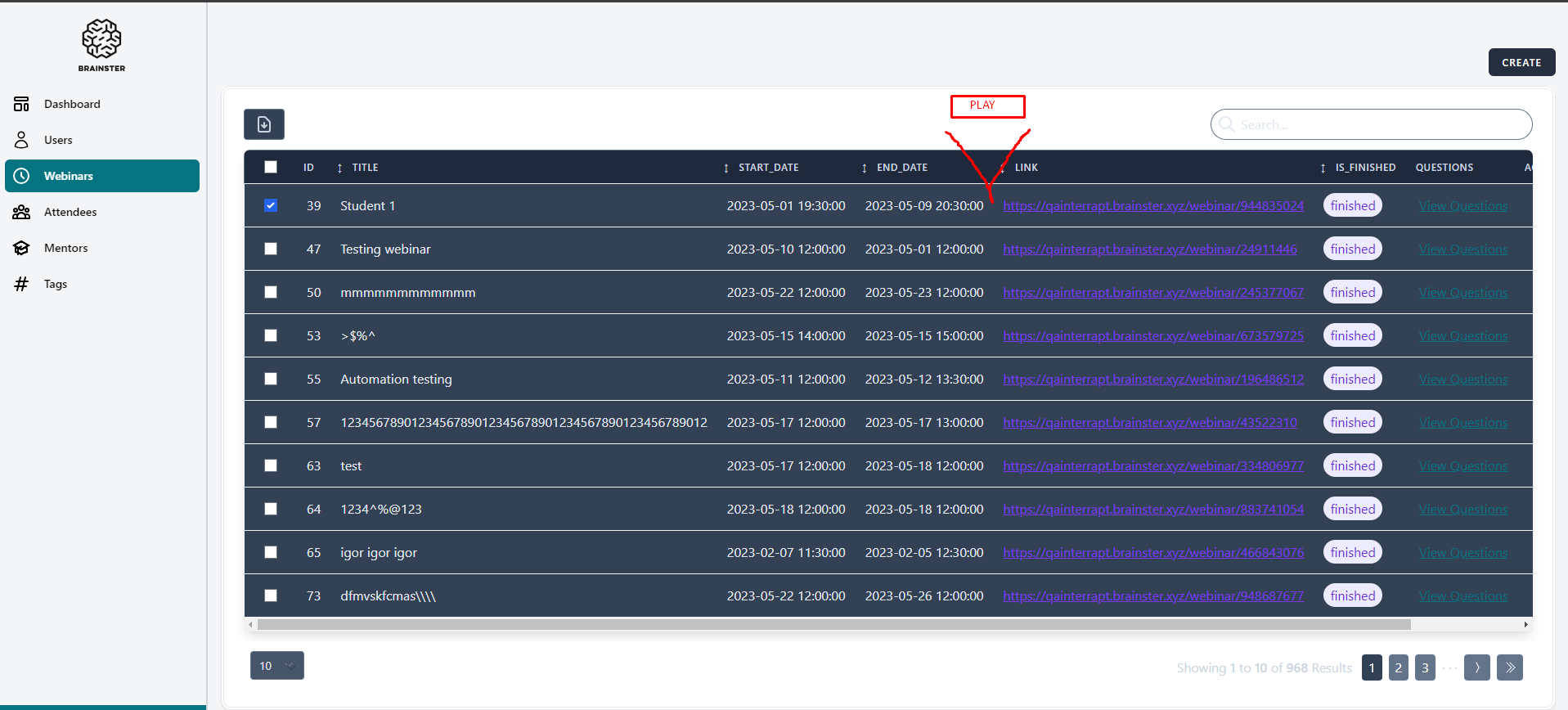
open[Webinars] A user should be able to rewatch the video file from an expired webinar
Start date:
12/21/2023
Due date:
% Done:
0%
Estimated time:
Description
Environment:
PC / Windows 11 Education V. 22H2 Google Chrome Version 87.0.4280.88 (Official Build) (64-bit)
Precondition:
User must be navigated to: https://qainterrapt.brainster.xyz/login and logged in.
Steps to reproduce:
1.Click on 'Webinars' menu.
2.Choose one webinar and click on the'PLAY'button.
Expected Result:
The user should be able to rewatch the video file from the selected (expired) webinar.
Actual Result:
The user has no option to rewatch the video file from an expired webinar.
Files
Actions