Actions
Bug #1934
openUser can be created with numbers instead of letters in name field
Start date:
01/25/2024
Due date:
% Done:
0%
Estimated time:
Description
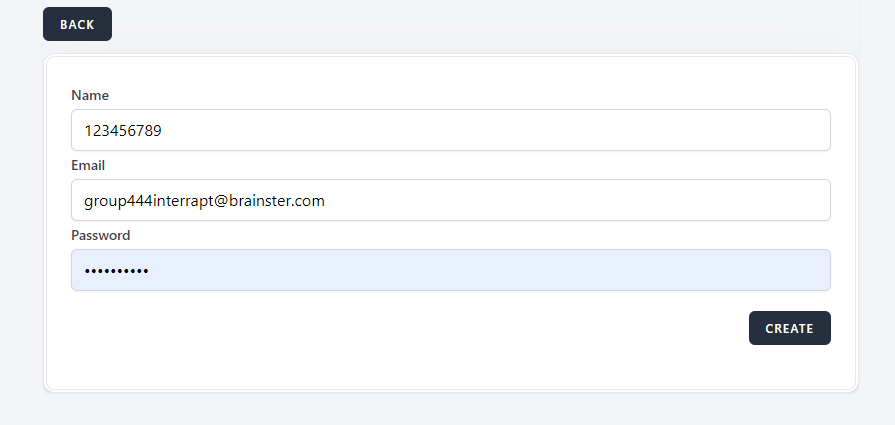
You can create a user with numbers in the 'Name" field
Steps to reproduce
1. Navigate to https://qainterrapt.brainster.xyz/dashboard
2. Click on "Users"
3. Click on "Create"
4. Enter numbers (1234) in the field "Name"
5. Click create
Expected results
User cannot be created, please enter letters in the "Name" field
Actual Result
User has been created successfully
Platform
OS: Windows 10 Pro
Browser: Goole Chrome Version 120.0.6099.225 (Official Build) (64-bit)
Files

Actions