Actions
Bug #1980
openMentor is successfully created with non-Latin and non-Cyrillic letters in Name input field
Start date:
01/25/2024
Due date:
% Done:
0%
Estimated time:
Description
Description:
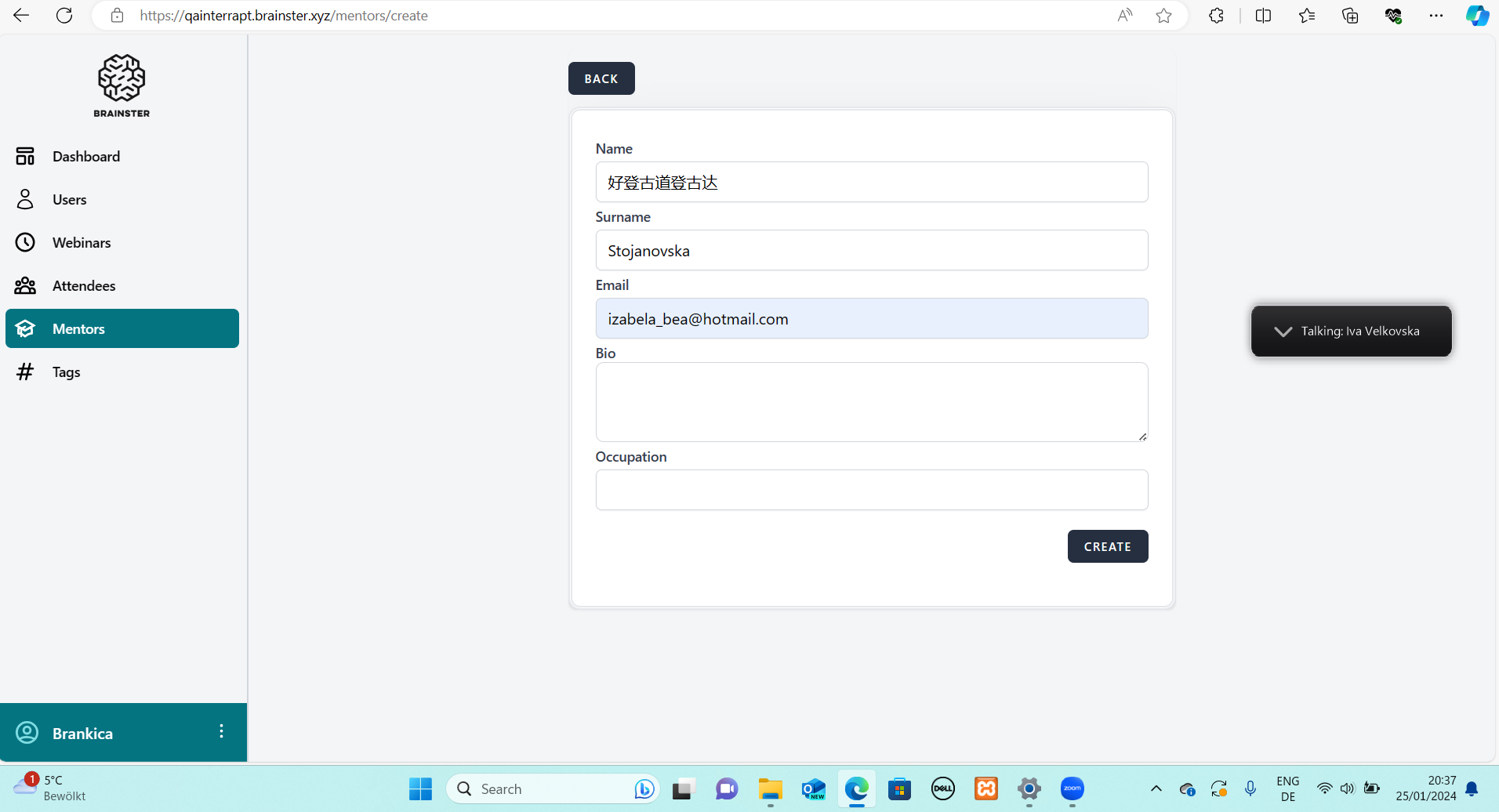
User is able to create a new Mentor with non-Latin and non-Cyrillic letters in the Name input field
Precondition:
The user should be logged in the Interrapt page
Steps to reproduce:
1. Open the Mentors page
2. Click on the 'Create' button
3. Fill the Name input field with non-Latin and non-Cyrillic letters
4. Click the 'Create' button
Expected Result:
An error message that Name field is required in red
letters should appear under the field and the Mentor should not be created
Actual Result:
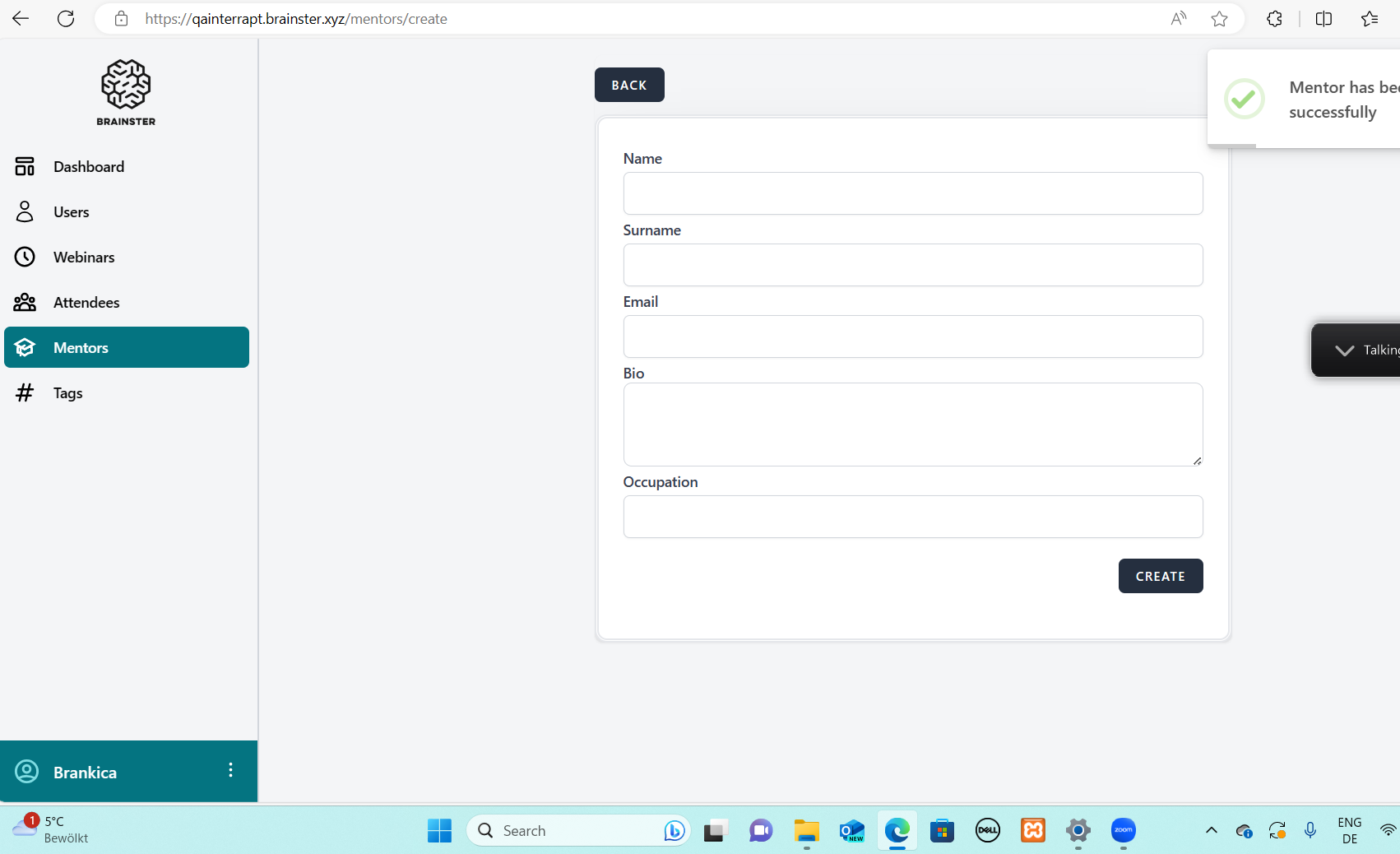
The Mentor is successfully created
Platform:
Windows 10
Files
Actions