Bug #2032
openUser can create `Attendee` when City field has characters that are not part of the requirement
0%
Description
Description:
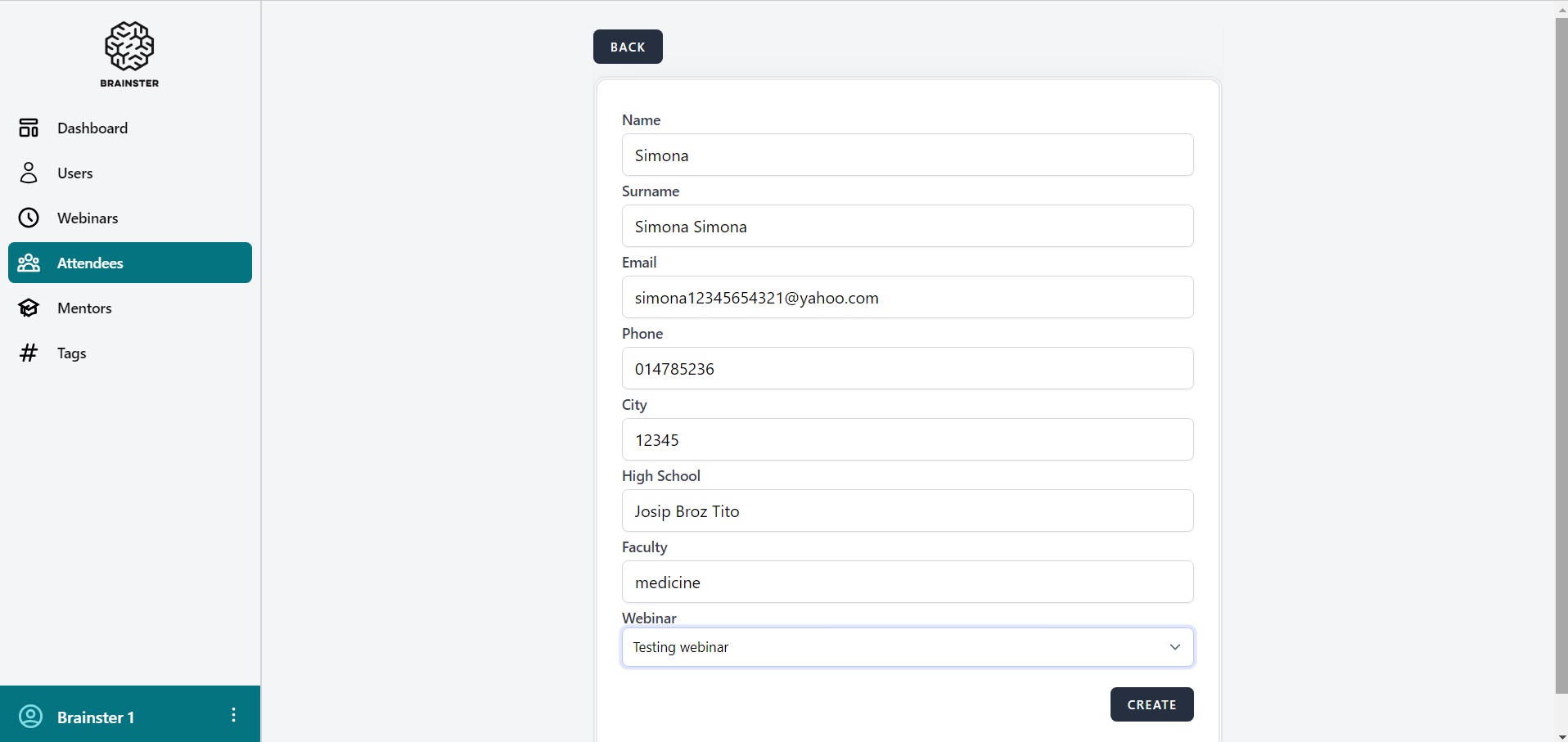
User can create Attendee when City field contain number, although specification requires alphabetic characters (both Latin and Cyrillic), all letter cases (lower and upper), special characters (only “- “,” `” and “.”) and spaces.
Steps to reproduse:
1.Navigate to https://qainterrapt.brainster.xyz/attendees/create
2.Fill Name field (Simona)
3.Fill Surname field (Simona Simona)
4.Fill Email field ([email protected])
5.Fill Phone field (014785236)
6.Fill City field with numbers (12345)
7.Fill High School field (Josip Broz Tito)
8.Fill Faculty field (medicine)
9.Choose Webinar (Testing webinar)
10.Click `CREATE` button
Expected Result:
Error message should displayed, and Users should not be created.
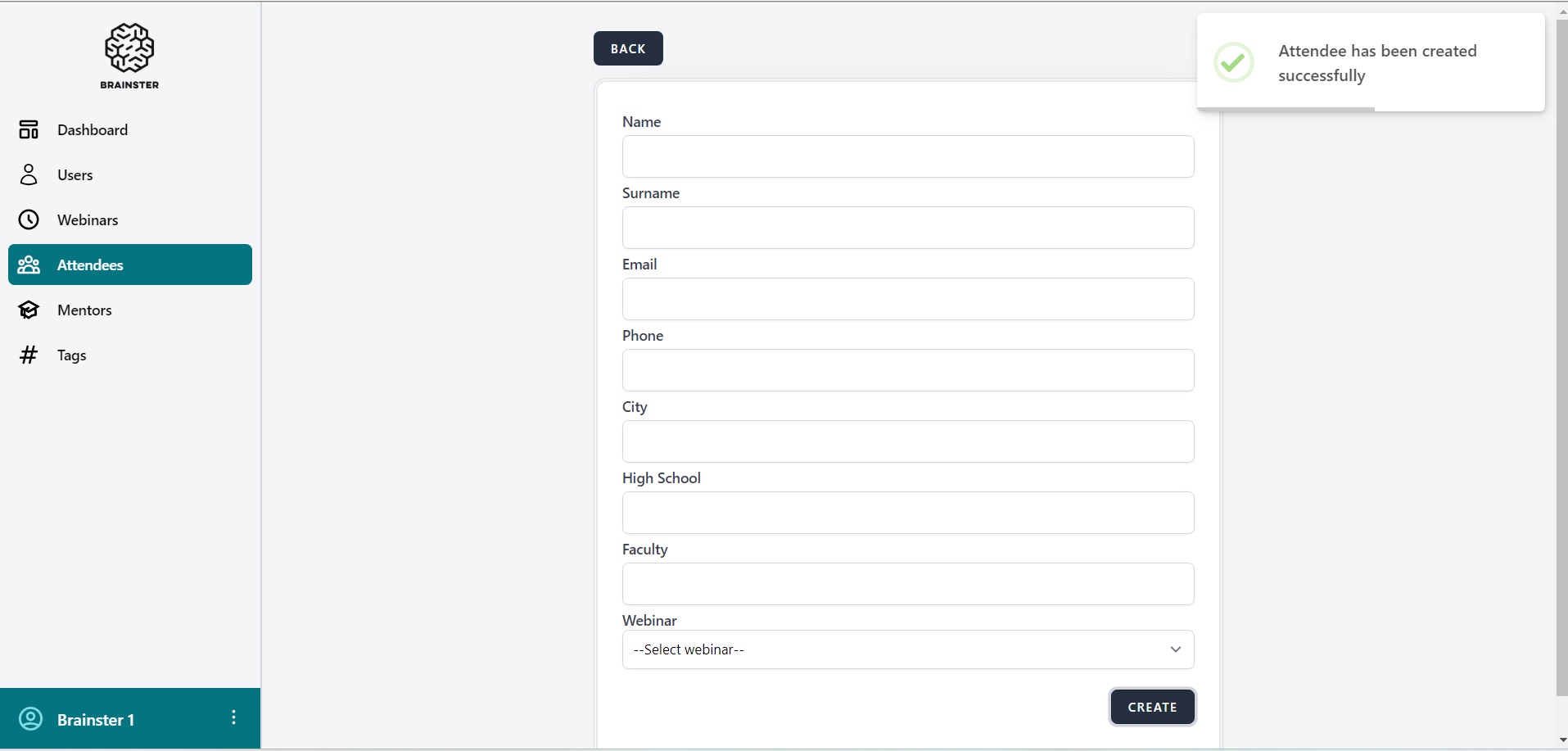
Actual Result:
Attendee has been created successfully.
Browser:
Google Chrome (Version 120.0.6099.225 (Official Build) (64-bit))
System:
Windows 11
Files