Bug #2156
openMentor created with above maximum characters in name field
0%
Description
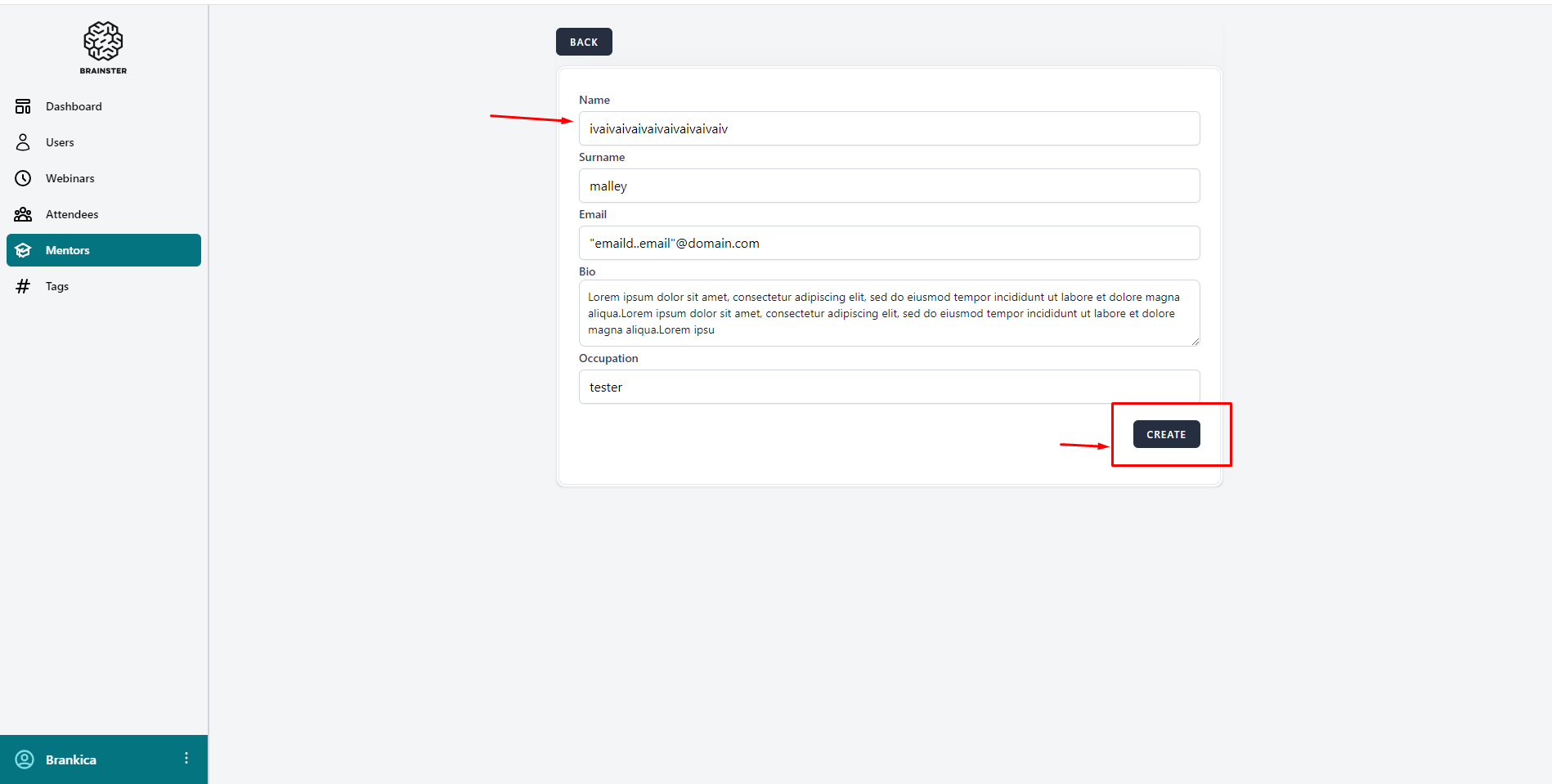
A mentor is successfully created when entering more than 25 characters in the name input field
Steps to reproduce:
1. Log in to Interrapt page, https://qainterrapt.brainster.xyz/login
2. Click on Mentors from the sidebar menu
3. Click on the 'Create' button
4. Fill in the name input field with above 25 characters
5. Fill in the other input fields according to specifications
6. Click the 'Create' button
Expected Result:
An error message in red letters should appear under the name input field indicating that the field is required and the Mentor should not be created
Actual Result:
The Mentor is successfully created
Platform:
Windows 10
Google Chrome 121.0.6167.86 (Official Build) (64-bit)
Opera 106.0.4998.52
Microsoft Edge 120.0.2210.144 (Official build) (64-bit)
Mozilla Firefox 122.0
Files