Bug #2340
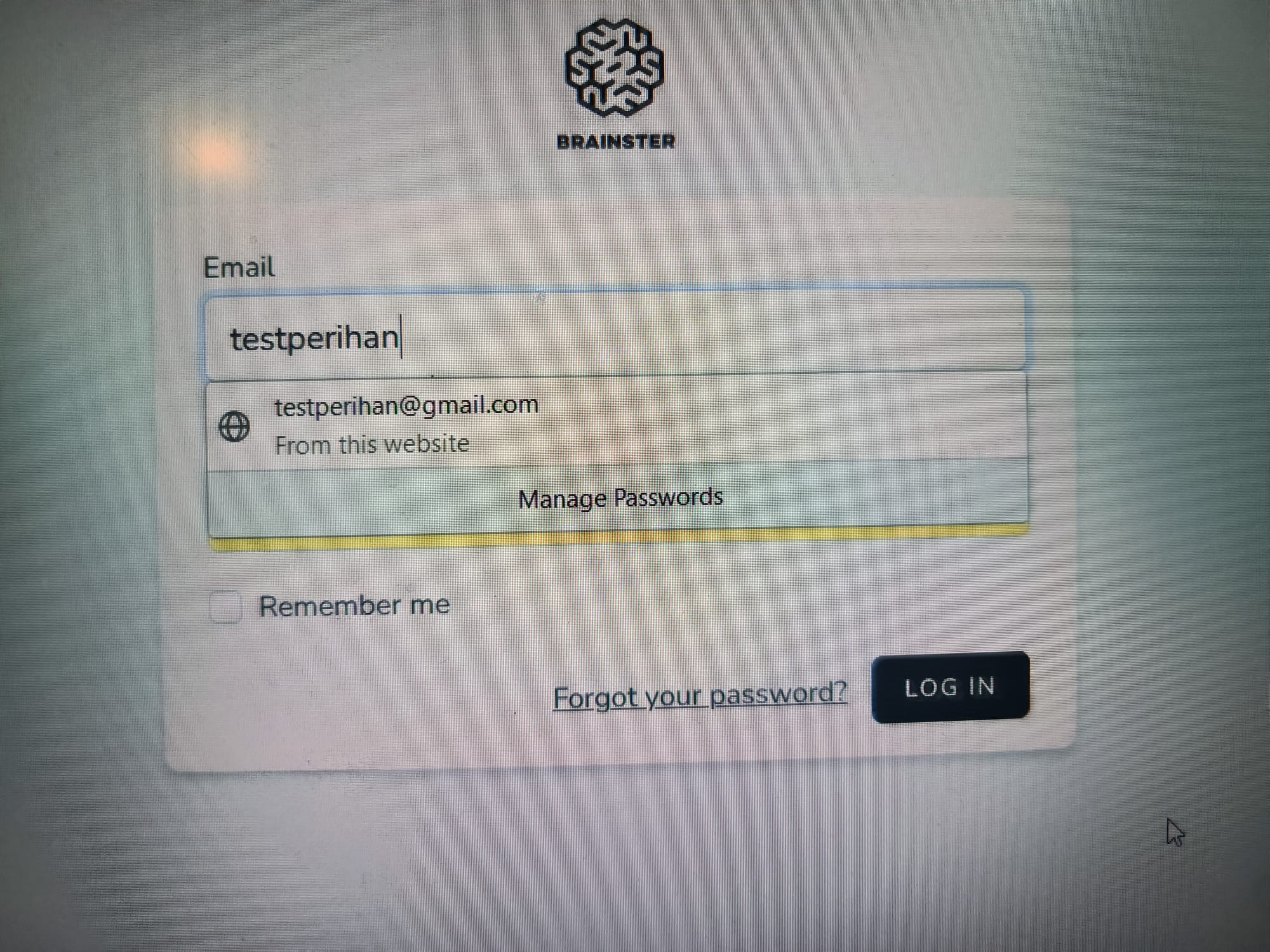
openInvalid login is not displaying error message because of the "Manage Passwords" option
0%
Description
When trying to log in to the Interrapt page dashboard, if the user enters incorrect information and leaves out the e-mail format, an error message with red letters is not displayed.
Steps to recreate:
1. Navigate to https://qainterrapt.brainster.xyz/login
2. Fill in the 'Email' field with invalid e-mail
3. Fill in the 'Password' field
4. Click on the 'Log In' button and observe the result.
Expected result:
If the user enters incorrect login credentials, they should see an error message “Whoops!
Something went wrong. These credentials do not match our records.” with red letters indicating that their login details are incorrect.
Actual result:
Log in is not successful and the error message is not displayed.
Instead of displaying an error message, the system is constantly offering the "manage passwords" functionality in the e-mail field.
Browsers: Mozilla Firefox v. 123.0 (64-bit)
Files
Updated by Perihan Angelovska over 2 years ago
- Subject changed from Error message is not displayed if incorrect information is entered in the e-mail field to Invalid login is not displaying error message because of the "Manage Passwords" option
- Description updated (diff)
- Priority changed from Medium to High