Actions
Bug #2445
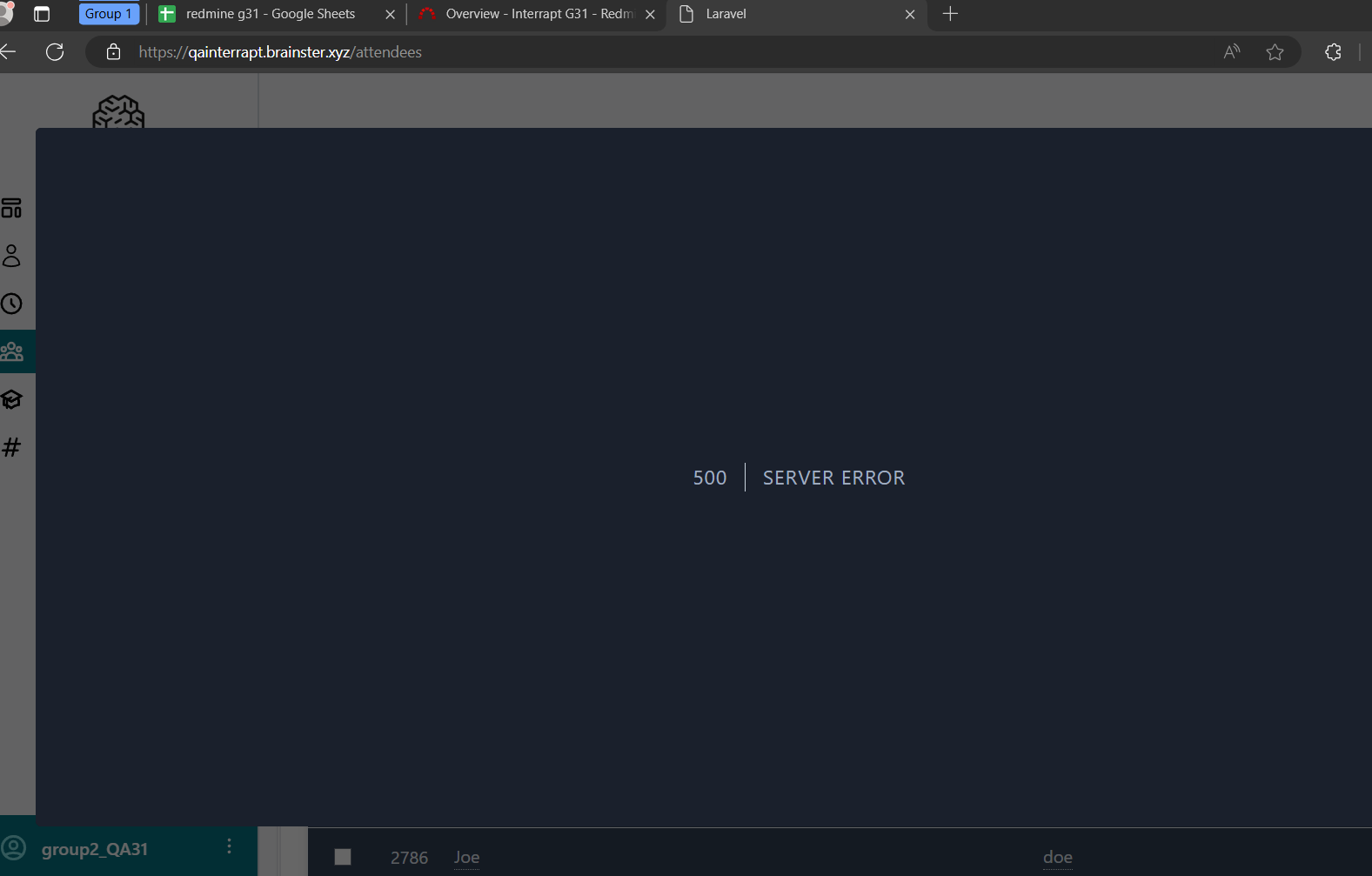
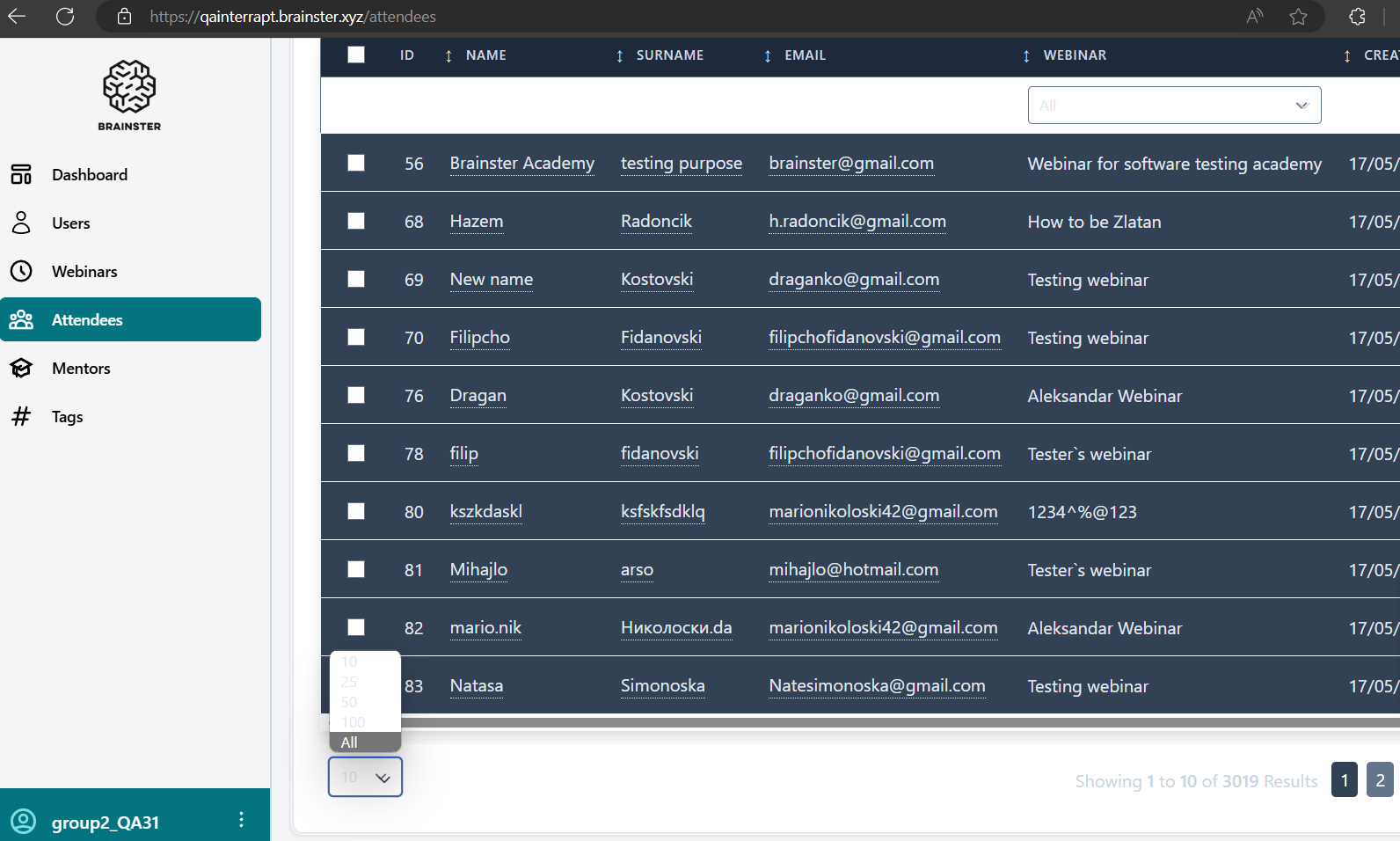
open[Attendees] When we are clicking on the pagination filter to show us all Attendees, appears a messages - bug 500 error.
Start date:
06/10/2024
Due date:
% Done:
0%
Estimated time:
Description
Environment
Edge Version 125.0.2535.92 (Official build) (64-bit)
Steps to reproduce
1.Navigated to https://qainterrapt.brainster.xyz/login
2.Log in with valid credential.
3.The user should be successfully login.
4.Click on the 'Attendees,' from navigation menu.
5.Click on 'Pagination' filter.
6.Click on "all" from drop-down 'Pagination' filter.
Expected Result
After clicking the 'Pagination' filter, the registration process should successfully proceed to show as all attendees.
Actual Result
It shows us a message "500 Error' and we cannot list all attendees.
Files
Updated by Violeta Manevska about 2 years ago
- File Bug-all - pagination filter 1.png added
- File Bug-all - pagination filter.png added
- Subject changed from By clicking on the pagination filter, is not working when we click for all. to When we are clicking on the pagination filter to show us all Attendees, appears a bug 500 error.
Updated by Violeta Manevska about 2 years ago
- File deleted (
Bug-all - pagination filter 1.png)
Updated by Violeta Manevska about 2 years ago
- File deleted (
Bug-all - pagination filter.png)
Updated by Violeta Manevska about 2 years ago
- Subject changed from When we are clicking on the pagination filter to show us all Attendees, appears a bug 500 error. to When we are clicking on the pagination filter to show us all Attendees, appears a messages - bug 500 error.
Updated by Violeta Manevska about 2 years ago
- Subject changed from When we are clicking on the pagination filter to show us all Attendees, appears a messages - bug 500 error. to [Attendees] When we are clicking on the pagination filter to show us all Attendees, appears a messages - bug 500 error.
Actions