Bug #2478
open[Users] The ‘Name’ field should not accept any other characters except Cyrillic and Latin
0%
Description
Environment
Microsoft Edge: Version 125.0.2535.85 (Official build) (64-bit)
Windows 11
Mob Web: Application Version: Chrome 125.0.6422.165
Operating System: Android 10; JSN-L21 Build/HonorJSN-L21
https://qainterrapt.brainster.xyz/
Description
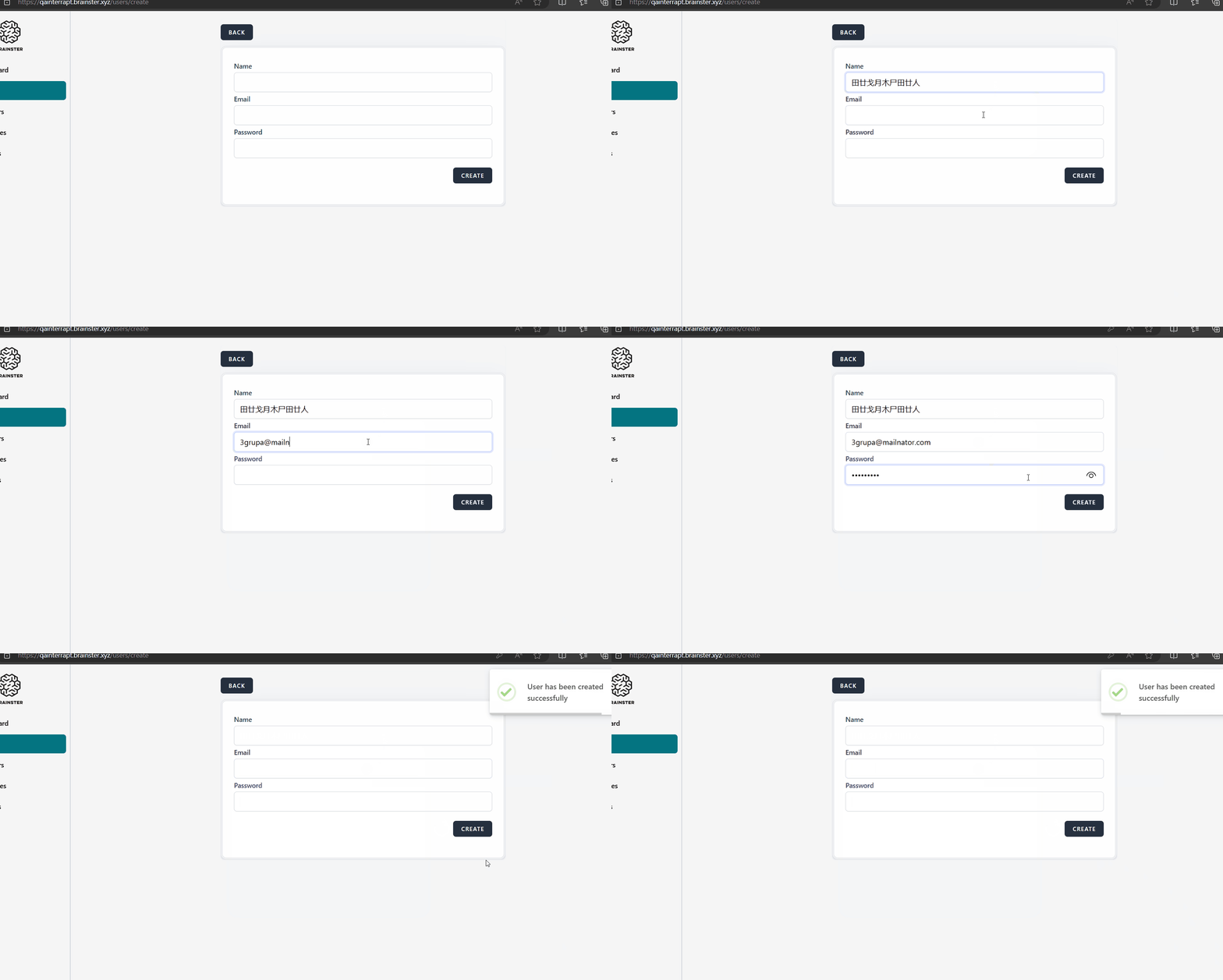
The 'Name' field is accepting characters outside the Latin and Cyrillic alphabets. By entering Chinese characters user is created. By customer’s specification the 'Name' field should accepts only Latin and Cyrillic alphabets.
Steps to reproduce
1. Navigate to the log in form page
2. Log in with valid credentials
3. Navigate to the Users page from dashboard
4. Clik on 'Create' button
5. Click on the 'Name' field
6. Fill the Name field (e.g.田廿戈月木尸田廿人)
7. Fill the rest of the fields with valid data
8. Click on 'Create' button
Expected Result
The user should not be able to be created, an error message should be displayed that the 'Name' field is required in red letters. Name field accept only Latin and Cyrillic alphabets by customer's specification.
Actual result
The result lies outside the customer’s specification to which it is required to conform, and the user is created by entering Chinese characters without any errors.
Files
Updated by Emilija Delovski about 2 years ago
- Description updated (diff)
- Assignee set to Emilija Delovski
- Priority changed from Medium to High
Updated by Emilija Delovski about 2 years ago
- Priority changed from High to Medium