Bug #2497
open[Users] The Password field should not accepts more than 30 characters
0%
Description
Description
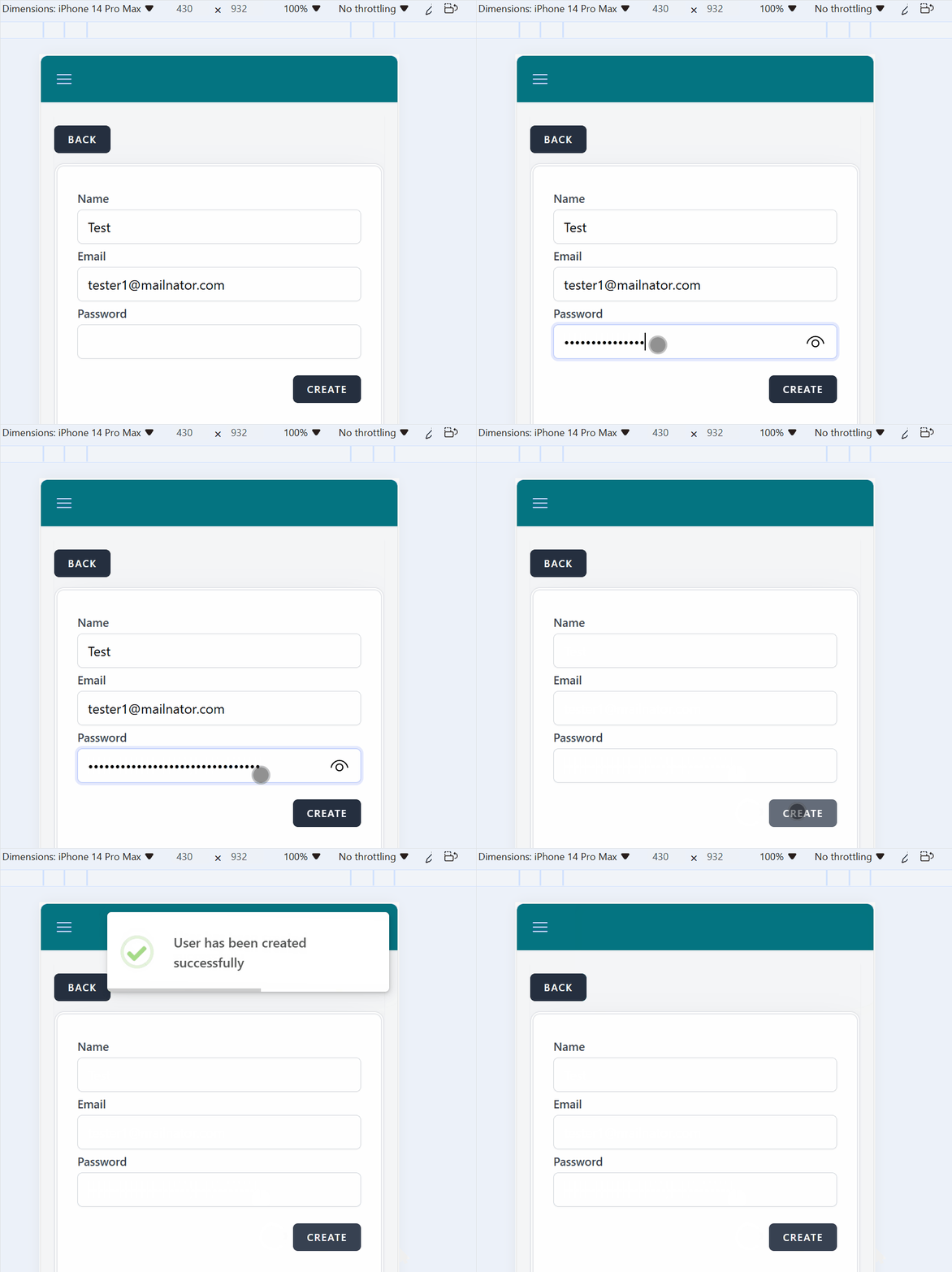
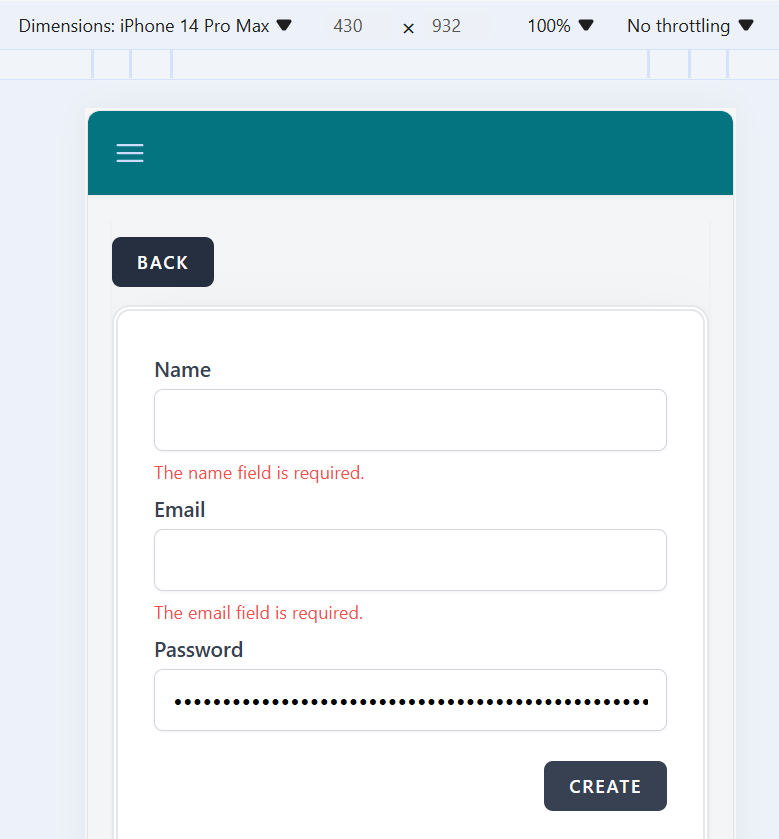
We fill the password field with more than 30 characters and when we position the cursor in the next field, Email, we do not get a message in red letters that the Password field accepts maximum 30 characters.
Environment
Platform/OS: Microsoft Edge
Version 125.0.2535.92 (Official build) (64-bit)
Device: iPhone 14 Pro Max
Dimensions: 430 x 932
URL: https://qainterrapt.brainster.xyz
Steps to reproduce
1. Navigate to the interappt webpage
2. Navigate to the Login Page
3. Login with valid credentials
4. Click on the Hamburger menu
5. Click on Users
6. Click on the Create button in the top right corner
7. Click on the Password field
8. In the Password field enter more than 30 characters
9. Click on the Create button in the lower right corner
10. Observe if you get a message for an unacceptable password length
Expected results
An error message should be displayed that the password must be less than 30 characters, with red letters. Under the Name field and the Email field, which are left empty, there is a message in red letters.
Actual results
No error message is displayed on the Password field.
Files
| bug3.gif (267 KB) bug3.gif | |||
| bug3.png (31.9 KB) bug3.png | |||
| bug Pass.gif (127 KB) bug Pass.gif |