Actions
Improvement #2504
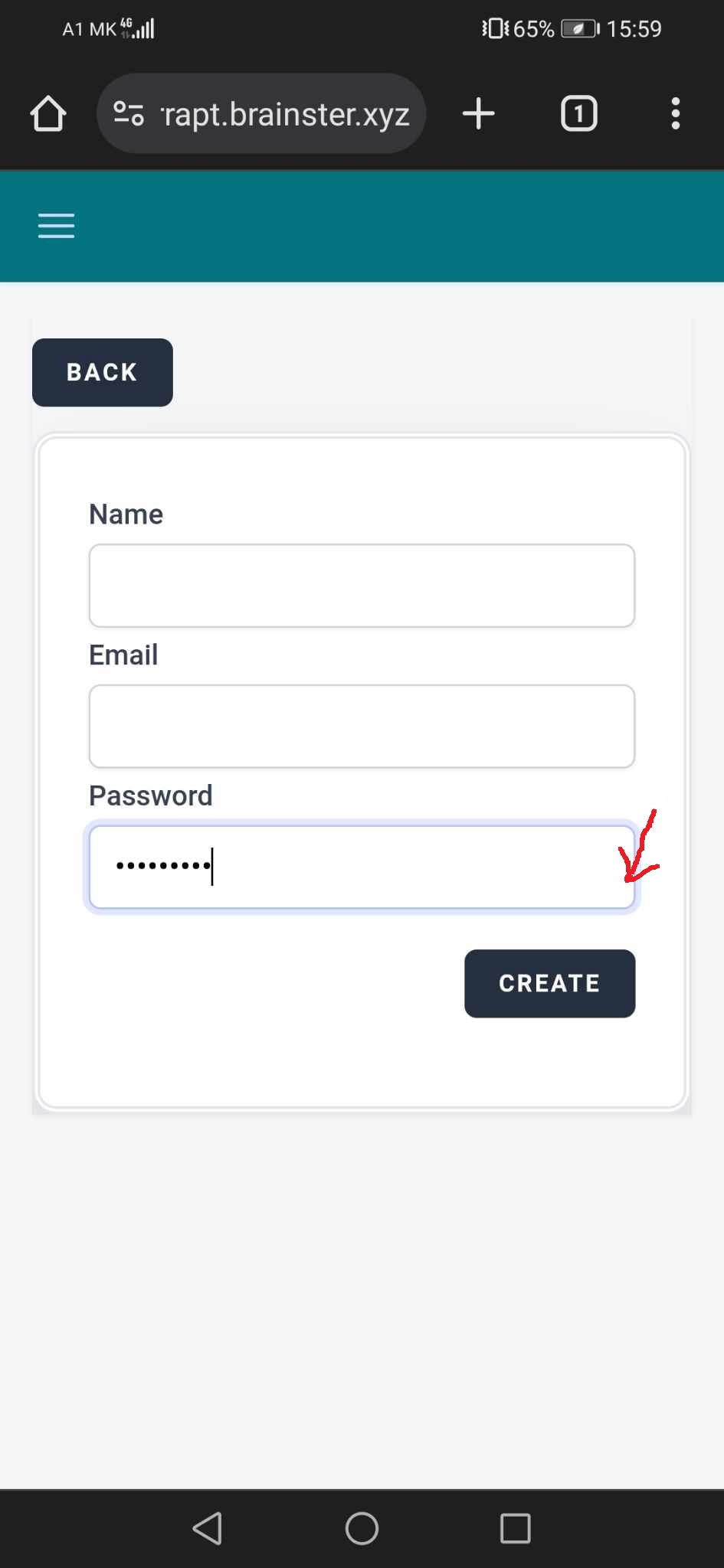
open[Users] The 'eye' icon is not visible next to the password field.
Start date:
06/12/2024
Due date:
% Done:
0%
Estimated time:
Description
Environment
Mob Web: Application Version: chrome 125.0.6422.165
Operating System: Android 10; JSN-L21 Build/HonorJSN-L21
https://qainterrapt.brainster.xyz/
Steps to reproduce
1. Log in with valid credentials
2. Click on the 'Hamburger' menu on the upper left corner of the page
3. Click on 'Users'
4. Click on the 'CREATE' button on the upper right corner of the page
5. Navigate to the 'Password' field
6. Type password in the field in order to see eye icon next to the password field
Expected result
While typing the password 'eye' icon should appear, so the user can view if the entered password is correct
Actual result
The 'eye' icon for password field is not displayed
Files
Actions