Bug #2522
open[Login] 'Remember me' checkbox is not working
0%
Description
Environment
Browser: Google Chrome Version 125.0.6422.142 (Official Build) (64-bit)
OS: Windows 11
URL:https://qainterrapt.brainster.xyz
Description
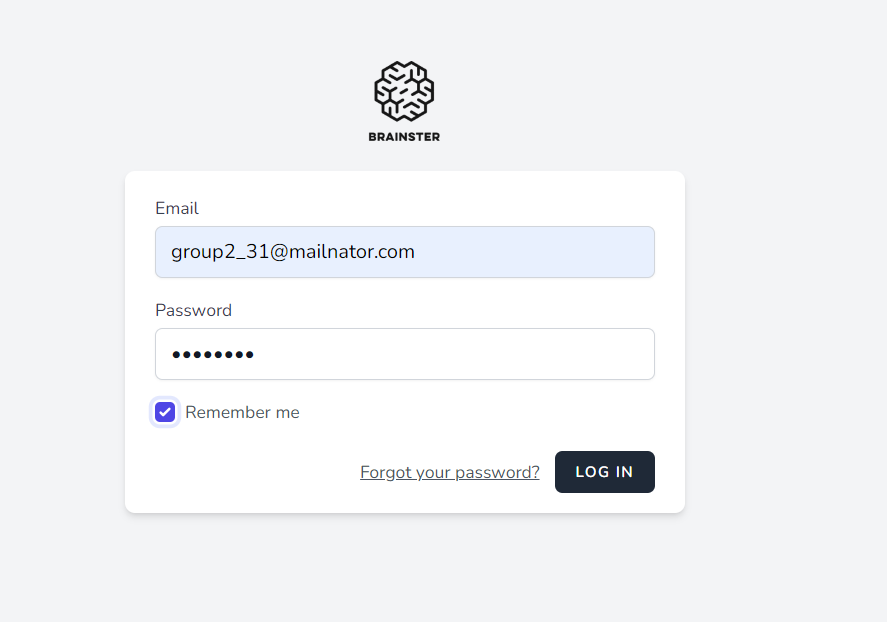
When the user wants to save credential for further log in by clicking on the checkbox 'Remember me' is not working.
Steps to reproduce
1.Navigate to URL:https://qainterrapt.brainster.xyz/login
2. Log in with valid credentials.
3. Click on the 'Remember me' checkbox
4. Press 'Log in' Button
5. Press 'Logout' from the 'kebab menu' on the left down corner.
Expected Results
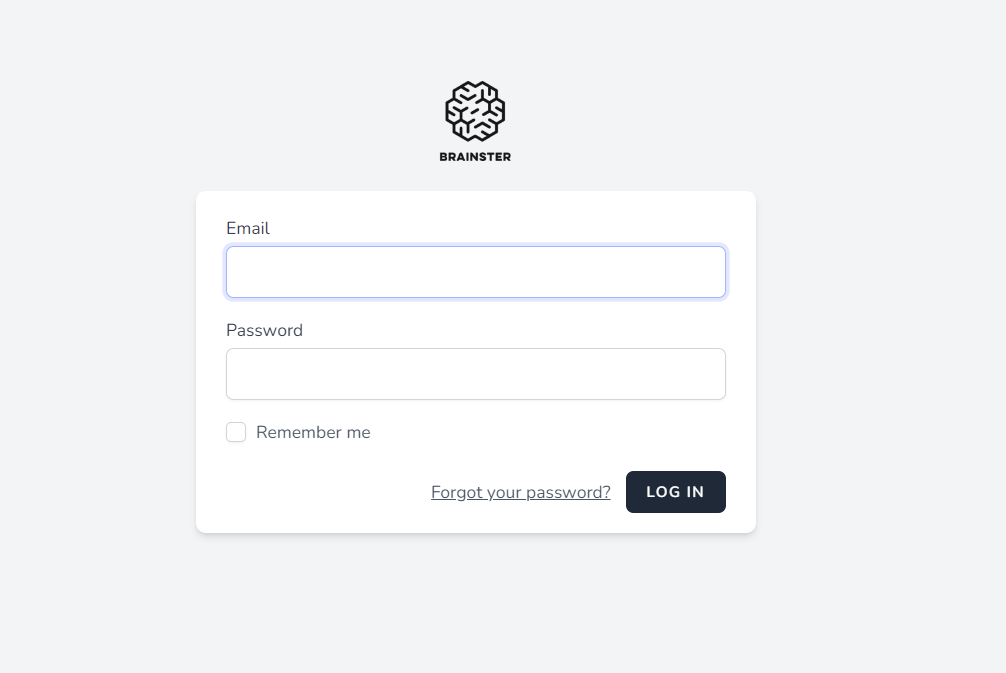
When pressing Logout the user should be navigated to https://qainterrapt.brainster.xyz/login and the credentials should be saved for further loggings.
Actual Results
When pressing Logout the user is navigated to https://qainterrapt.brainster.xyz/login, the credentials are NOT saved for further loggings.
Files
Updated by Kristina Kragujevska about 2 years ago
- Subject changed from [Checkbox] Dysfunctional Remember me checkbox to [Login] Dysfunctional Remember me checkbox
Updated by Kristina Kragujevska about 2 years ago
- Subject changed from [Login] Dysfunctional Remember me checkbox to [Login] 'Remember me' checkbox is not working