Bug #2534
open[Webinars] The system should not accept an image smaller than 200x200 and larger than 1000x1000
0%
Description
Environment
Platform/OS: Google Chrome
Version: 125.0.6422.142 (Official Build) (64-bit)
Device: iPad Pro
Dimensions: 1366x1024
URL: https://qainterrapt.brainster.xyz/webinars
Description
The image upload functionality on the webinar creation page enforces size constraints. The system should accept an image with minimum 200 x 200 pixels and maximum 1000 x 1000 pixels. With any deviation from these proportions an error message should be displayed indicating that the image size is not acceptable.
Precondition
The user must be preregistered
Steps to reproduce
1. Navigate to https://qainterrapt.brainster.xyz/login
2. Log in with valid credentials
3. Click on the 'Hamburger' menu in the upper left corner of the page
4. Click on 'Webinars' in the sidebar menu
5. Click on the 'CREATE' button on the upper right corner of the page
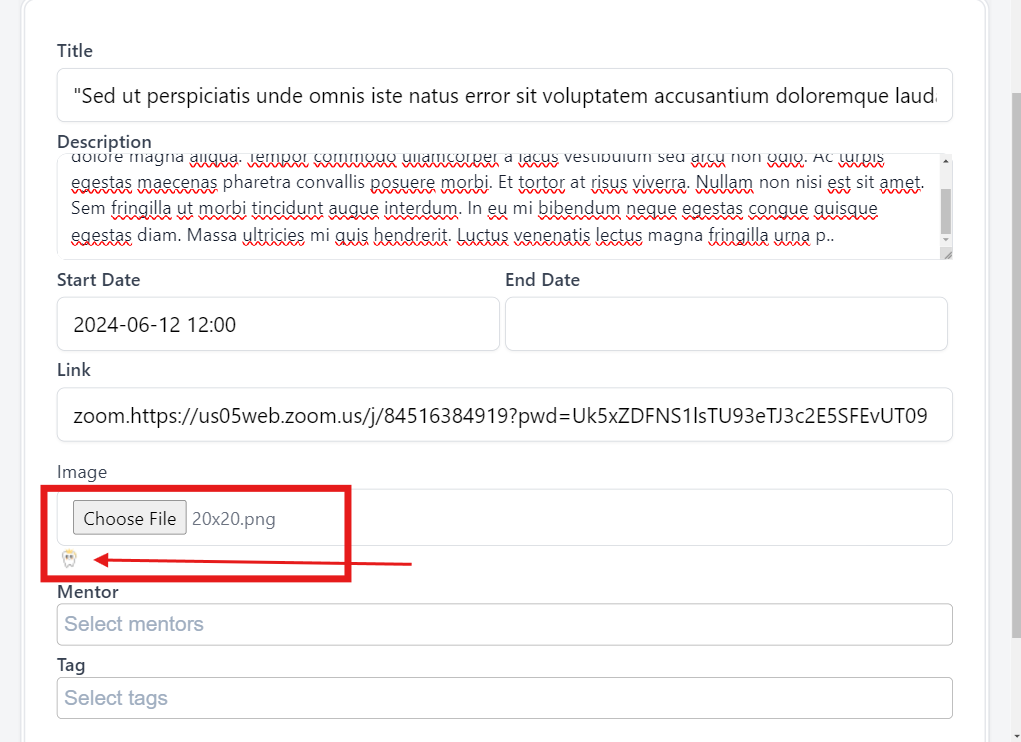
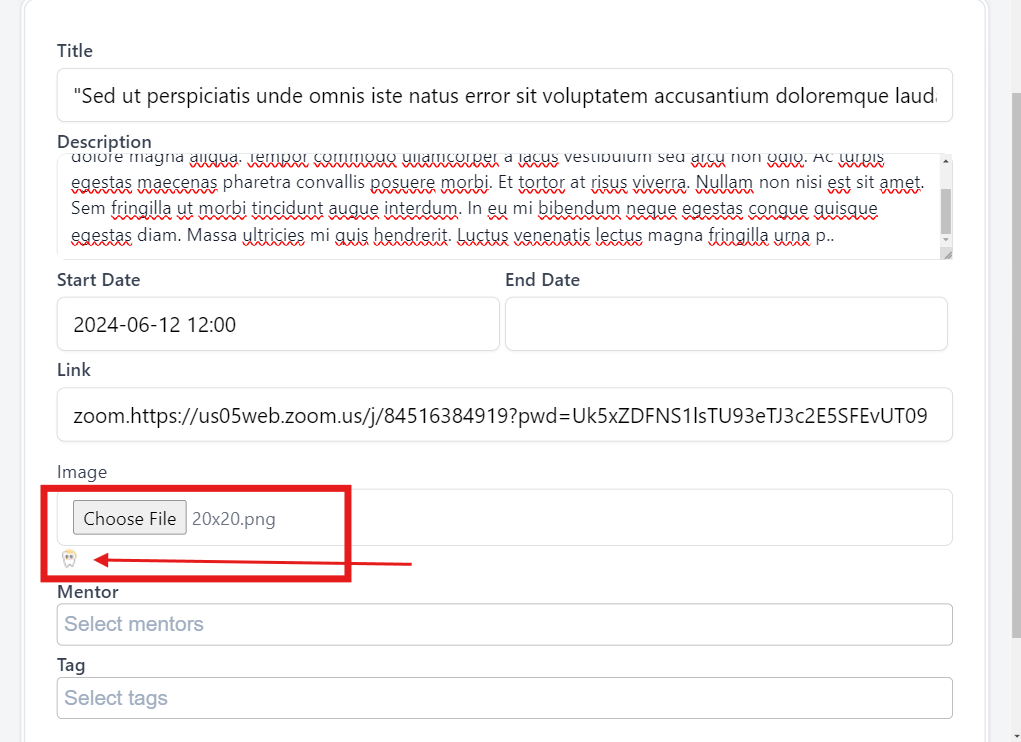
6. Click on the 'Choose File' in the 'Image' field smaller than 200x200 or larger than 1000x1000
9. Select an image
Expected Result
If the selected image is smaller than 200x200 or larger than 1000x1000 pixels, an error message is displayed indicating that the image size is not acceptable.
Actual Result
The image is successfully uploaded.
Files