Bug #2579
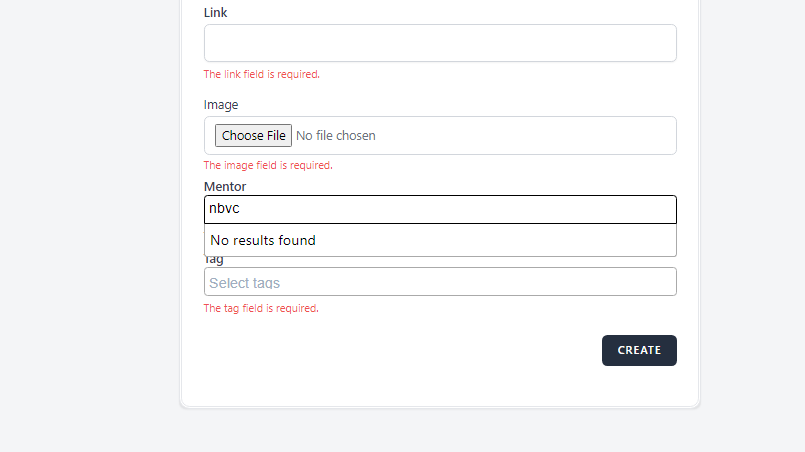
openThe 'Mentor' field does not accept only choosing the mentors
0%
Description
When attempting to the Webinars page to create a new Webinar, the 'Mentors' field does not accept only choosing the mentors from the drop-down list but it can be written any name
Steps to reproduce
1. Open the https://qainterrapt.brainster.xyz/webinars
2. Fill in the required details to log in first.
3. Click on the 'Login' button
4. Choose the Webinars located on the right side, (third in a row).
5. Click on the 'Create' button located on the right upper corner
6. Try to enter the "Mentor" only choose a Mentor, and then try to write any name.
7. Click on the 'create' button positioned on the down-right corner
Expected Result
After clicking the "Create" button the error message should be automatically displayed.
Actual Result
Upon clicking the "Mentor" field, it can be written any name.
Files