Actions
Bug #2817
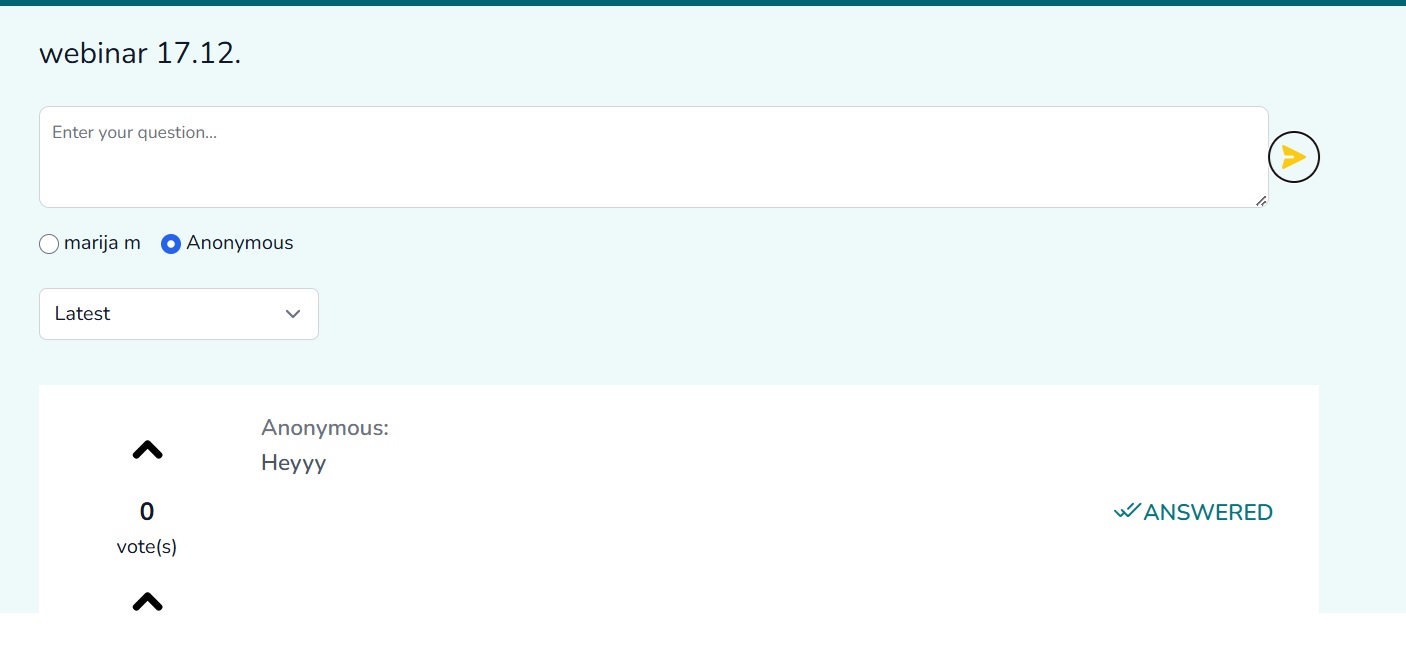
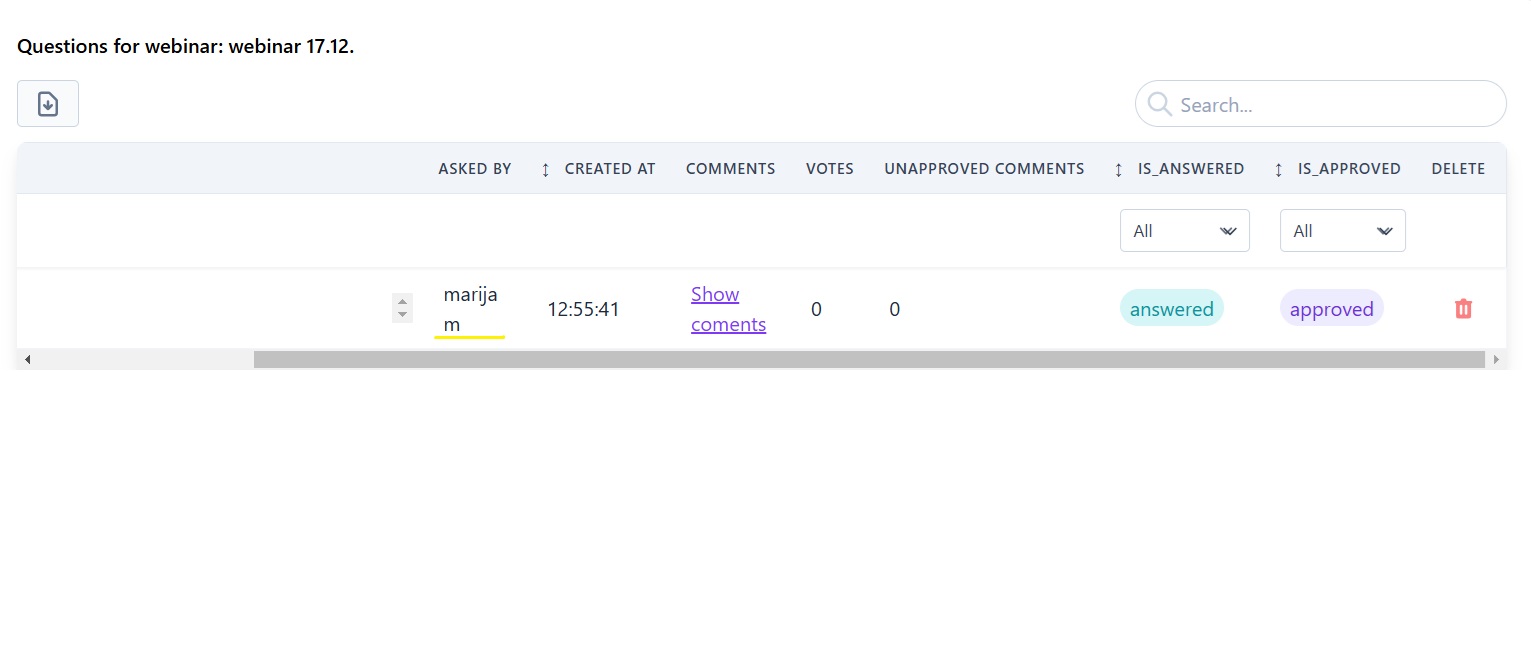
open[Webinars] If user posts a comment anonymously, the user name is still visible on the main page info of the webinar.
Start date:
12/17/2024
Due date:
% Done:
0%
Estimated time:
Severity:
Major
Description
If 'Anonymous' checkbox is selected when posting a comment, the name of the user is anonymous on the webinar page, but it is not anonymous on the main page info.
Environment
"https://qainterrapt.brainster.xyz/login
Browser: Chrome - Version 131.0.6778.140 (Official Build) (64-bit)
OS: Windows 11 Pro
Screen size: 1920x1080
Zoom level: 100%"
- Navigate to Webinars page URL.
- Click on the 'Comments' hyperlink.
- Enter a comment in the 'Enter your comment…' field.
- Select the 'Anonymous' checkbox.
- Click on the arrow."
Expected Result
Users should navigate to the Webinar page, access the Comments section, submit a comment with the anonymous checkbox selected, and successfully send it as an anonymous user.
Actual Result
The user navigates to the Webinar page, accesses the Comments section, enters a comment with the anonymous checkbox selected, and successfully sends it as an anonymous user.
Files
Actions
#1
Updated by Marija M over 1 year ago
- File Untitled.jpg Untitled.jpg added
- File Untitled1.jpg Untitled1.jpg added
Actions