Improvement #2819
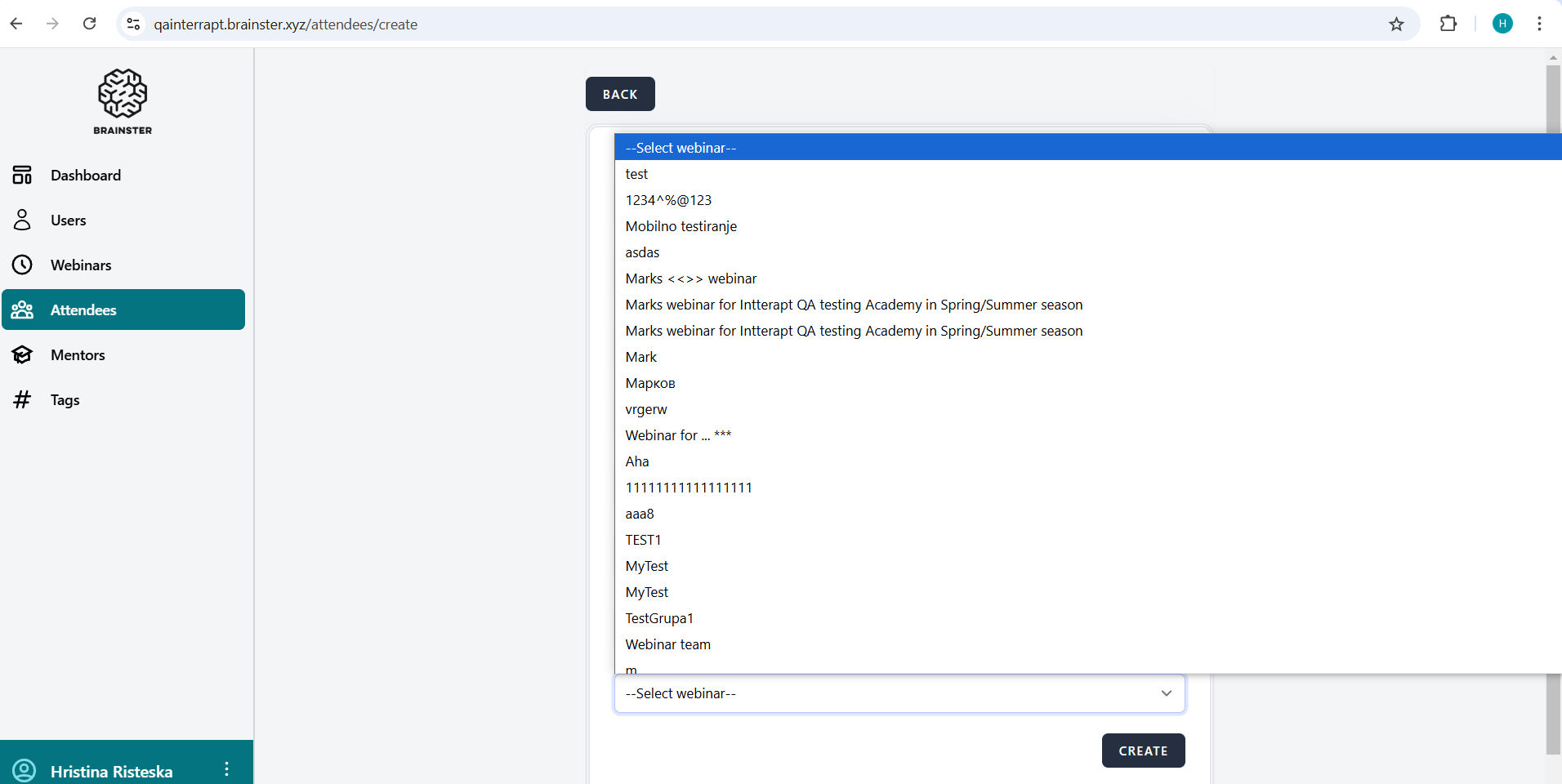
open[Attendees] When user click on "Select Webinar" dropdown arrow and the webinars are listed, a vertical scroll bar and scroll arrows should be located at the right side of the listed webinars
0%
Description
Description:
A vertical scroll bar and scroll arrows should be placed at the right side od the listed webinars, for easily moving throught the created webinars
Environment:
test
https://qainterrapt.brainster.xyz/attendees
PC / Windows 10 Education
Version 22H2 /
Google Chrome Version 131.0.6778.140 (Official Build)
(64-bit)
Steps to reproduce:
1. Log in to the system
2. Navigate to the "Attendees" page
3. Click on the "Select webinar" dropdown arrow
4. Observe the vertical scroll bar and the scroll arrows
Expected Results:
When the user click on the "Select webinar" dropdown arrow, there should be located a vertical scroll bar and scroll arrows at the right sight of the listed webinars to enable the user to scroll the webinars up or down.
Actual Result:
When the user click on the "Select webinar" dropdown arrow to choose and select a webinar from the list, the webinars are moving by pressing the 'up' and 'down' navigation keys, or with searching webinar by the alphabet keys at the computer keyboard.
Files