Actions
Bug #2820
open[Attendees] User who is not logged in as admin is able to register an attendee for a certain webinar
Start date:
12/17/2024
Due date:
% Done:
0%
Estimated time:
Severity:
Major
Description
Description:
An attendee can be created by a user who is not logged in as admin.
Environment:
test
https://qainterrapt.brainster.xyz/attendees
PC / Windows 10 Education Version 22H2 /
Google Chrome Version 131.0.6778.140 (Official Build) (64-bit)
Precondition:
User is not logged in as admin.
- Log in to the system.
- Navigate to the "Attendees" page.
- Click on the "CREATE" button.
- Fill the mandatory "Name" field
- Fill the mandatory "Surname" field
- Fill the mandatory "E-mail" field
- Select a webinar from the "Webinar" dropdown list
- Click on the "CREATE" button.
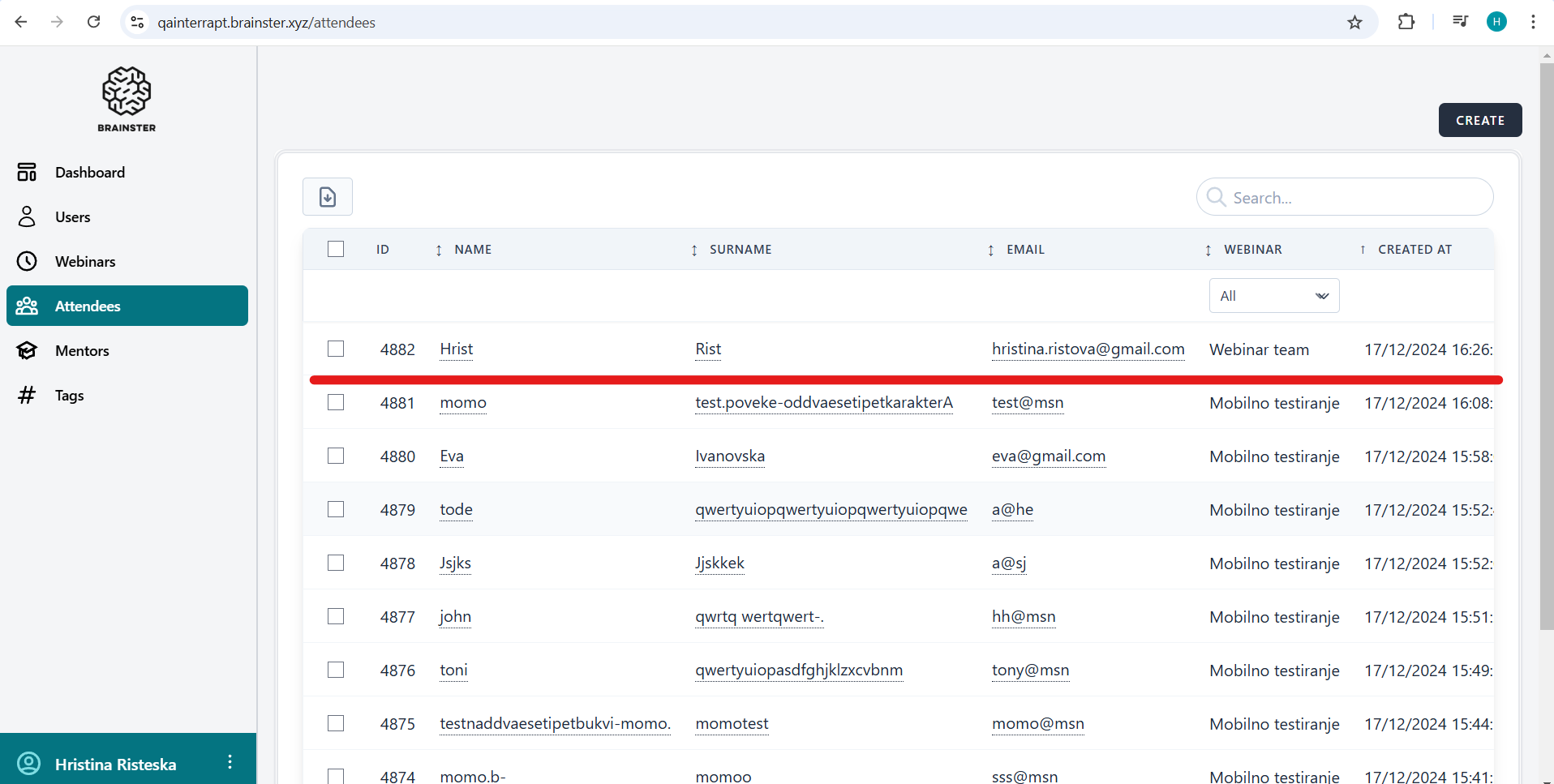
- Observe the created attendee in the list.
Expected result:
The attendee should not be created by the user who is not logged in as admin.
Actual result:
The system allows the attendee to be created and added to the list by the user who is not logged in as admin.
Files
| 2 Defect report.png (152 KB) 2 Defect report.png | |||
| Recording 2 DR.mp4 (2.47 MB) Recording 2 DR.mp4 |
Actions